

Origin URI Rewrite
When the resource path in the origin request does not match the actual directory on the origin server, it can lead to origin fetch failures. By rewriting the origin URI, you can align the request URL with the origin’s actual resource path, improving origin hit rates.
Use Cases
- Origin path updated: The storage path of resources on the origin has changed, but users still request via the old path. Origin URI Rewrite maps old paths to new ones for seamless access.
- Multiple resource paths: The same resource exists in multiple directories on the origin. Rewriting ensures a unified URI pattern for consistent access.
- Hide actual directory structure: Enterprises may wish to hide the true path structure of their origin servers. Rewriting allows external requests to decouple from internal paths, enhancing security and flexibility.
Configuration Items for Origin URI Rewrite
| Type | Description | Example (Request URL) | Rewrite Rule | Resulting Origin URI |
|---|---|---|---|---|
| All Content-Path Replacement | Replace all incoming requests' directory paths | /1.jpg | / → /image/ | /image/1.jpg |
| All Content-URI Overwrite | Append one or more fixed directories to the original path | /1.jpg | / → /image/fixed.jpg | /image/fixed.jpg |
| Prefix Match-Path Replacement | Replace matched directory prefix while preserving remaining path segments | /admin//img/1.jpg | Prefix /admin/ → /root/ | /root/img/1.jpg |
| Prefix Match-URI Overwrite | Rewrite the full URI once prefix is matched, regardless of the remaining path | /admin//img/1.jpg | Match /admin/ → /images/default.png | /images/default.png |
| Exact Match-Path Replacement | Replace matched directory exactly, preserving the remaining resource path | /exact/page.html | Exact match /exact/ → /real/ | /real/page.html |
| Exact Match-URI Overwrite | Rewrite entire URI only if the full path matches exactly | /exact/page.html | Exact match /exact/page.html → /real/page.html | /real/page.html |
Configuration Guide
Log in to the Security CDN Console.
In the left navigation bar, go to Speed & Cache and click Acceleration to enter the Global Acceleration Policy page.
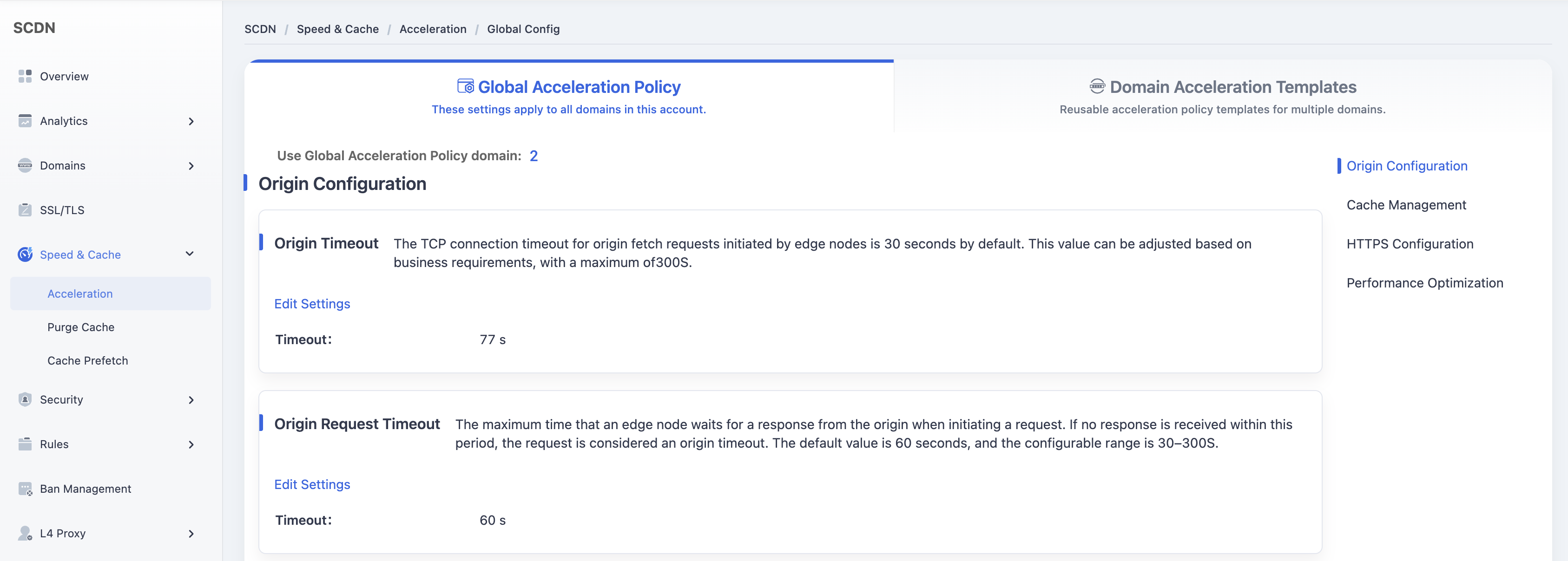
Click the Domain Acceleration Template tab at the top to switch to the template management page.
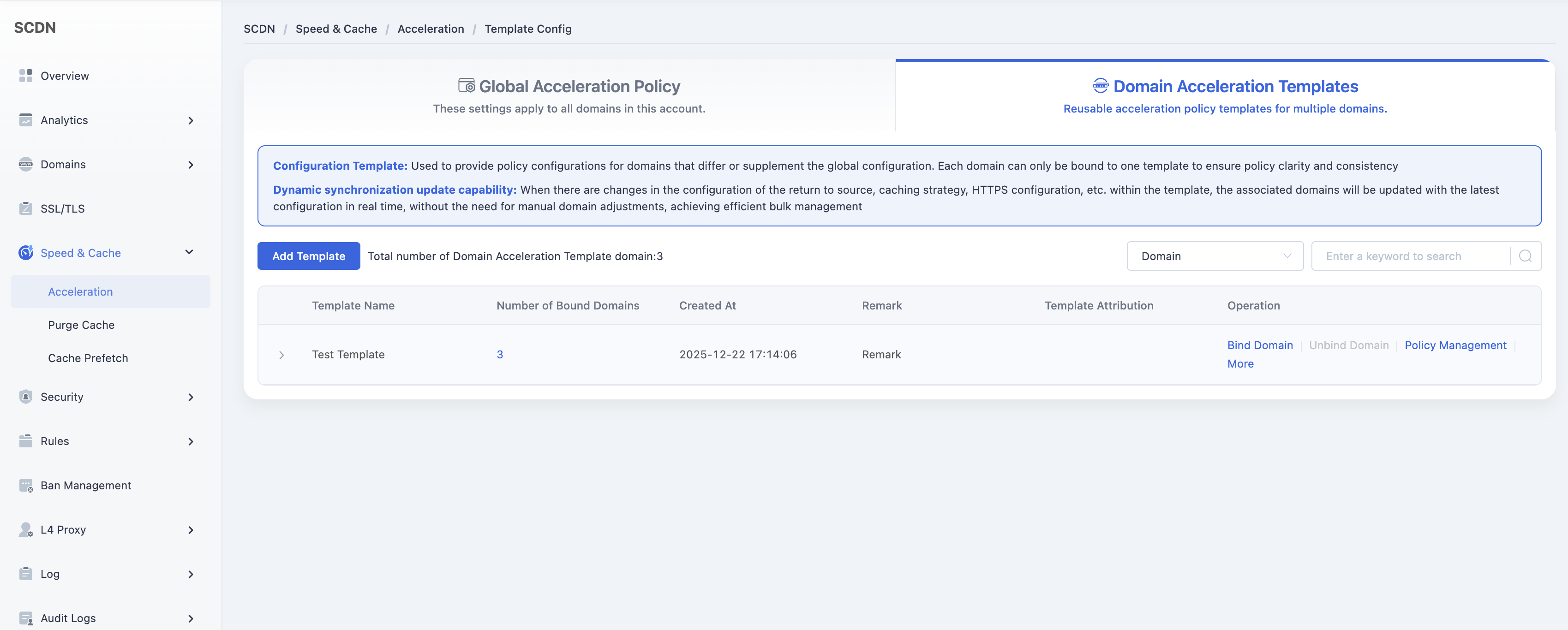
In the list of templates, locate the one you want to modify and click Policy Management in the Actions column.
In the configuration management page, find the Origin Configuration – Origin URI Rewrite module.
Click the Add button to create a new rewrite rule.
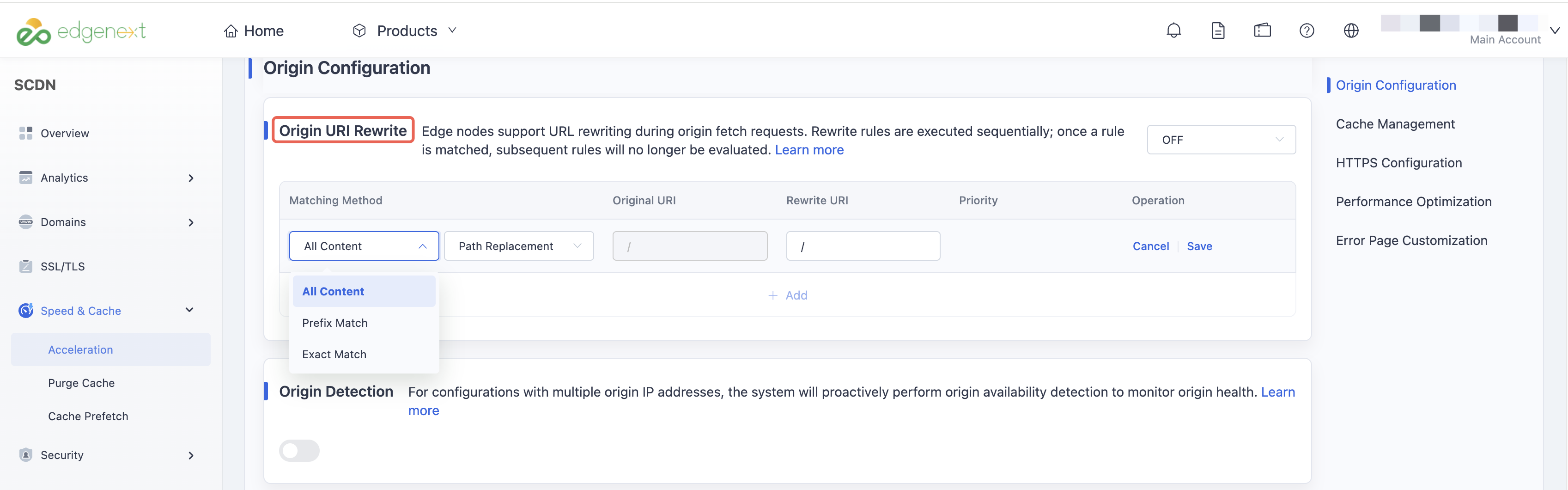
Enter the required rewrite rule (source path and target path), then click Save to complete the Origin URI Rewrite setup for this template.
Need help? Contact our support team at support@edgenext.com.
Back to documentation home