

Origin Detection
To ensure continuous and stable access to your services, the system supports real-time Origin Detection for multiple configured origin servers,Based on detection results, it performs intelligent origin scheduling.
By periodically checking the connection and response status of each origin, the system can automatically identify unavailable origins and prioritize routing to healthy ones, preventing access failures or interruptions.
Detection Overview
- HTTP/HTTPS Detection
- Detection tasks are generated based on the origin address, port, and protocol configured in the domain’s origin settings.
- When Detection Method is set to AUTO, the system will use the HEAD method first; if it fails, it falls back to GET.
- Detection Frequency:Detection is only performed when traffic is present,If no traffic is observed for 1 hour, detection is suspended.
- Failure and Recovery Thresholds
- If an origin fails consecutively for a defined number of times, it is marked unhealthy.
- If it succeeds consecutively, it is marked healthy again.
Note:
- When TCP Detection is used alongside passive origin health checks:
- If either method reaches the failure threshold, the origin is marked as unavailable.
- The origin will only be marked as recovered after both methods succeed.
Configuration Guide
Scenario 1: Global Acceleration Policy
Log in to the Security CDN Console.
Navigate to Speed & Cache → Acceleration to open the Global Acceleration Policy page.
Under the Origin section, locate and expand the Origin Detection module.

Click Enable to open the Origin Detection configuration window.
- Two detection protocols are supported: HTTP/HTTPS Detection and TCP Detection.
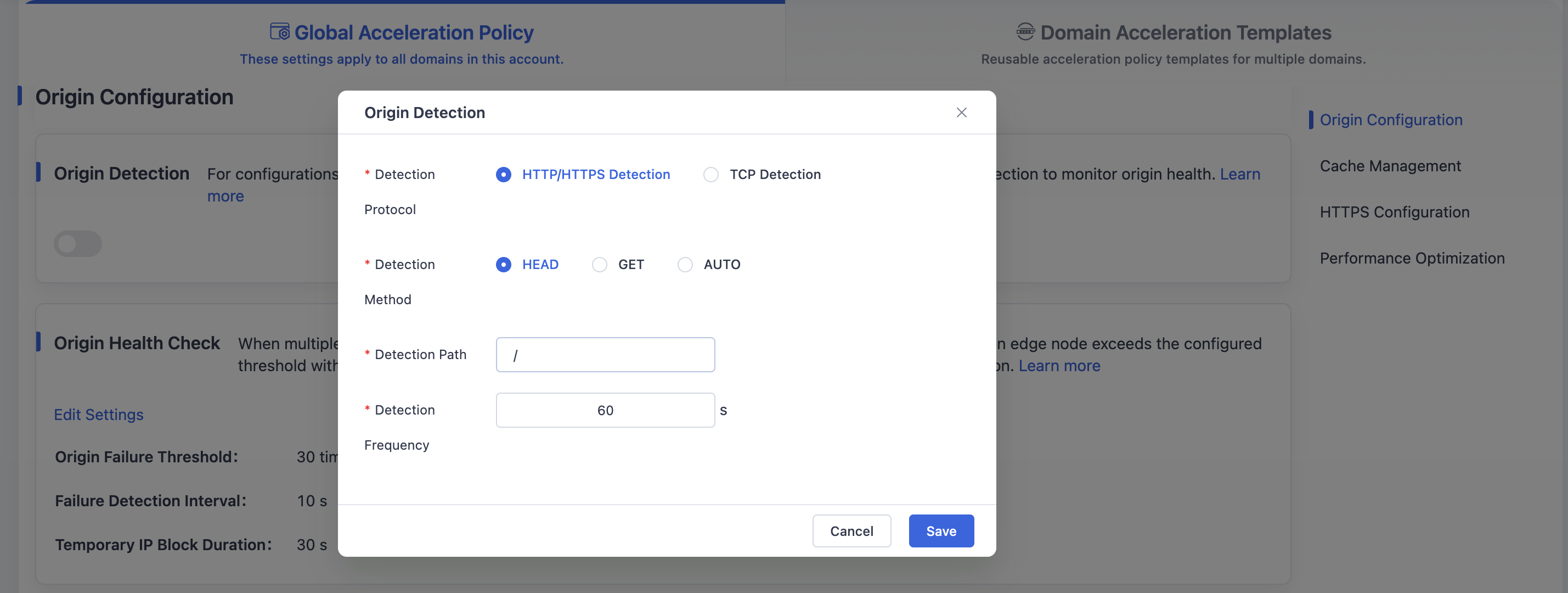
HTTP/HTTPS Detection
Used to verify that the origin returns valid HTTP responses,periodically sends HTTP/HTTPS requests.
Supports customization of:
- Detection method (HEAD/GET)
- Detection path
- Frequency
TCP Detection
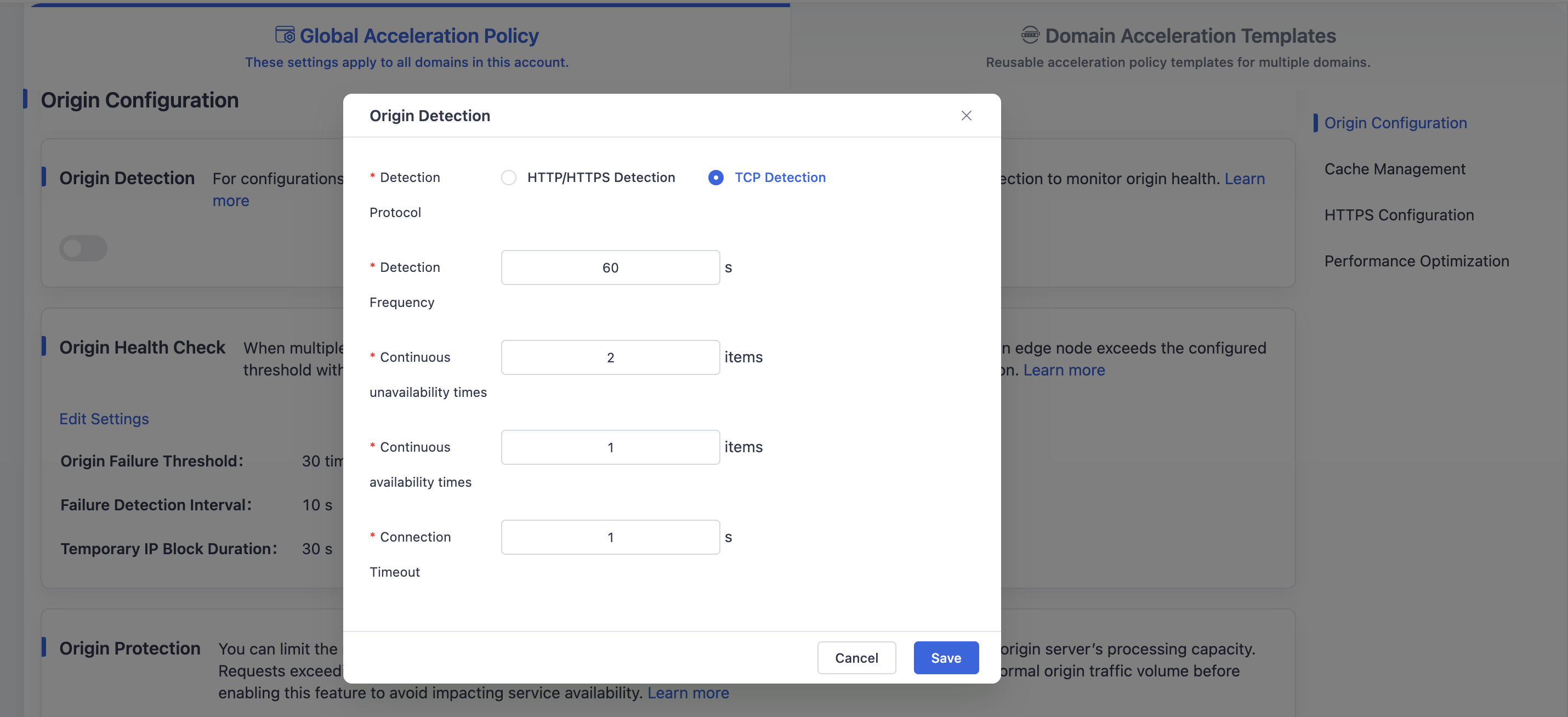
Attempts to establish TCP connections with the origin,Determines if the origin is reachable.
Supports configuration of:
- Detection frequency
- Consecutive failure threshold
- Consecutive success threshold
- Connection timeout
- Two detection protocols are supported: HTTP/HTTPS Detection and TCP Detection.
Click Save to enable Origin Detection and save the global domain configuration.
Scenario 2: Domain Acceleration Template
Log in to the Security CDN Console.
Navigate to Speed & Cache → Acceleration.
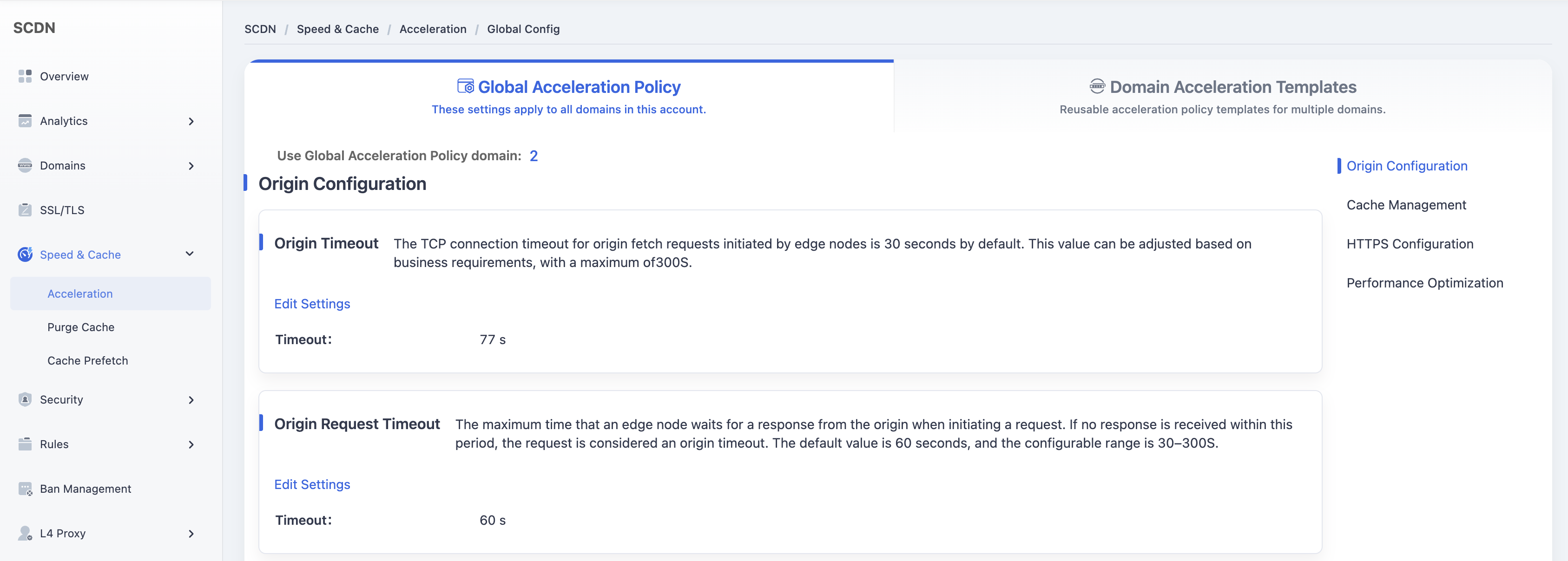
Click Domain Acceleration Template at the top to enter the template management page.
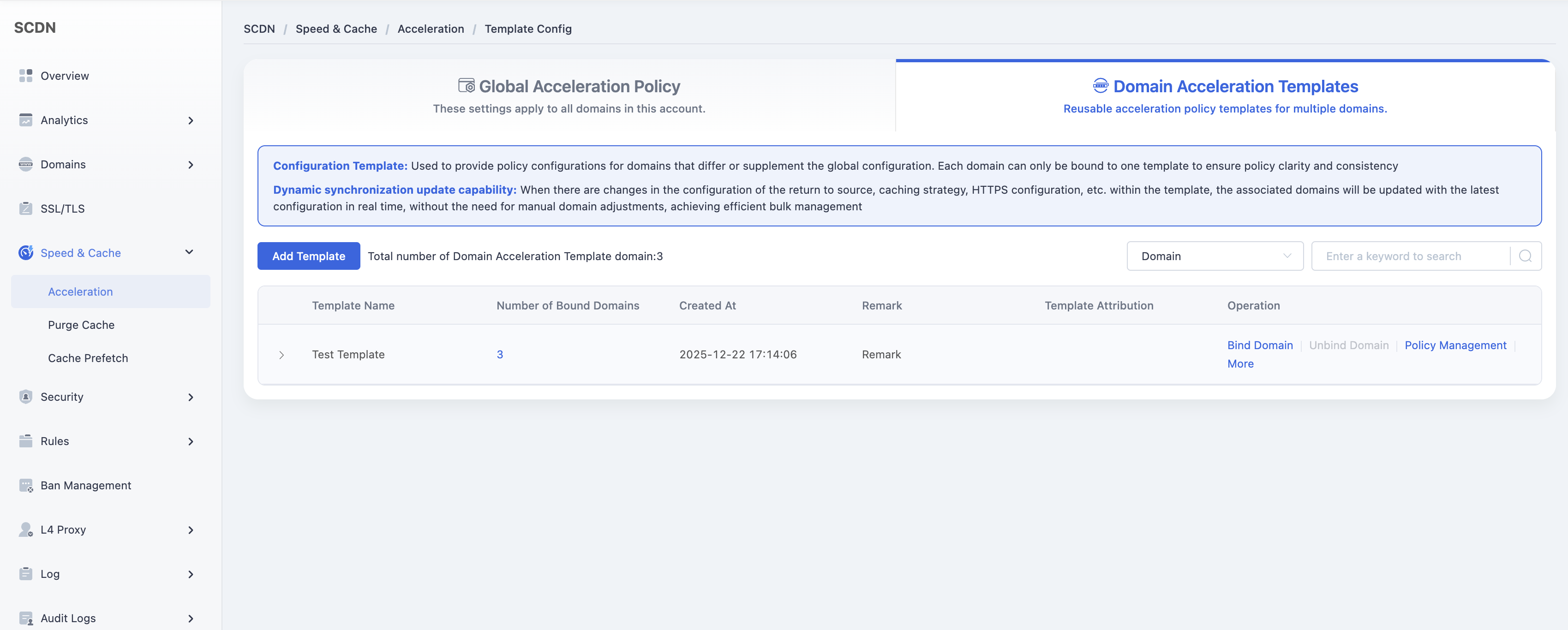
In the list of templates, locate the one you want to modify and click Policy Management.
Expand Origin Settings → Origin Detection, and click Enable to open the configuration window.
- Supports both HTTP/HTTPS Detection and TCP Detection, with the same configuration options as in the global setup.

Click Save to apply and save the Origin Detection settings for the selected template.
Need help? Contact our support team at support@edgenext.com.
Back to documentation home