

Follow 301_302 Redirects from Origin
When using Security CDN (SCDN) for content acceleration, it is common for the origin server to return 301 (Permanent Redirect) or 302 (Temporary Redirect) responses.
By default, SCDN edge nodes do not follow these redirects. Instead, they pass the redirect response directly to the client.
With the Follow 301/302 Redirects setting, you can control whether SCDN should follow the redirect by initiating a new origin request to the redirected URL and retrieving the final resource.
Configuration Details
| Setting | Description |
|---|---|
| Enable Follow 301/302 Redirects | Disabled (default): SCDN returns the origin’s 301/302 response directly to the client. Enabled: SCDN automatically detects 301/302 responses from the origin, extracts the target URL, and issues a new origin request. |
| Max Redirect Attempts | Fixed at 3. Cannot be modified by users. If the redirect chain exceeds 3 attempts, the final redirect response is returned without further action. |
| Supported Redirect Types | Only 301 (Permanent Redirect) and 302 (Temporary Redirect) are supported. |
Configuration Guide
Log in to the Security CDN Console.
In the left navigation pane, go to Speed & Cache → Acceleration.
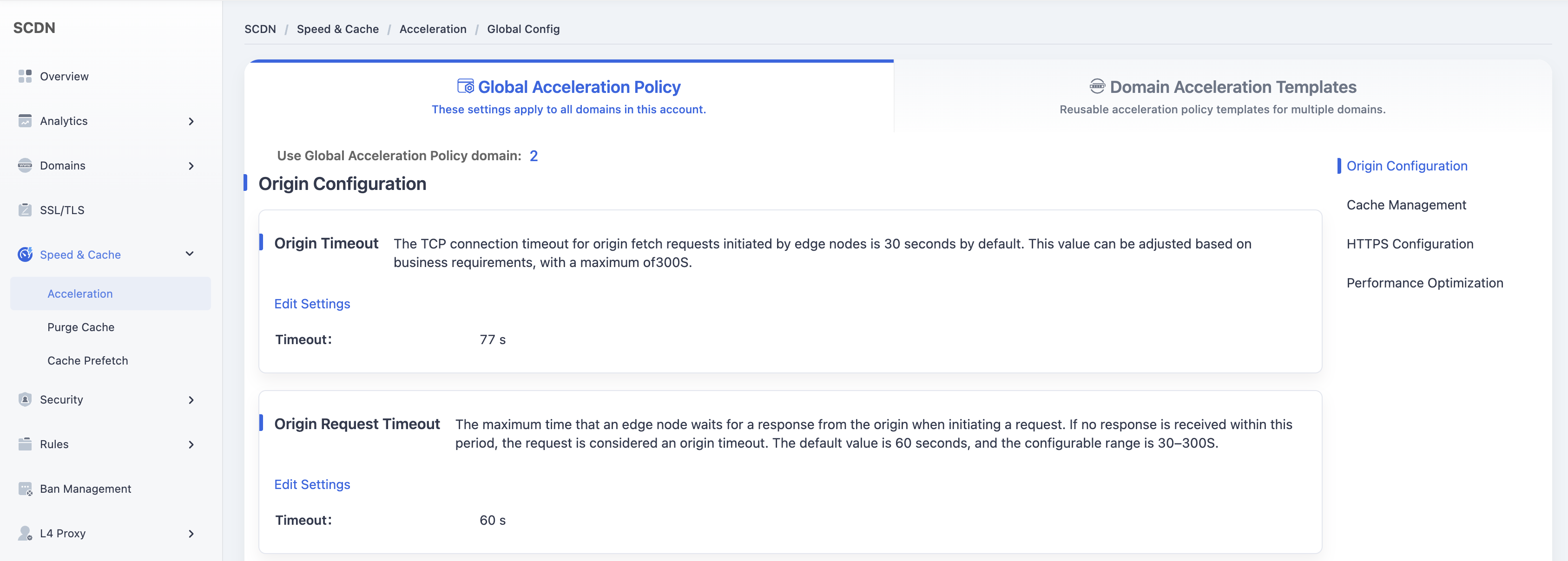
Click **Domain Acceleration Template **at the top to switch to the template management page.
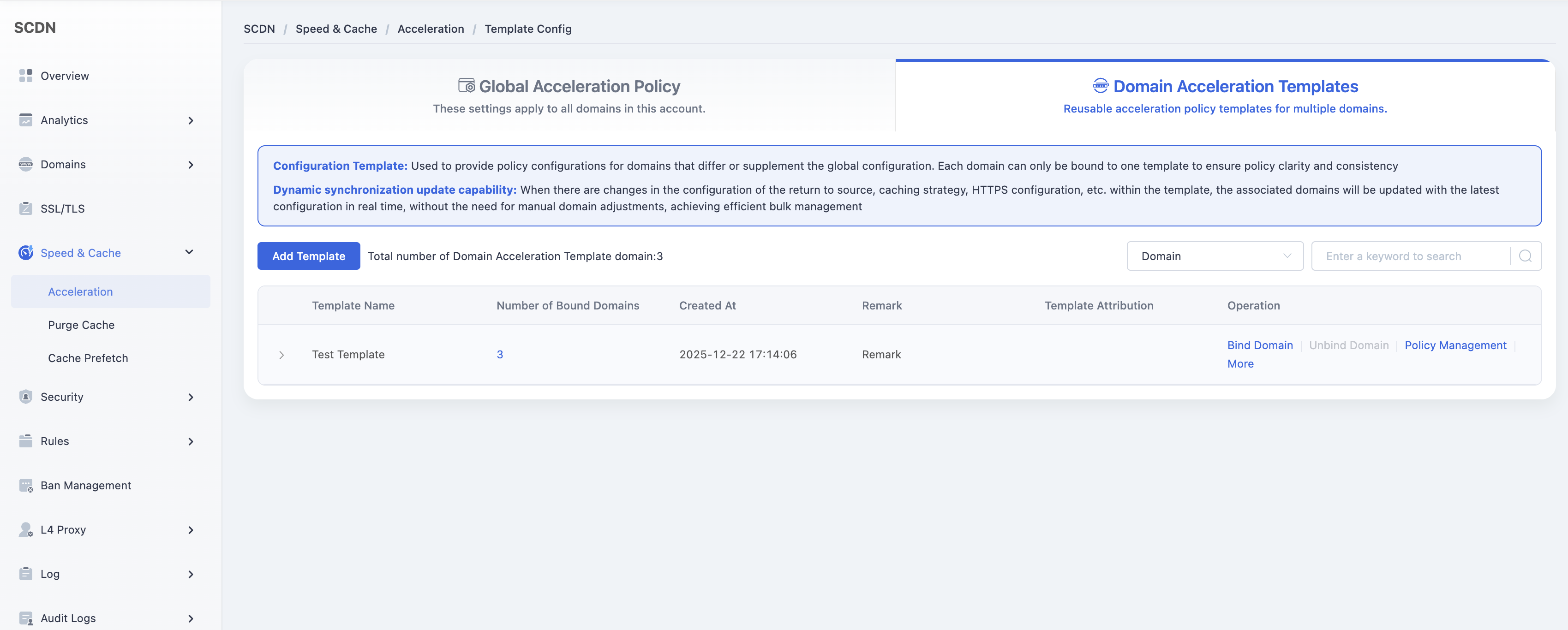
In the template list, locate the template you wish to modify and click Policy Management.
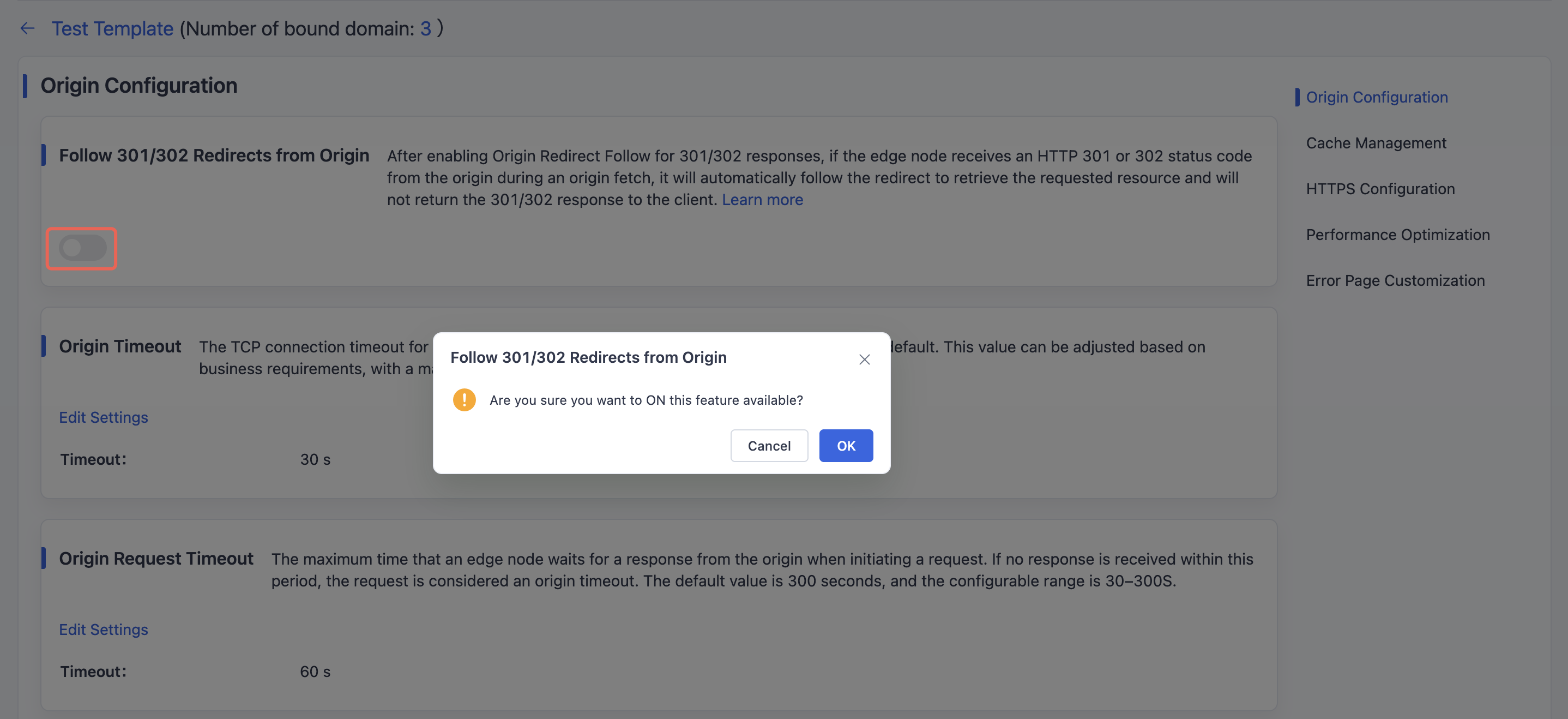
On the policy configuration page, find the Origin Configuration → Follow 301/302 Redirects from Origin module.
Toggle the switch to ON, and a confirmation dialog will appear. Click OK to save the configuration.
Need help? Contact our support team at support@edgenext.com.
Back to documentation home