

Origin Timeout
The Origin Timeout controls the maximum amount of time that an edge node waits when establishing a TCP connection to the origin server.
When a user request reaches a CDN edge node but the requested content is not cached, or when the latest content needs to be retrieved from the origin, the edge node initiates a TCP connection to the origin server. If the connection cannot be established within the configured timeout period, the origin request is considered failed due to a connection timeout and will be terminated.
By properly configuring the Origin Connection Timeout, you can balance origin fetch success rates and request response latency, thereby improving the overall user access experience.
The default value is 30 seconds. The timeout can be adjusted based on business requirements, with a maximum supported value of 300 seconds.
Use Cases
- Unstable Origin Network Conditions
When the origin server is deployed across regions or network link quality fluctuates, TCP connection establishment may take longer than usual. Increasing the Origin Connection Timeout appropriately can reduce origin fetch failures caused by connection timeouts. - High Origin Server Load
During peak traffic periods, the origin server's connection handling capacity may decrease. Extending the timeout period can help improve the success rate of origin connections. - Latency-Sensitive Applications
For APIs, dynamic content delivery, and other latency-sensitive services, a shorter timeout is recommended to enable faster retries or failover mechanisms when connection issues occur. - Cross-Border or Long-Distance Origin Fetching
When there is a long network transmission path between edge nodes and the origin server, TCP handshake latency may increase. It is recommended to adjust the timeout value based on actual network conditions.
Configuration Guide
Log in to the Security CDN Console. In the left navigation pane, choose Speed & Network > Domain Acceleration to enter the Global Acceleration Policy page.
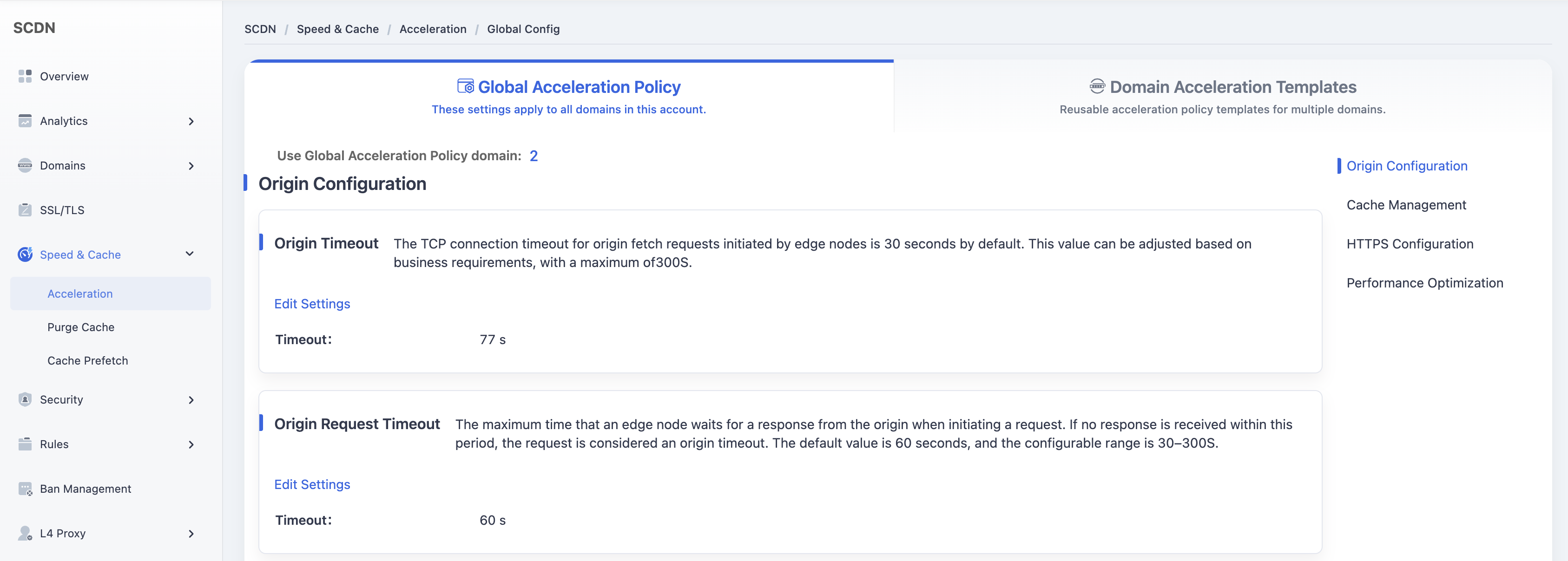
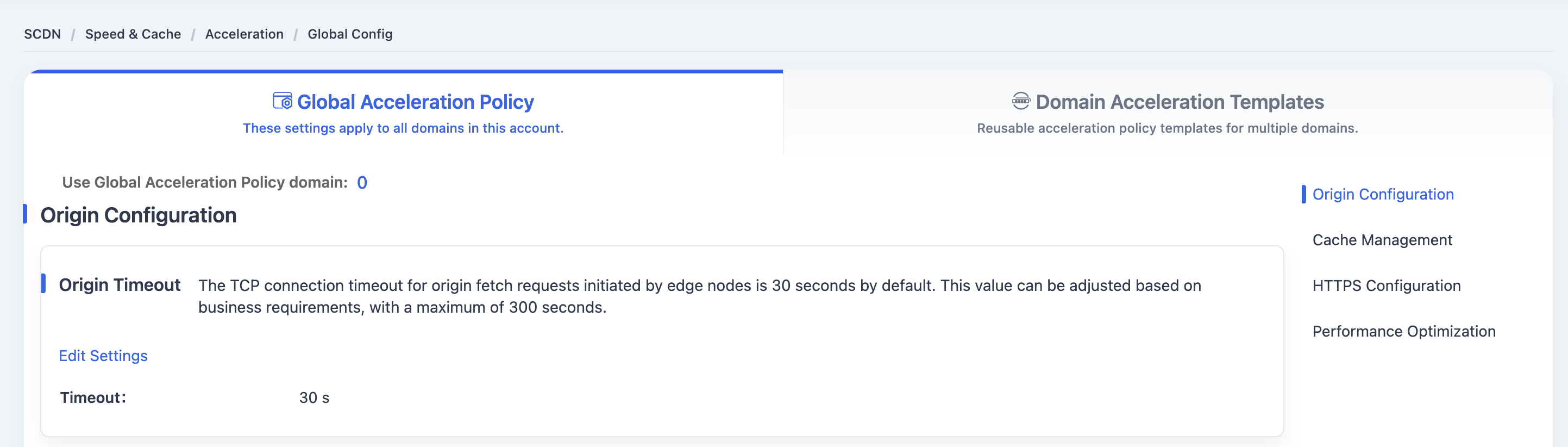
Navigate to Origin Configuration > Origin Timeout, and click Edit Settings to open the configuration dialog.
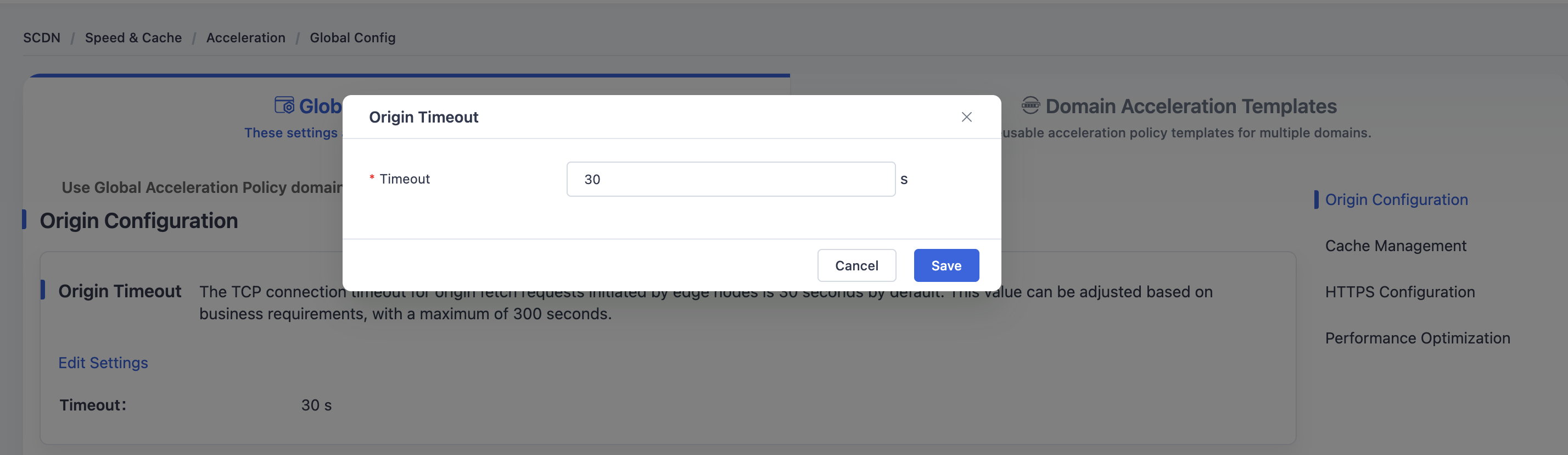
In the dialog box, modify the Origin Timeout value and click Save. The system will update and save the Origin Timeout configuration for the Global Acceleration Policy.
Need help? Contact our support team at support@edgenext.com.
Back to documentation home