

Security CDN
Prefetch Cache
Prefetch Cache refers to proactively retrieving and caching specified resources from the origin server to edge nodes before user access. This ensures the first user visit results in a cache hit, improving response speed and reducing origin load.
Use Cases
- Pre-cache important content before release
When launching a new site version or updating key pages, you can prefetch HTML, images, scripts, etc., so users get fast responses on first access and avoid blank screens or delays. - Prepare for traffic spikes
During expected high-traffic periods, prefetching hot pages helps prevent origin overload and access latency caused by concurrent requests. - Quickly recover experience after cache purge
After a cache purge, you can immediately prefetch updated resources to ensure users see the latest content without delays or load issues.
How to Use
Log in to the Security CDN Console.
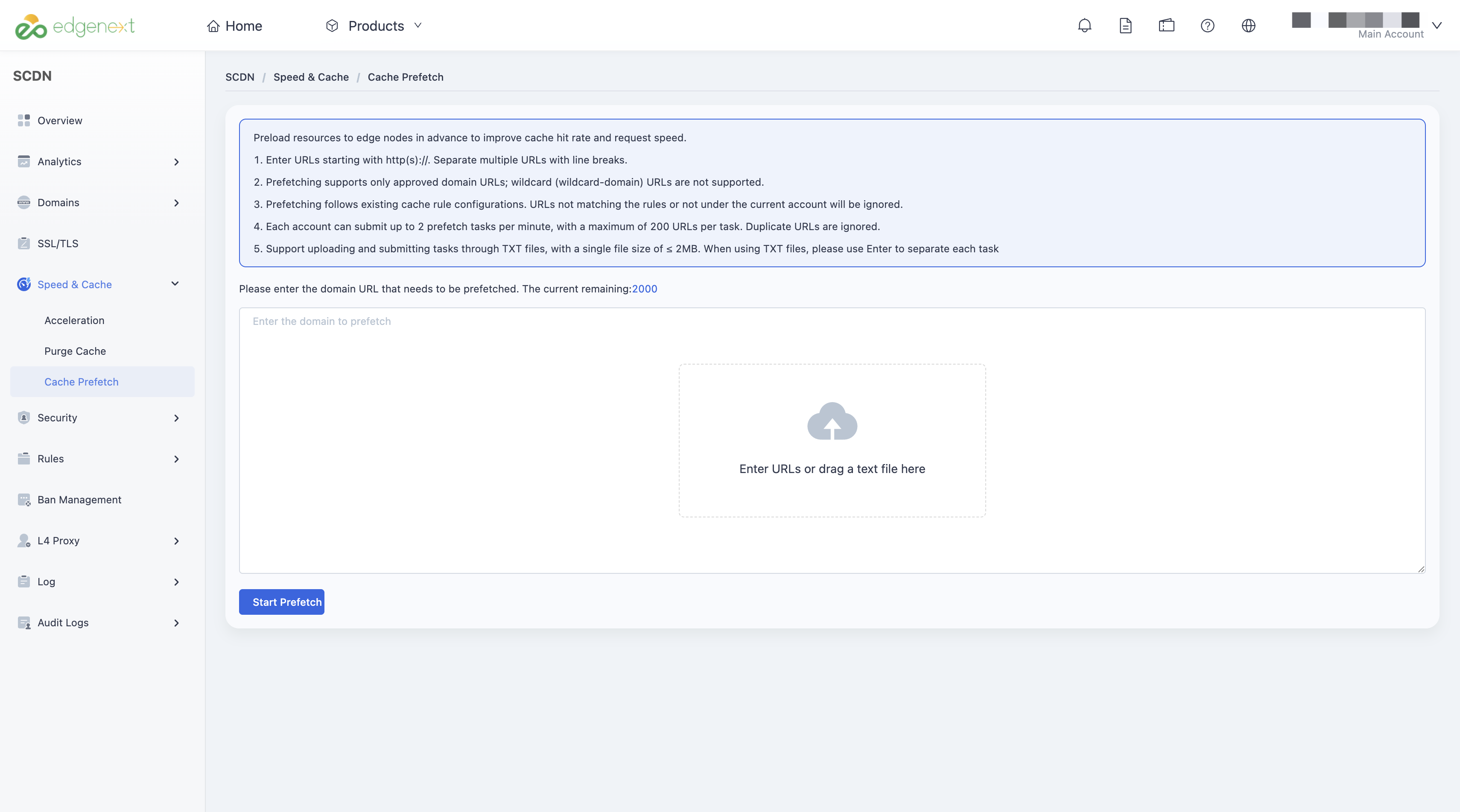
In the left navigation bar, go to Speed & Cache > Prefetch Cache.
On the Prefetch Cache page, enter the list of URLs you want to prefetch.
Click Submit to create the prefetch task.
Notes
- Please enter specific domain URLs that start with http:// or https://. Separate multiple URLs with line breaks.
- Only URLs under configured and active domains can be prefetched. Wildcard domains are not supported.
- Prefetch behavior follows existing cache rules; URLs that don't match cache policies or belong to other accounts will be ignored.
- Each account can create up to 2 prefetch tasks per minute, with a maximum of 200 URLs per task. Duplicate URLs will be skipped.
Need help? Contact our support team at support@edgenext.com.
Back to documentation home