

Custom HTTP Response Headers
The Custom HTTP Response Headers feature allows you to attach custom response header fields when the edge node returns content to the client.
When the requested content is not cached at the edge, Security CDN (SCDN) will fetch it from the origin server. To help users identify the response information from the origin, you can configure custom origin response headers, which rewrite specific HTTP header fields in the origin response.
What is an Origin Response?
When an edge node sends a request to the origin server, the HTTP response returned by the origin is called an origin response.
Configuring custom origin response headers only affects the response from the origin to the edge node, and does not modify the response from the edge node to the client.
Configuration Instructions
| Header | Description | Content Constraints |
|---|---|---|
| Cache-Control | Specifies caching mechanisms for requests/responses. | No Chinese. Length: 1–1000 characters. |
| Content-Disposition | Specifies default filename for file download in the client. | No Chinese. Length: 1–1000 characters. |
| Content-Language | Specifies the language of the response content. | No Chinese. Length: 1–1000 characters. |
| Expires | Specifies the expiration time of the response object. | No Chinese. Length: 1–1000 characters. |
| Access-Control-Allow-Origin | Specifies allowed origins for cross-origin requests. | No Chinese. Length: 1–1000 characters. |
| Access-Control-Allow-Methods | Specifies allowed HTTP methods for cross-origin requests. | No Chinese. Length: 1–1000 characters. |
| Access-Control-Allow-Credentials | Indicates whether cookies are allowed in cross-origin requests. | No Chinese. Length: 1–1000 characters. |
| Access-Control-Max-Age | Specifies how long the results of a preflight request can be cached. | No Chinese. Length: 1–1000 characters. |
| Access-Control-Expose-Headers | Specifies which headers can be exposed to the client in cross-origin responses. | No Chinese. Length: 1–1000 characters. |
| Custom | Any other header not listed above. | Response Header Name: 1–100 characters, llowed characters are letters, digits, hyphens (-), and underscores (_); no Chinese Value: No Chinese. Length: 1–1000 characters. |
Configuration Guide
Log in to the Security CDN Console.
In the left navigation bar, go to Speed & Cache > Acceleration, and access the Global Acceleration Policy page.
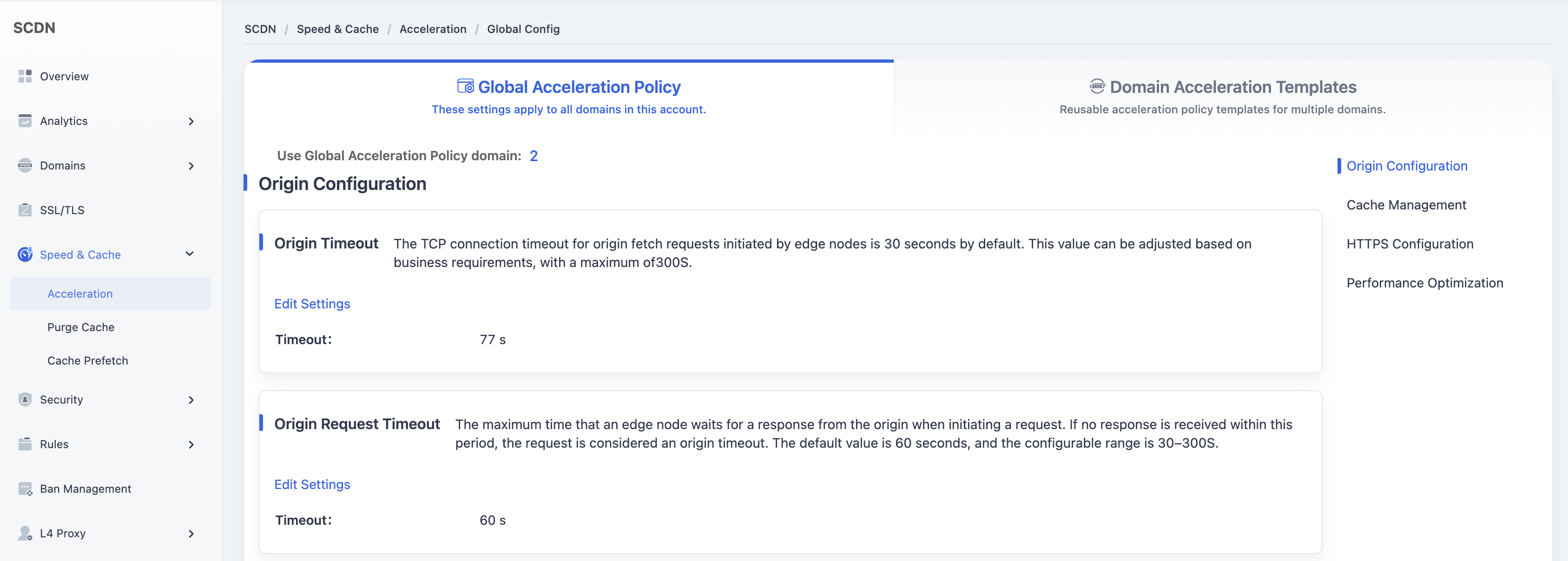
Click the Domain Acceleration Template tab at the top to switch to the template management page.
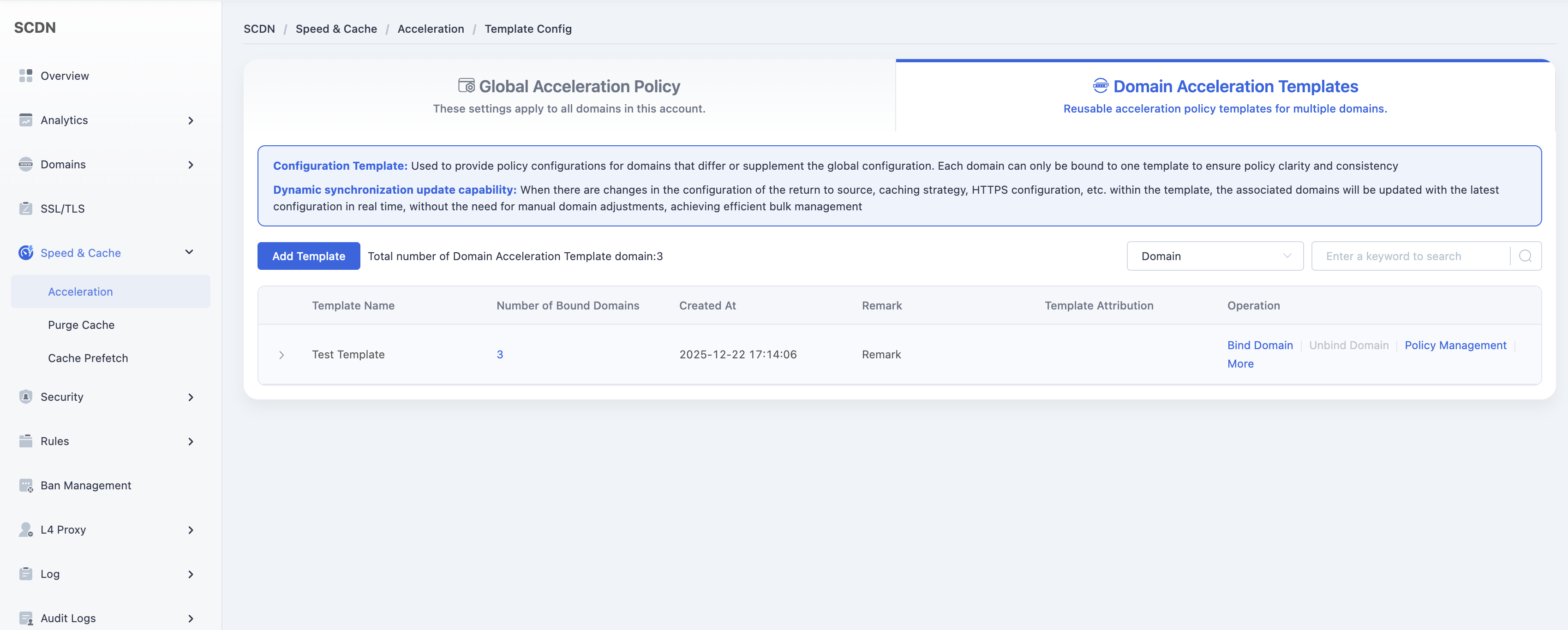
In the template list, select the template to be modified and click Policy Management in the Actions column.
Scroll down to the Origin Configuration - Custom HTTP Response Headers section and enable the feature.
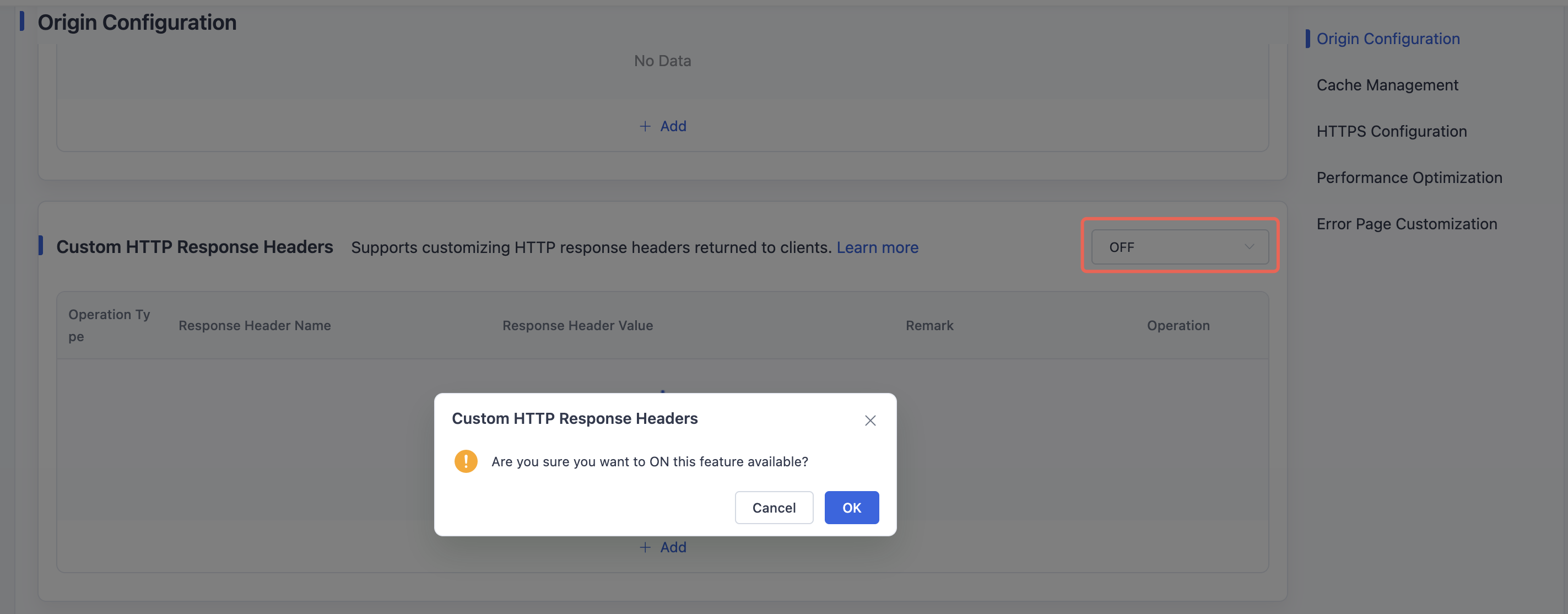
Click Add to create a new custom HTTP response header rule.
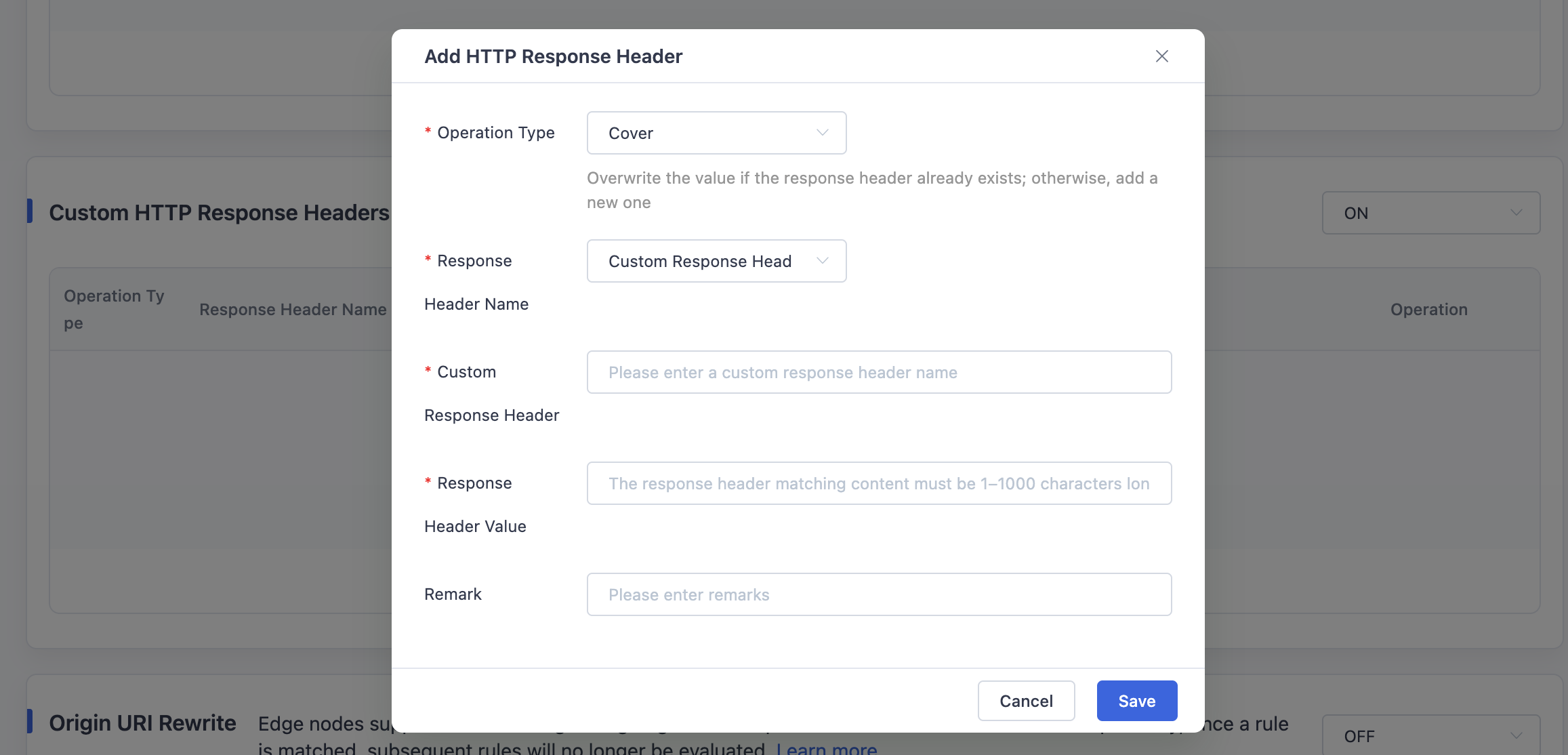
Save the configuration. Once effective, the custom headers will be applied to this template.
Need help? Contact our support team at support@edgenext.com.
Back to documentation home