

Security CDN
Retain or Ignore Query String
Control whether Security CDN includes query strings in the URL when calculating the cache key. Different strategies suit different business scenarios, enabling more precise cache hit control.
Configuration Options
| Option | Description | Recommended Use Case |
|---|---|---|
| Retain All | All query parameters are included in cache key calculation. Different parameters or values generate different cache entries. | Suitable when API results depend on all parameters or precise cache differentiation is required. |
| Ignore All | All query parameters are ignored; only the path is used as the cache key. Requests with query parameters are treated as the same resource. | Suitable when query parameters do not affect response content or maximizing cache hit rate is desired. |
| Keep the Specified Query Strings | Only configured parameters are included in the cache key calculation; others are ignored. | When only certain query parameters affect resource content. |
| Delete the Specified Query Strings | Parameters in the ignore list are excluded from the cache key; all other parameters participate in cache calculation. | When some parameters do not affect resource content. |
How to Configure
Log in to the Security CDN Console.
In the left sidebar, navigate to Speed & Cache >Acceleration.
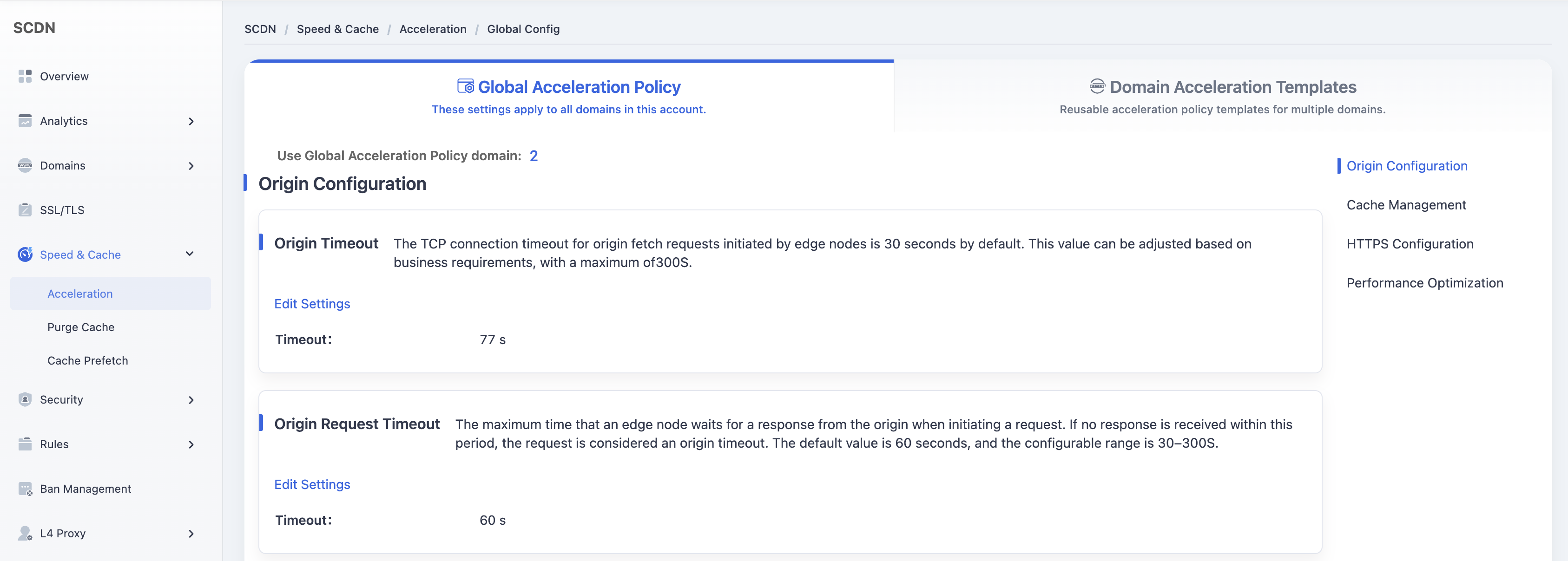
On the Global Acceleration Policy page, scroll down to locate the Query String module under Cache Management.
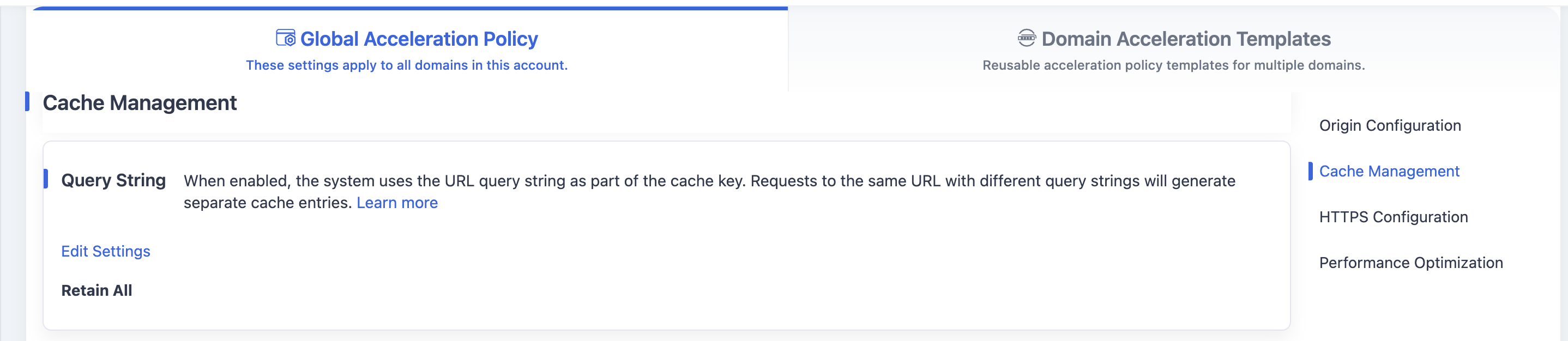
The system default is Retain All.
Click the Edit Settings button to open the query string configuration window. Configure options based on the above descriptions.
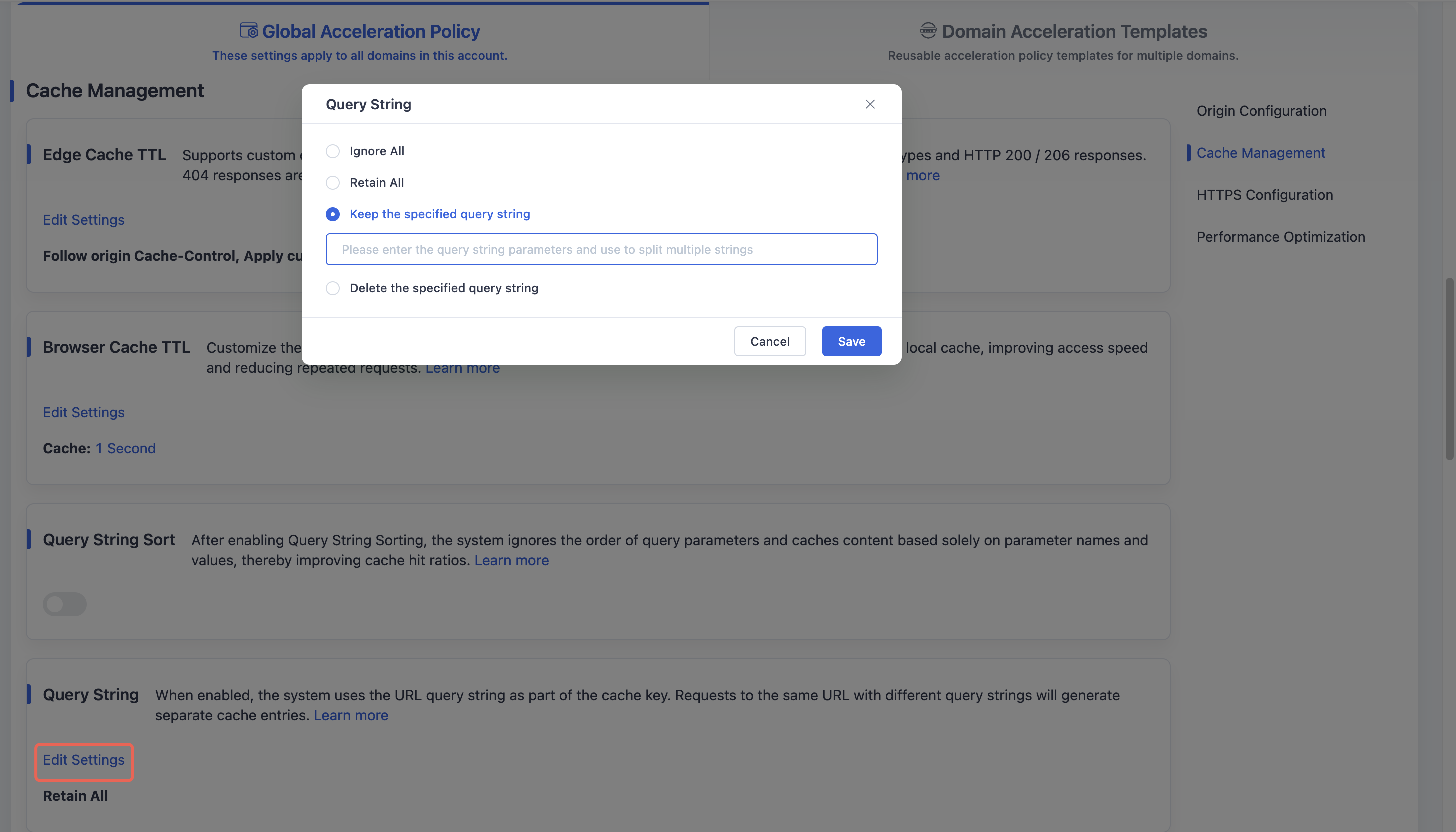
After making changes, click Save to save and apply the global query string cache key configuration for your domain.
Need help? Contact our support team at support@edgenext.com.
Back to documentation home