

Security CDN
Edge Cache TTL
When a user requests content from a Security CDN node, the edge node determines whether the requested resource is cached and whether the cached content is still valid.
- If the resource is cached and not expired, the node directly returns the cached content to the user, accelerating content delivery.
- If the resource is not cached or has expired, the edge node sends a request to the origin server to retrieve the latest content. The response from the origin will then be returned to the user and stored locally based on the configured cache rules.
Feature Benefits
- Improve Performance: Accelerate website loading by serving content from edge caches.
- Save Bandwidth: Reduce origin requests, lower bandwidth consumption on the origin, and cut costs.
Notes
- The default caching policy applies only to specific file types and HTTP 200/206 status codes.HTTP 404 responses are cached for 10 seconds by default.Other responses are not cached by default. See Default Cache Policy for details.
- You can customize cache durations for different resources based on your business needs, allowing more precise cache management and faster content delivery.
Refer to Security CDN Cache Rules Guide for more information.
Configuration Options
| Option | Description | Recommended Use Case |
|---|---|---|
| Follow origin Cache-Control, Use default policy if absent | The system prioritizes the Cache-Control or Expires`headers returned by the origin. If absent, a platform-defined default TTL (e.g., 300 seconds) is applied. | Recommended for most general-purpose use cases, balancing flexibility and fallback control. |
| Follow origin Cache-Control, Do not cache if absent | The system caches only when the origin returns explicit cache headers. If not present, the resource is not cached. | Suitable for sensitive services where caching must be strictly controlled by the origin. |
| Follow origin Cache-Control, Apply custom TTL if absent | Follows the cache headers from the origin if present. Otherwise, uses the TTL specified by the user (e.g., 3600 seconds, 7 days). | Ideal for services where not all resources have cache headers but caching is still desired. |
| Ignore origin Cache-Control, Apply custom TTL | Ignores origin cache headers and uses a uniform TTL defined in the console. | Suitable when centralized caching control is required, regardless of origin settings. |
| No Caching | The edge node will not cache any resource, regardless of origin cache headers. | Recommended for real-time or dynamic content (e.g., APIs) that must not be cached. |
How to Configure
Log in to the Security CDN Console.
In the left navigation bar, go to Speed & Cache > Acceleration.
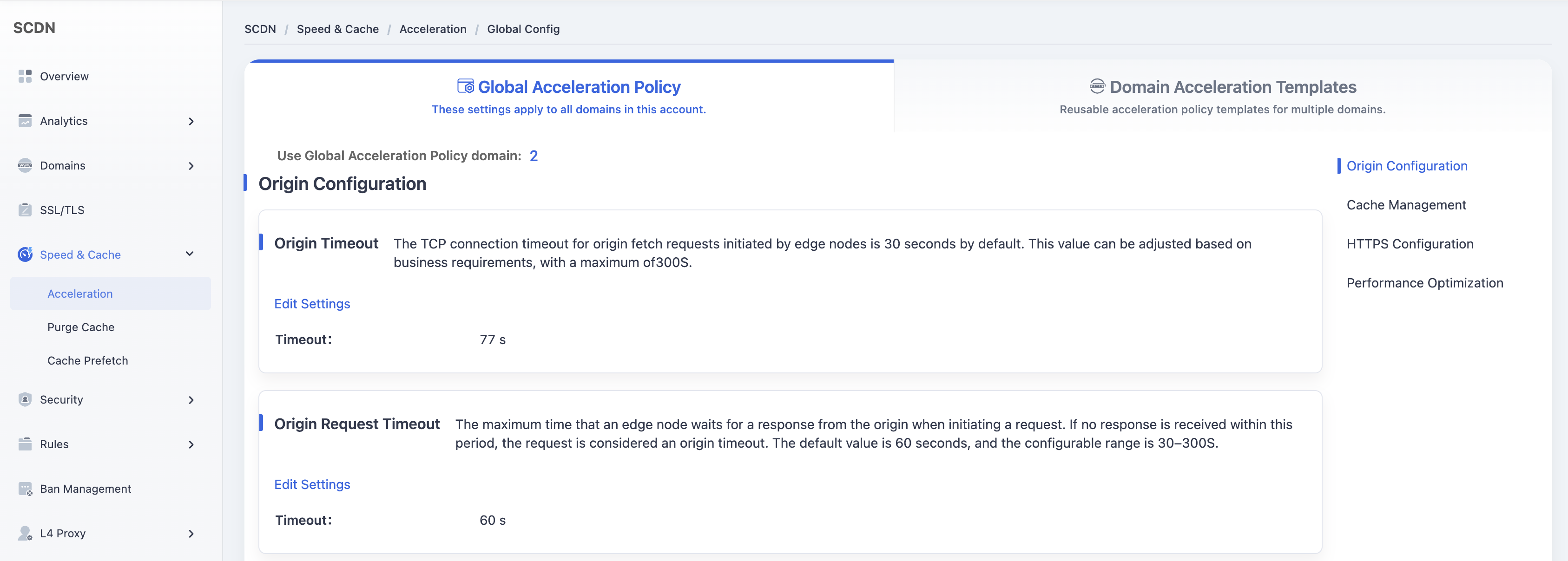
On the Global Acceleration Policy page, scroll down to find the Edge Cache TTL module under Cache Management.
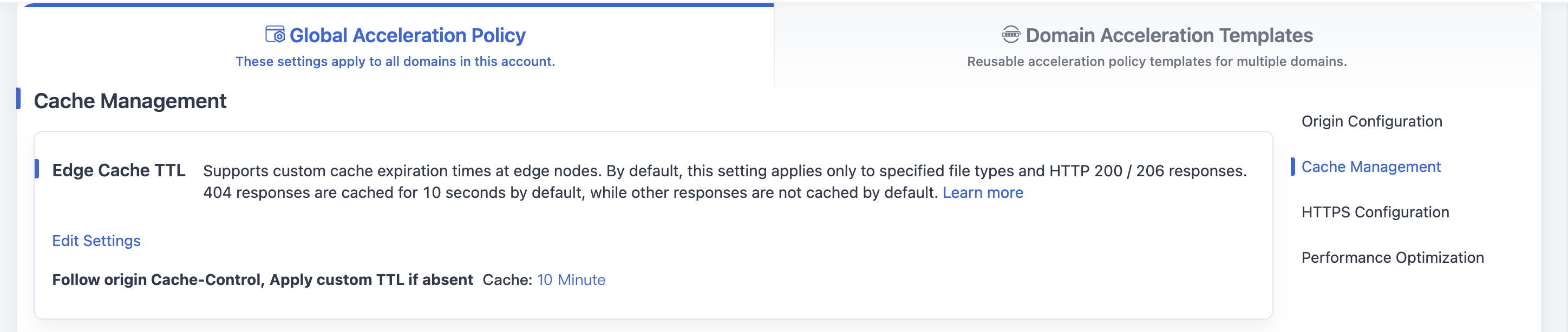
The default value is Follow origin Cache-Control,Use default policy if absent.
Click the Edit Settings button to open the configuration window.
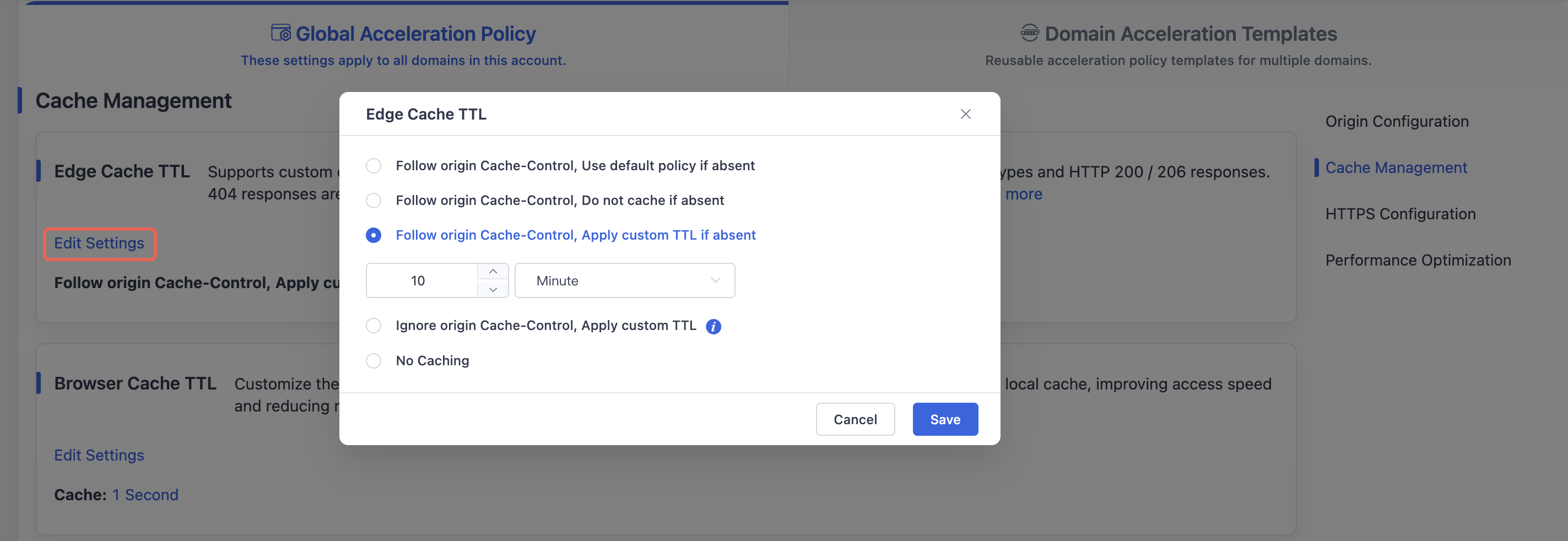
Select the desired option and TTL settings, then click Save to apply and save the changes to the global Edge Cache TTL for your domain.
Need help? Contact our support team at support@edgenext.com.
Back to documentation home