

Browser Cache TTL
Browser Cache TTL refers to the duration that a client browser caches resources locally. By configuring this parameter, you can control how long the browser uses its local cache before sending a new request, effectively improving page load speed and reducing bandwidth consumption.
Configuration Options
Browser Cache TTL supports the following three configuration modes:
| Mode | Description | Recommended Use Case |
|---|---|---|
| Follow origin Cache-Control | Browser respects the Cache-Control headers returned by the origin server as the cache duration. | Suitable for businesses where the origin has fine-grained cache control configured. |
| No Caching | Browser does not cache the resource; every request fetches the resource anew. | Suitable for frequently updated or real-time content requiring fresh data. |
| Custom TTL | Forces a fixed cache duration (e.g., 300 seconds, 7 days), overriding the origin’s cache settings. | Suitable when the origin does not specify cache policies but unified management is required. |
How to Configure
Log in to the Security CDN Console.
In the left sidebar, navigate to Speed & Cache > Acceleration.
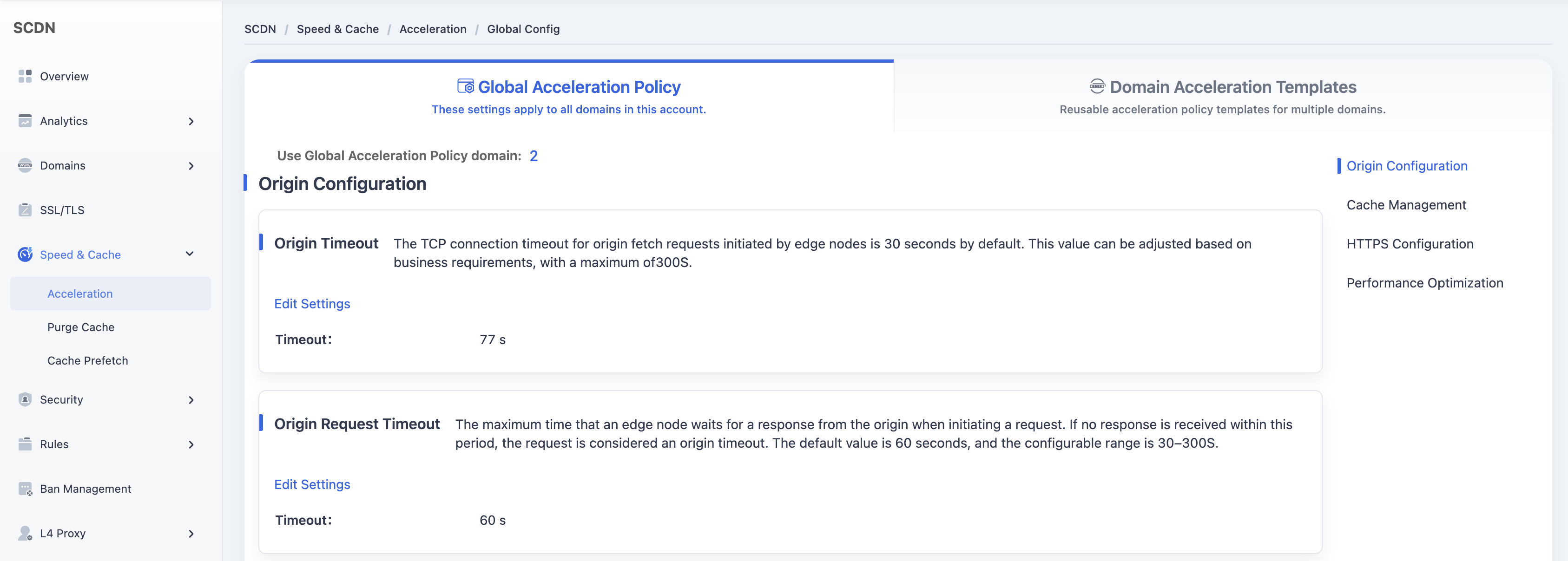
On the Global Acceleration Policy page, scroll down and locate the Browser Cache TTL module under Cache Management.
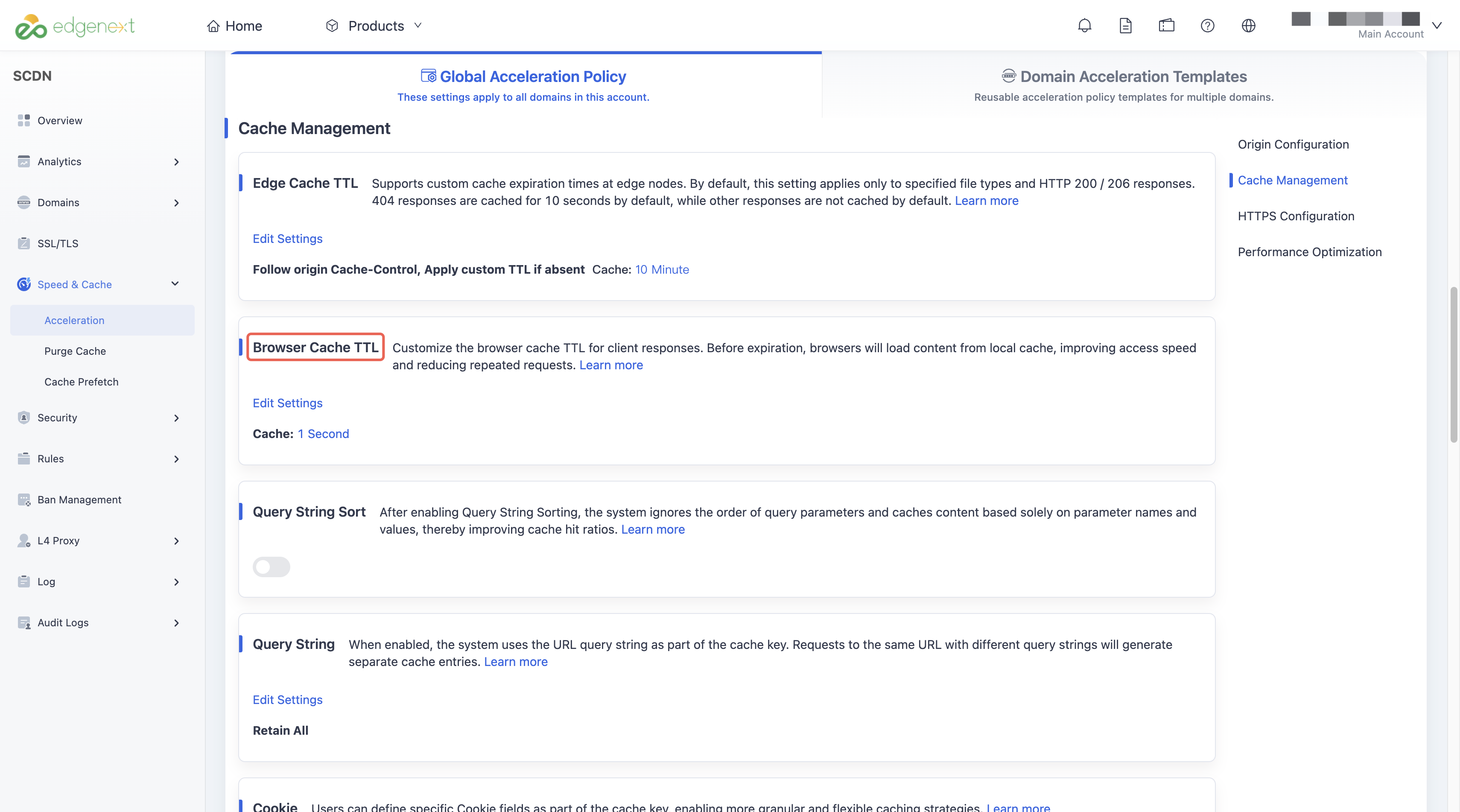
The system default is Follow origin Cache-Control.
Click the Edit Settings button to open the Browser Cache TTL configuration window.
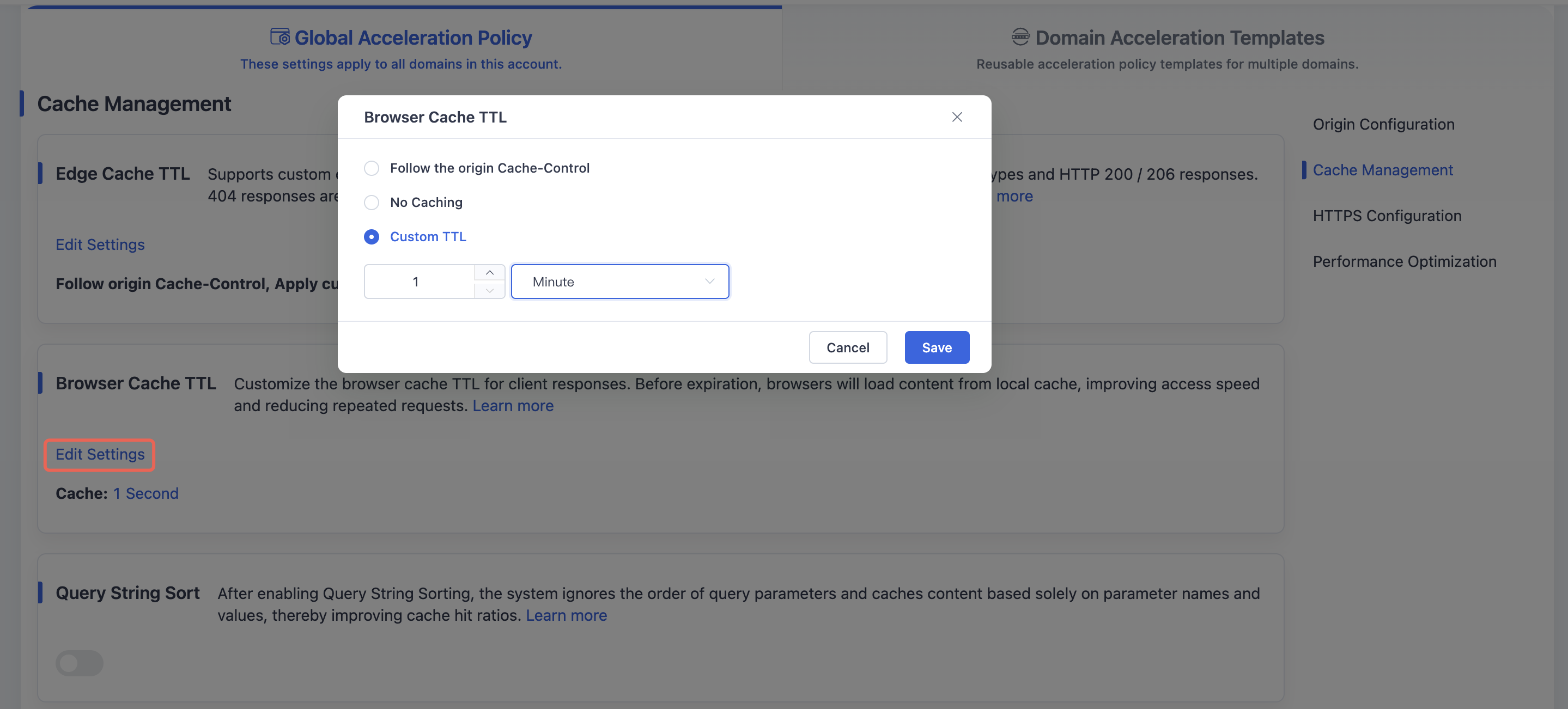
Select the desired mode and specify TTL if applicable.
Click Save to save and apply the browser cache TTL settings globally for your domain.
Need help? Contact our support team at support@edgenext.com.
Back to documentation home