

Storage
Cloud Disk
Basic Concepts
Cloud Disk: An independently created and attachable block storage resource used to store instance business data.
Disk Category: The performance and backend storage type of the disk, such as Quick Disk.
Capacity: The size of the cloud disk in GiB.
Related Instance: The cloud host to which the disk is currently attached.
Subscription Billing: A prepaid billing mode purchased by duration.
Cloud disks provide persistent block storage for cloud hosts. Go to Storage > Cloud Disk, select a region, and view the disk list. The table displays ID / Name, Capacity, Status, Disk Category, Disk Tag, Related Instances, Billing Method, and Action.
Create a Cloud Disk
Creating a cloud disk generates a data disk resource that can be attached to an instance. The parameters are described below:
| Configuration Area | Parameter | Description |
|---|---|---|
| Create Cloud Disk | Name | The cloud disk name. It must start with a letter and can be up to 128 characters. |
| Billing Method | The billing method. The current page shows Subscription. | |
| Disk Category | The disk type, such as Quick Disk or the default volume type.The volume type determines its performance. | |
| Capacity | The cloud disk capacity in GiB. | |
| Renewal | Enable Auto-renewal | Whether to enable automatic renewal. |
| Purchase | Quantity | The number of disks to create. Up to 20 disks can be created at a time. |
| Duration | The purchase duration. The page displays the total price and discount. |
To create a cloud disk:
- On the Cloud Disk page, click Create Cloud Disk.
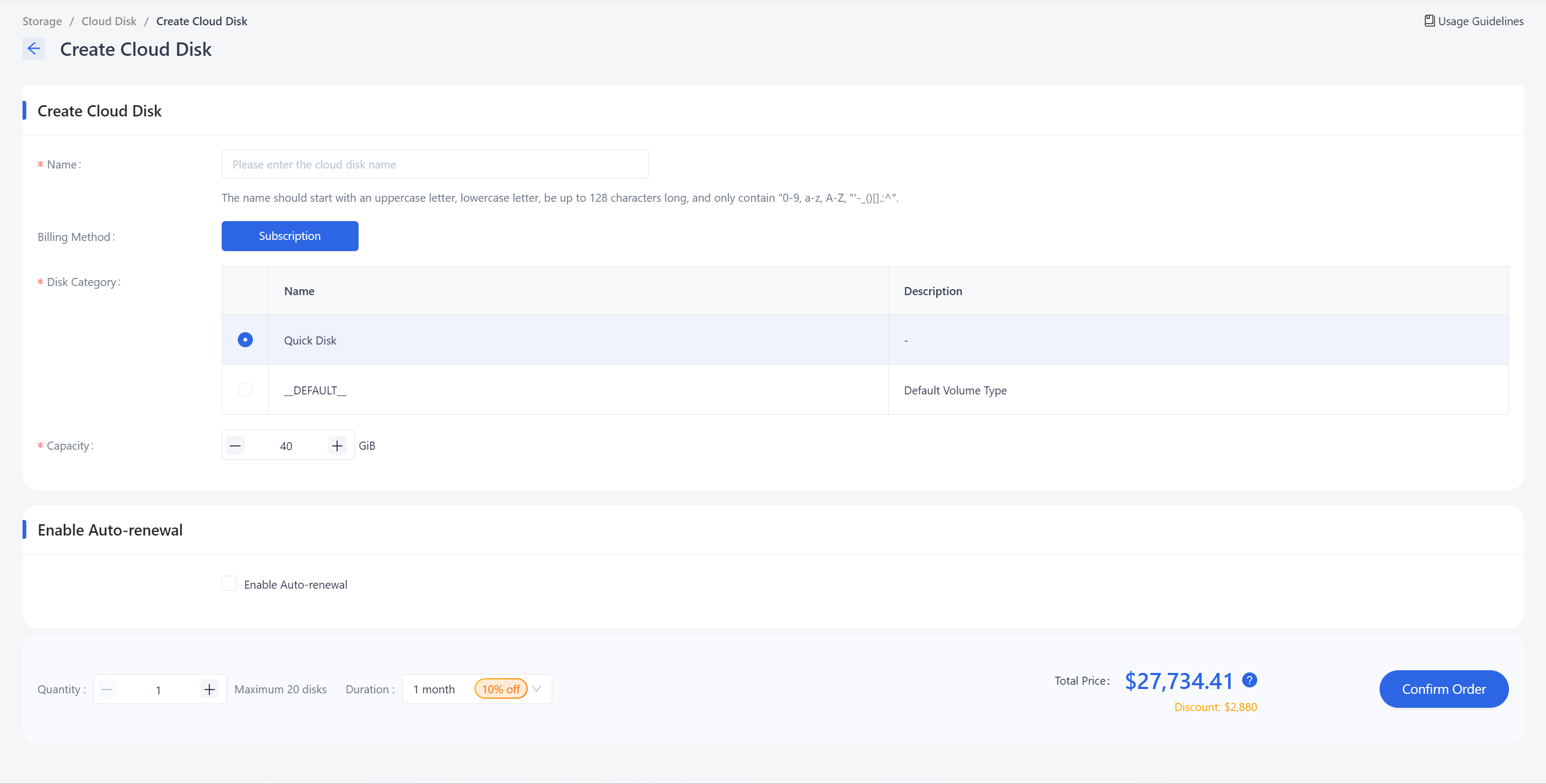
Enter the cloud disk Name.
Confirm Billing Method.
In Disk Category, select a disk type.
In Capacity, set the size in GiB.
Select Enable Auto-renewal if needed.
Set Quantity.
Set Duration.
Review the total price and discount, then click Confirm Order.
Need help? Contact our support team at support@edgenext.com.
Back to documentation home