

ECS Global View
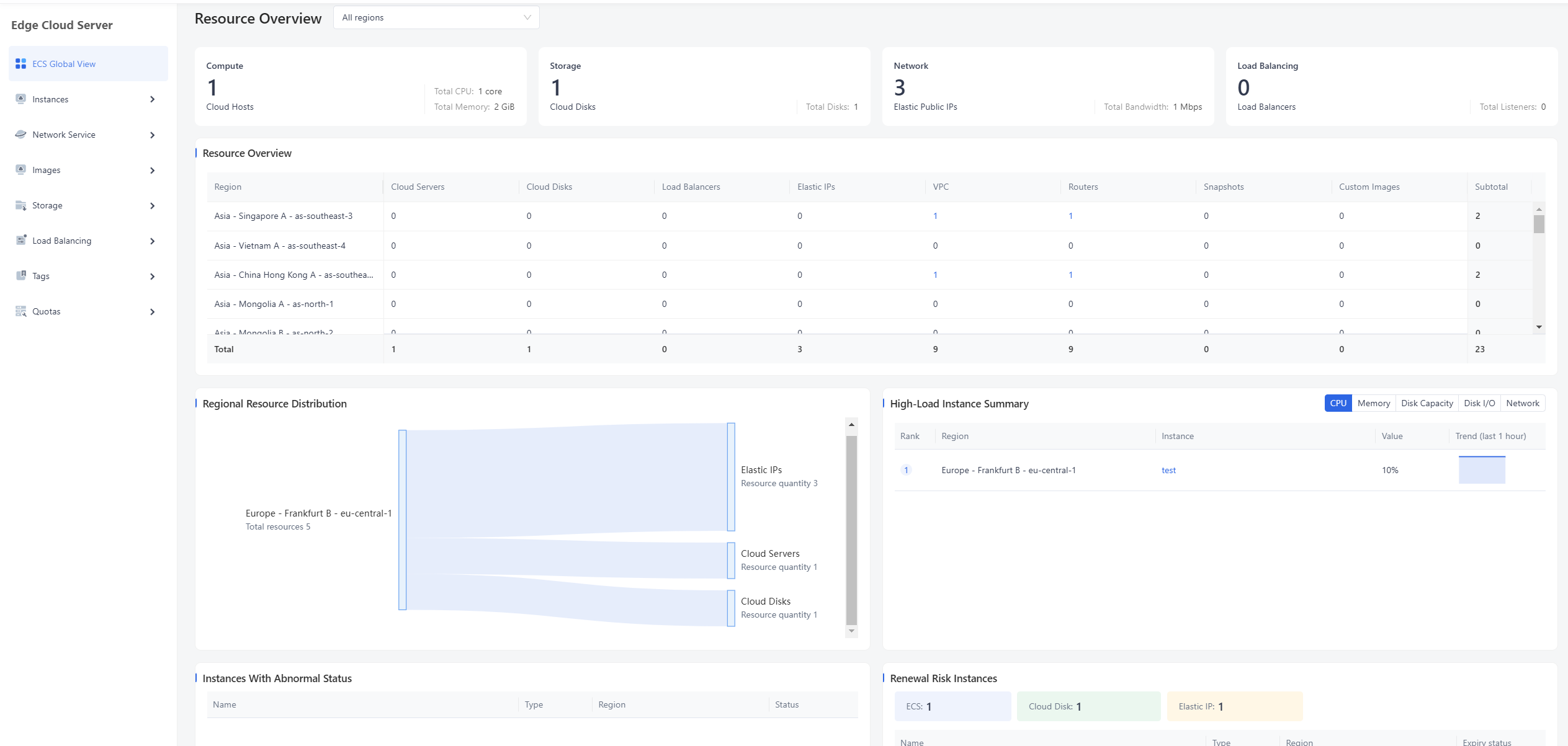
ECS Global View provides an overview of resources and operational risks across regions. Go to Edge Cloud Server > ECS Global View to view resource summary cards, a regional resource table, high-load instance summaries, abnormal instances, renewal-risk instances, and messages.
Select All regions or a specific region in the upper-right area to refresh the data. The summary cards include Compute, Storage, Network, and Load Balancing, showing cloud host count, total CPU and memory, cloud disk count, Elastic IP count, total bandwidth, load balancers, and listeners.
The regional resource table displays Cloud Servers, Cloud Disks, Load Balancers, Elastic IPs, VPC, Routers, Snapshots, Custom Images, and Subtotal by region. Use this table to confirm where resources are located before opening the corresponding management page.
The high-load instance summary supports CPU, Memory, Disk Capacity, Disk I/O, and Network views. The abnormal instance and renewal-risk tables help identify instances that require attention.
Need help? Contact our support team at support@edgenext.com.
Back to documentation home