

CDN
Request Header Configure
Configuration Scenario
EdgeNext CDN supports adding and modifying custom HTTP origin request headers.
Configuration Guide
View Configuration
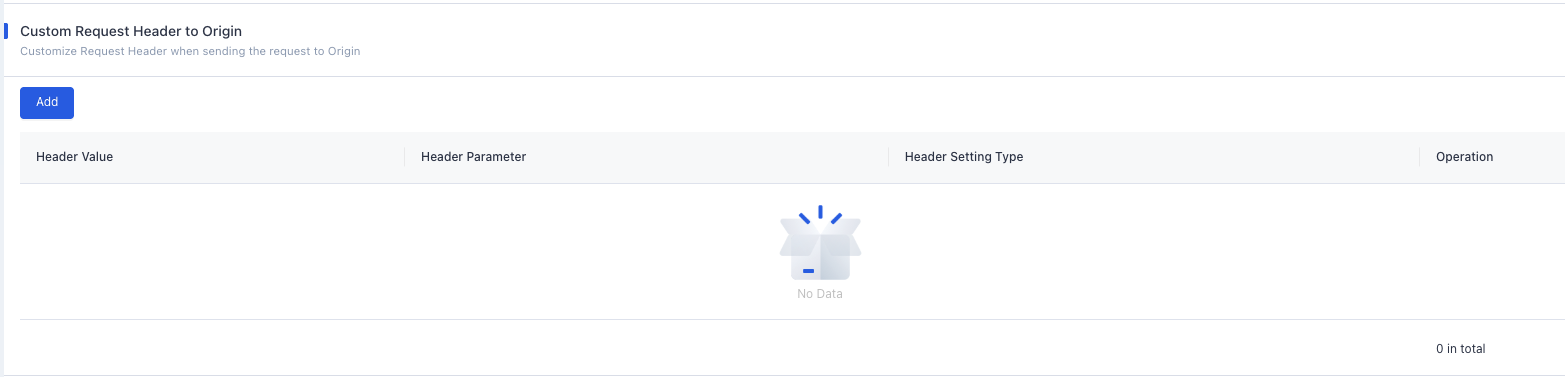
Log in to the CDN console. From the menu, select Configuration → Domain Config, then click Details in the Actions column for the target domain. On the domain configuration page, under Origin (second section), you will find the Custom Request Header to Origin setting. It is empty by default:
Header Setting Types
| Type | Description |
|---|---|
| Overwrite | Sets the specified origin request header. If the header does not exist, it is added. If the header already exists, the new value replaces the existing one (only one instance remains). |
| Add | Appends the specified origin request header. If the header already exists, the existing header is preserved and no duplicate is added. |
Header Parameters
| Header | Description |
|---|---|
| Custom Header | Custom header key: 1–100 characters, consisting of digits (0–9), letters (a–z, A–Z), and hyphens (-).Header value: 1–1000 characters. Chinese characters are not supported. |
Notes:
- Headers apply to all files. Custom scoping is not currently supported.
Configuration Example
Suppose acceleration domain test.EdgeNext.com has the following origin request header configuration:
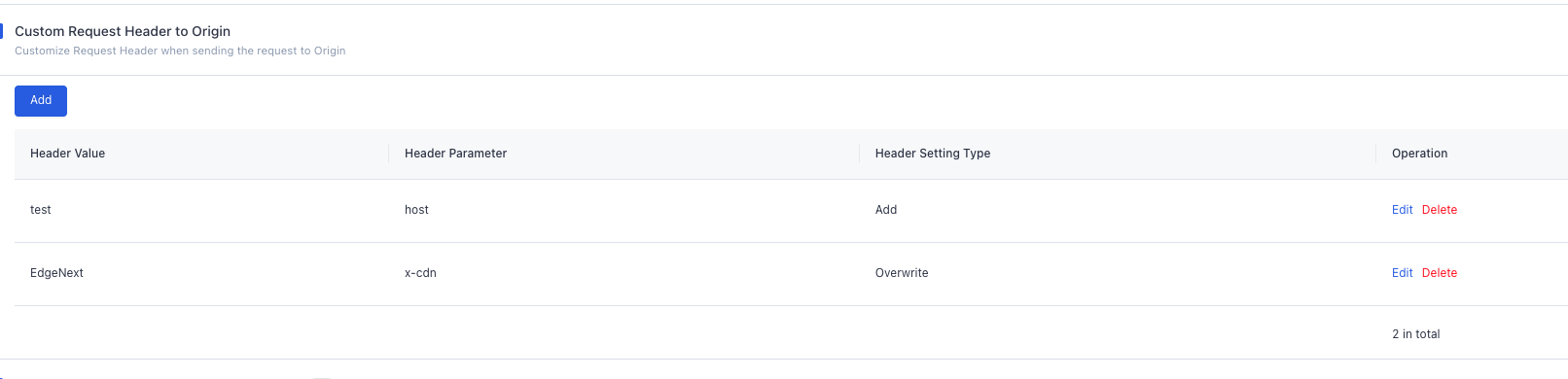
When a user requests http://test.EdgeNext.com/test/test.mp4:
- For the
hostheader (Add mode): If ahostheader already exists in the origin request, no change is made. If nohostheader exists, ahost: testheader is added. - For the
x-cdnheader (Overwrite mode): If anx-cdnheader exists, it is replaced with the new value. If nox-cdnheader exists, anx-cdn: BSheader is added.
Need help? Contact our support team at support@edgenext.com.
Back to documentation home