

Basic Configure
Configuration Scenarios
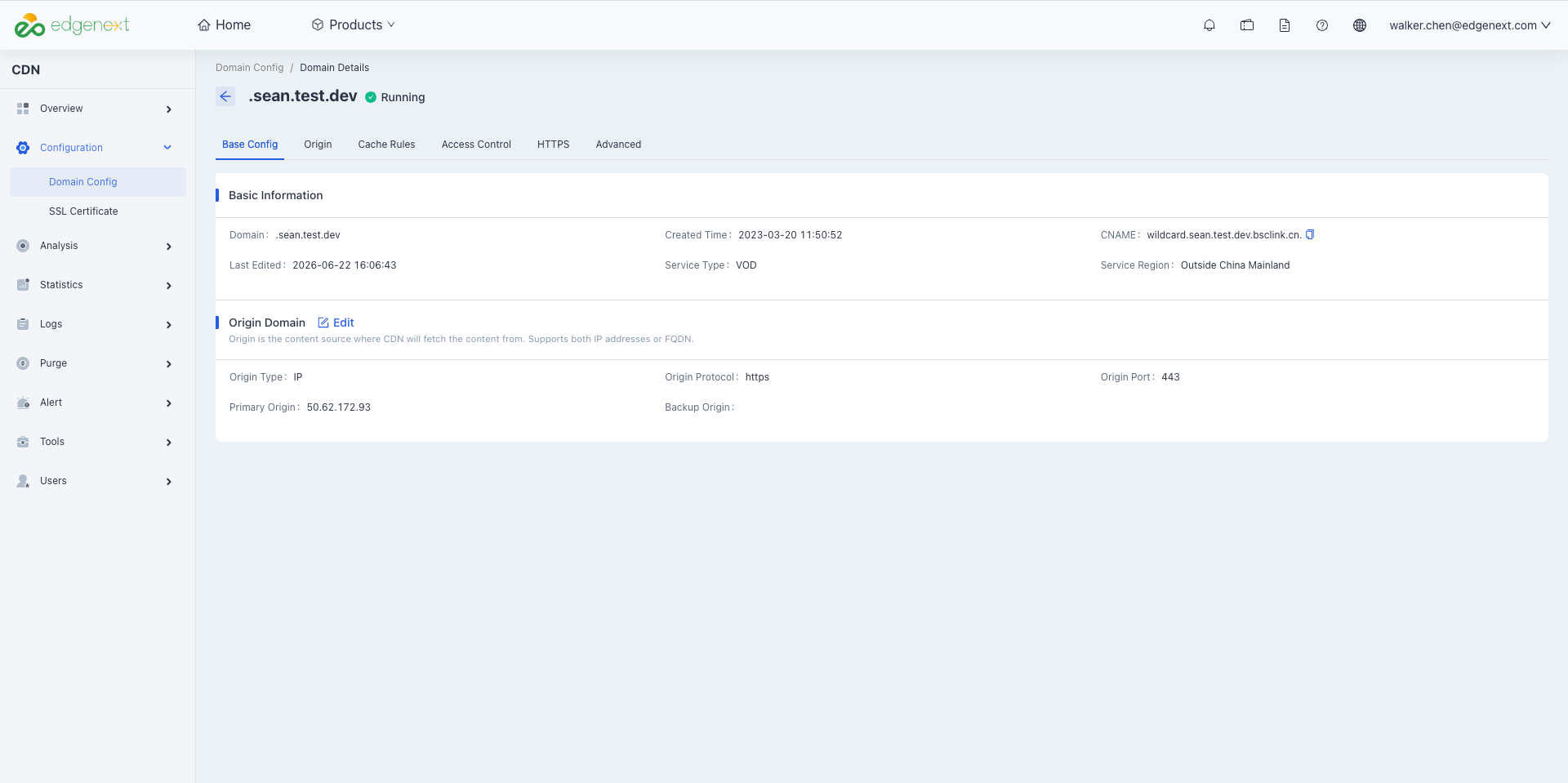
For services that have been connected to EdgeNext CDN, you can view the domain creation/modification time, as well as the corresponding CNAME domain, service region, service type, origin server, origin protocol and other information in the Domain Basic Information module.
The origin server is your website server and the source of data for CDN acceleration and distribution. If you need to modify your origin server information (e.g., origin server IP, origin server domain, or origin port), you can do so on the Basic Configuration page.
Configuration Guide
View Basic Information
Log in to the CDN Console, select [Configuration] -> [Domain Config] in the menu bar, and click [Details] in the operation column on the far right of the domain to enter the domain configuration page. The first section displays the Basic Information of the domain basic configuration.
Modify Acceleration Region
Pricing and node coverage differ between mainland China and overseas regions. Switching regions in bulk may increase origin traffic. Self-service adjustment is not currently supported — please contact customer support to make changes.
Modify Service Type
EdgeNext CDN applies performance optimizations tailored to different service types. For best acceleration results, select the type that most closely matches your business. To change the service type, please contact customer support.
Modify Origin Server
Log in to the CDN console. From the menu, select Configuration → Domain Config, then click Details in the Actions column for the target domain. The first section shows the domain's basic configuration — Origin Server.
Origin Types
| Type | Description |
|---|---|
| Custom Origin | You already have a stable backend server. Enter a list of IP addresses or a single domain as the origin address. |
| Cloud Storage | If you have purchased EdgeNext Cloud Storage, contact support to select a bucket as your origin. |
Origin Address
| Type | Description |
|---|---|
| Custom Origin | Supports multiple IP origins (comma-separated) or a single domain origin:Multi-IP round-robin: Enter multiple IPs (one per line) for round-robin origin pulls. CDN origin health checks are enabled by default — if an IP exceeds the failure threshold, it is automatically taken out of rotation for a period of time and then restored. Domain origin: Configure a single domain as the origin. This domain must not be the same as the CDN acceleration domain. IPv6 domain origins are not supported.Note: Pointing the origin to another CDN-accelerated domain causes a resolution loop and breaks origin pulls. Backup origins are also supported — backup origins likewise accept multiple IPs (comma-separated) or a single domain. |
| Cloud Storage | Select a bucket from EdgeNext Object Storage as the origin. Choose the default domain or static website type based on your bucket configuration and use case. For private buckets, grant CDN access and enable origin authentication to allow external access. |
Origin Protocol
The protocol used by CDN edge nodes when pulling content from your origin — HTTP or HTTPS.
| HTTP | All requests (both HTTP and HTTPS) origin-pull over HTTP. |
|---|---|
| HTTPS | All requests (both HTTP and HTTPS) origin-pull over HTTPS. |
| Follow Request Protocol | HTTP requests origin-pull over HTTP; HTTPS requests origin-pull over HTTPS. |
Note:
- When using HTTPS origin pulls, ensure your origin server supports HTTPS; otherwise origin pulls will fail.
Primary-Backup Failover
CDN switches from the primary origin to the backup origin when origin-pull failures reach the platform threshold. After failover, the system periodically probes the primary origin at low frequency and switches back once the primary origin recovers. Failover triggers include:
- Connection rejected by origin
- Origin connection timeout
Need help? Contact our support team at support@edgenext.com.
Back to documentation home