

HTTPS Configure
Configuration Scenarios
EdgeNext CDN supports HTTPS acceleration services. You can directly deploy certificates that have been uploaded to EdgeNext Certificate Management to the CDN platform and enable HTTPS acceleration to achieve encrypted data transmission across the entire network.
Configuration Guide
View Configuration
Log in to the CDN Console, select Configuration → Domain Config from the menu bar, and click Details in the operation column on the far right of the target domain to enter the domain configuration page. You can associate a certificate with the domain in the fourth section HTTPS. HTTPS is disabled by default:

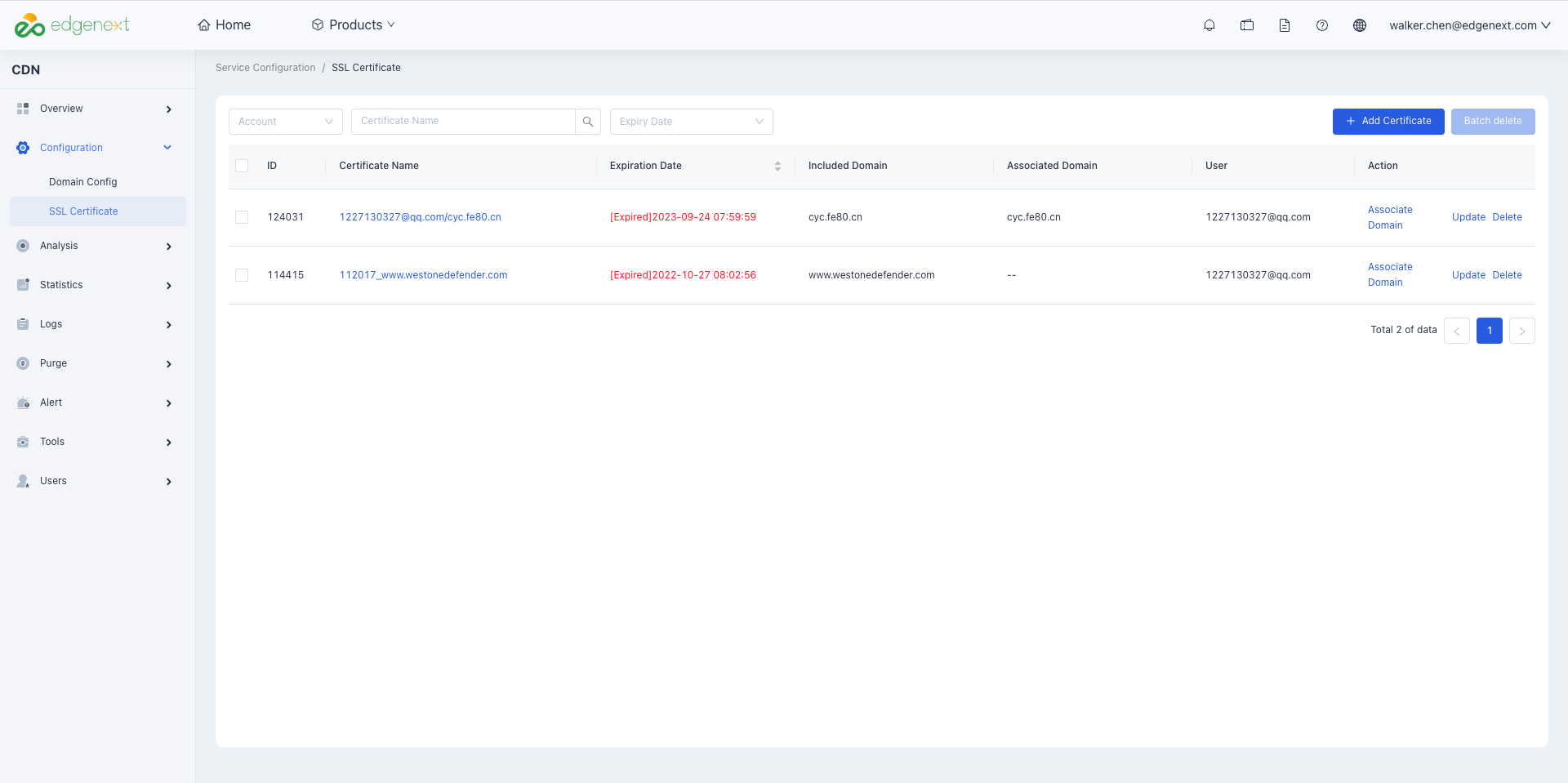
You can also go to Configuration → SSL Certificate in the left menu bar to view the list of all domains with HTTPS acceleration configured under your account:
Certificate Configuration
1. Upload Certificate
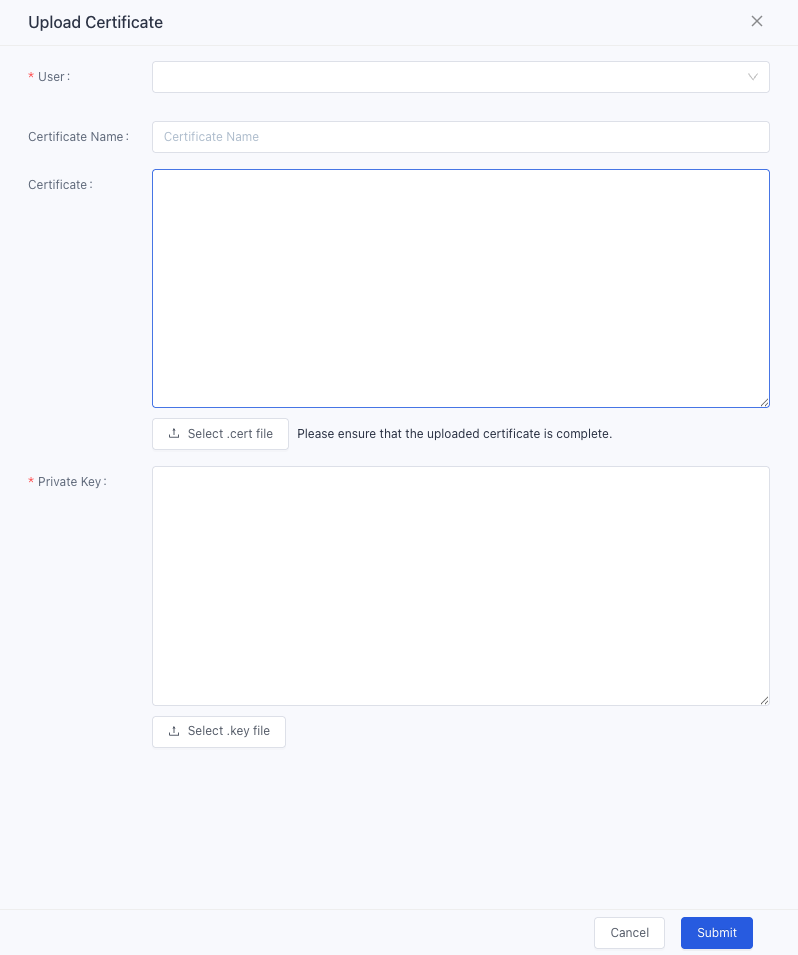
To upload a certificate, click Add Certificate in the upper right corner of the certificate association page, then paste the certificate content (supported formats: pem, crt, cer) and private key into the corresponding fields:
2. Associate Domain with Certificate
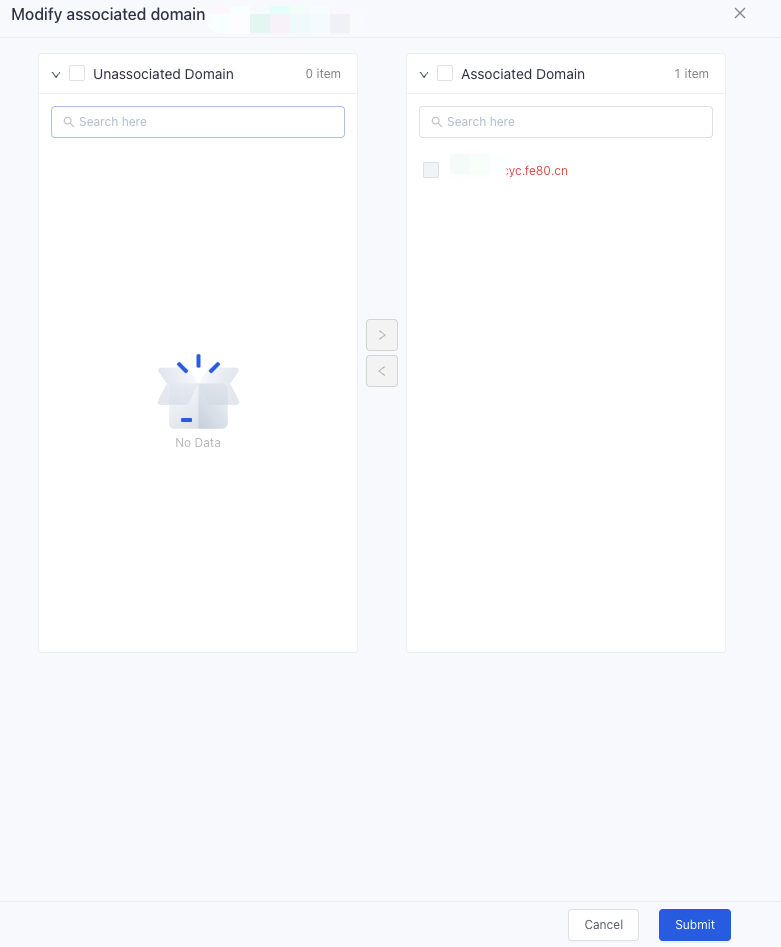
Under the SSL Certificate menu, click Associate Domain. Unassociated domains in the list are available for association with this certificate (multiple domains can be selected at a time). Select the accelerated domains to be configured with the certificate, add them to the associated list, and save to complete the association:
3. Enable HTTPS
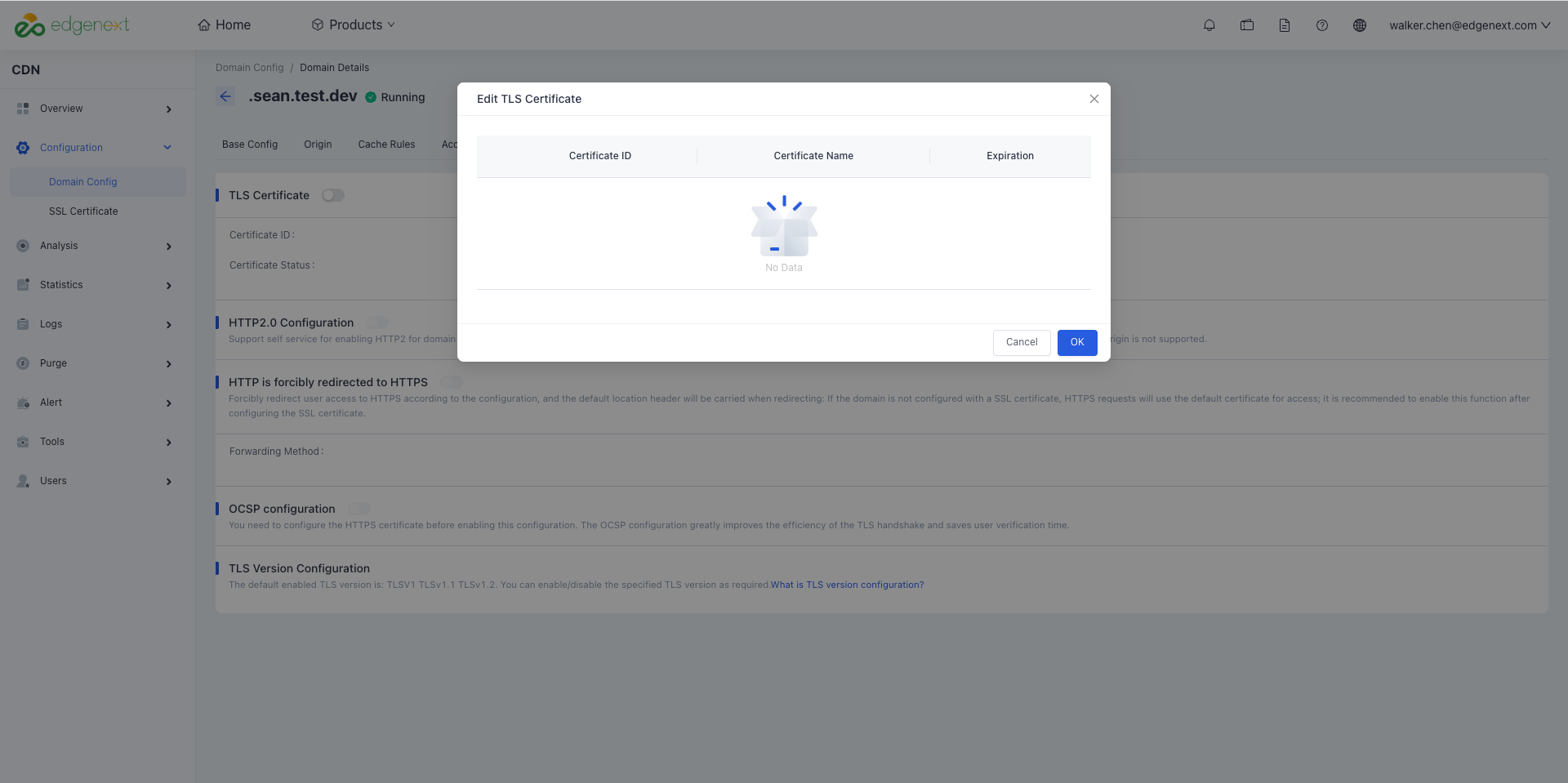
Alternatively, you can enable HTTPS and select the certificate to associate in the HTTPS section under Configuration → Domain Config:
Notes
Usage Rules for Wildcard Domain Certificates
EdgeNext SSL certificates support wildcard domain certificates, which can protect a single primary domain and all peer-level subdomains under that primary domain. Both Organization Validated (OV) and Domain Validated (DV) certificates support wildcard domains. The matching rules for wildcard domain certificates are as follows:
- Wildcard domains at the second level and above do not cover the primary domain itself. For example: the third-level wildcard
*.EdgeNext.comdoes not include the second-level subdomainEdgeNext.com; the fourth-level*.ssl.EdgeNext.comdoes not include the third-level subdomainssl.EdgeNext.com, and so on. - Wildcard domains with multiple wildcards are not supported. For example,
*.*.EdgeNext.comwith multiple wildcards is not allowed. - A wildcard domain certificate can only match subdomains at the same level and cannot match across levels. For example, the third-level wildcard
*.EdgeNext.comdoes not support the fourth-level domainwww.ssl.EdgeNext.com.
Instructions for Cross-Certificates
Background
On May 27, 2019, GlobalSign officially adopted a new intermediate CA to sign SSL certificate products. Since some client systems do not have the new intermediate CA installed, clients accessing GlobalSign certificates issued (including renewed or reissued) after May 27, 2019 will see the website as untrusted, resulting in unavailable HTTPS access.
For details, see: Notice on GlobalSign's Migration of SSL Certificate Issuing Intermediate CA
Reference Solution
Use a text editor to open the .crt file in the Nginx directory of your downloaded certificate, copy the cross-certificate content and paste it at the end of the certificate chain, then restart the Nginx service. The certificate will work normally after that.
- Cross-certificate download reference: [Cross Certificate Download](./Attachment: Cross Certificate.zip)
- Reference link for completing the full certificate chain: Certificate Chain Completion
Usage Notes
During the use of cross-certificates, incomplete certificate chains may occur due to client environment or other factors, resulting in unavailable HTTPS services. If you encounter this issue, please contact EdgeNext 24/7 customer service for assistance.
Disclaimer: This scenario is a non-CDN factor affecting HTTPS access availability. EdgeNext provides technical support, but this issue is not included in availability statistics.
Need help? Contact our support team at support@edgenext.com.
Back to documentation home