

WebP Adaptive
WebP is a modern image format introduced by Google that offers higher compression rates compared to JPEG and PNG while maintaining image quality.
WebP Adaptive refers to automatically selecting whether to deliver images in WebP format based on the user’s browser support, achieving an optimal balance between performance and compatibility.
Note: WebP Adaptive supports the following image formats: JPG, JPEG, PNG, BMP, GIF, TIFF.
Configuration Guide
Scenario 1: Global Domain Configuration
Log in to the Security CDN Console.
In the left navigation bar, select Speed & Cache, then click Acceleration to enter the Global Acceleration Policy page.
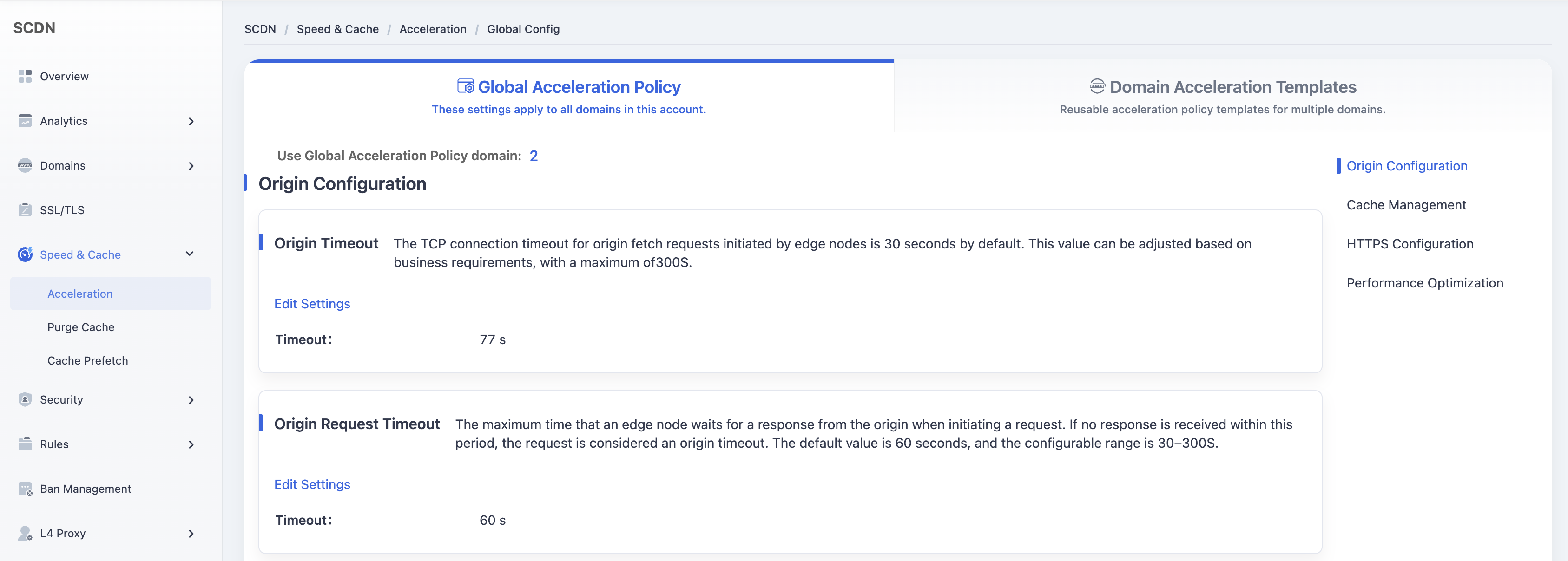
Scroll down and select the Performance Optimization - WebP Adaptive module.
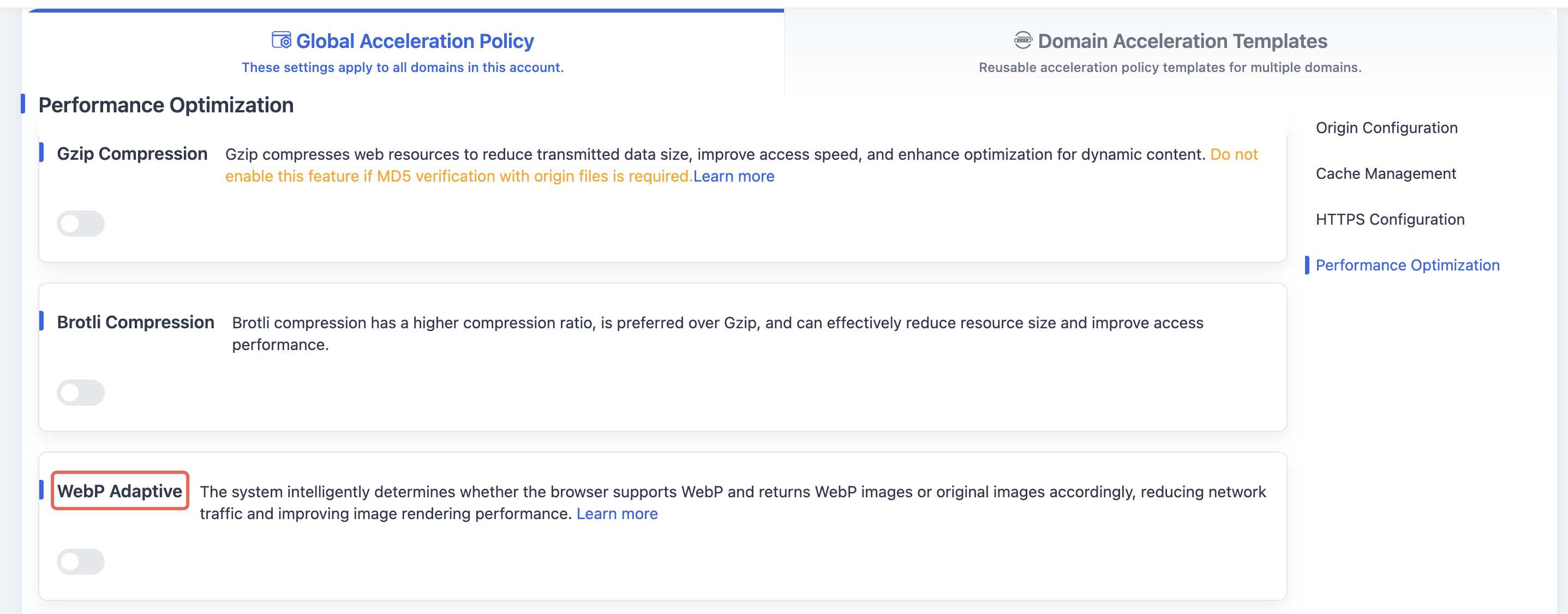
Toggle the switch. A confirmation dialog will appear.
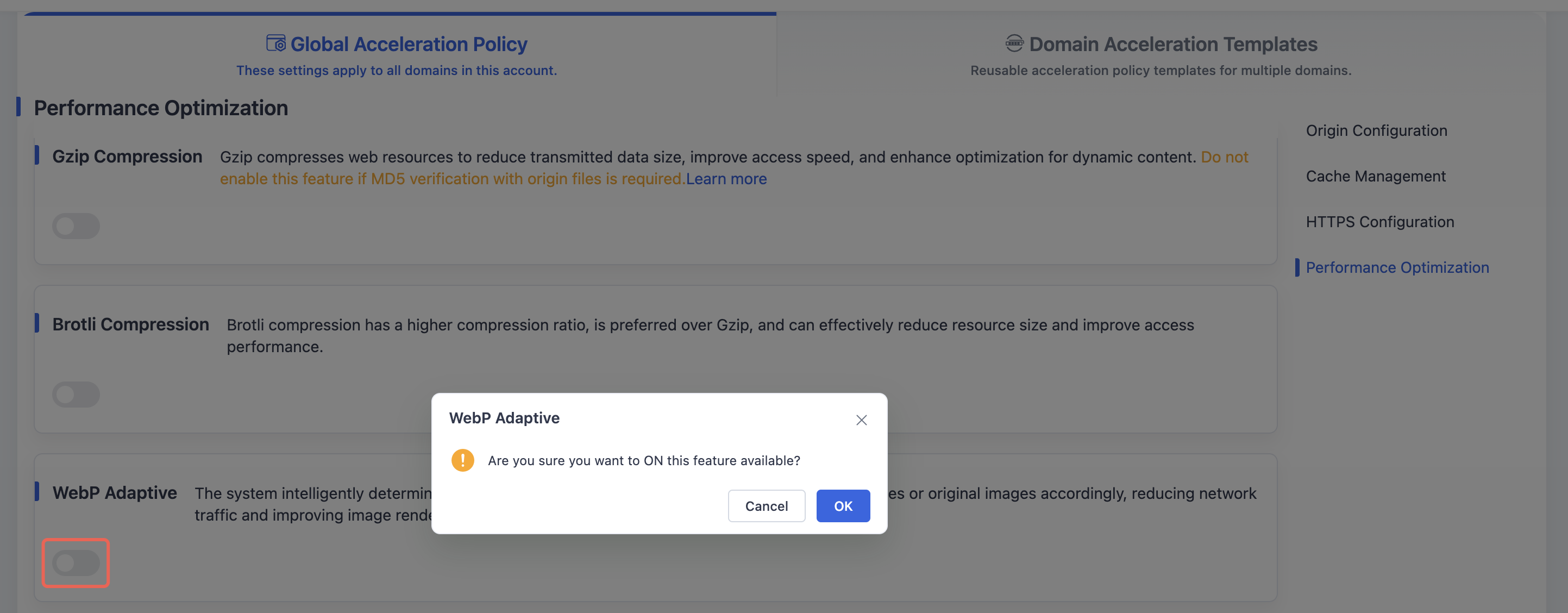
Click OK to enable WebP Adaptive and save the global domain configuration.
Scenario 2: Domain Acceleration Template Configuration
Log in to the Security CDN Console.
In the left navigation bar, select Speed & Cache, then click Acceleration to enter the Global Acceleration Policy page.
Click Domain Acceleration Template Configuration at the top to switch to the Speed & Cache Template Management page.
In the template list, select the template to adjust, then click Policy Management in the operations column to enter the template configuration page.
Scroll down to the Performance Optimization - WebP Adaptive module.

Toggle the switch. A confirmation dialog will appear.
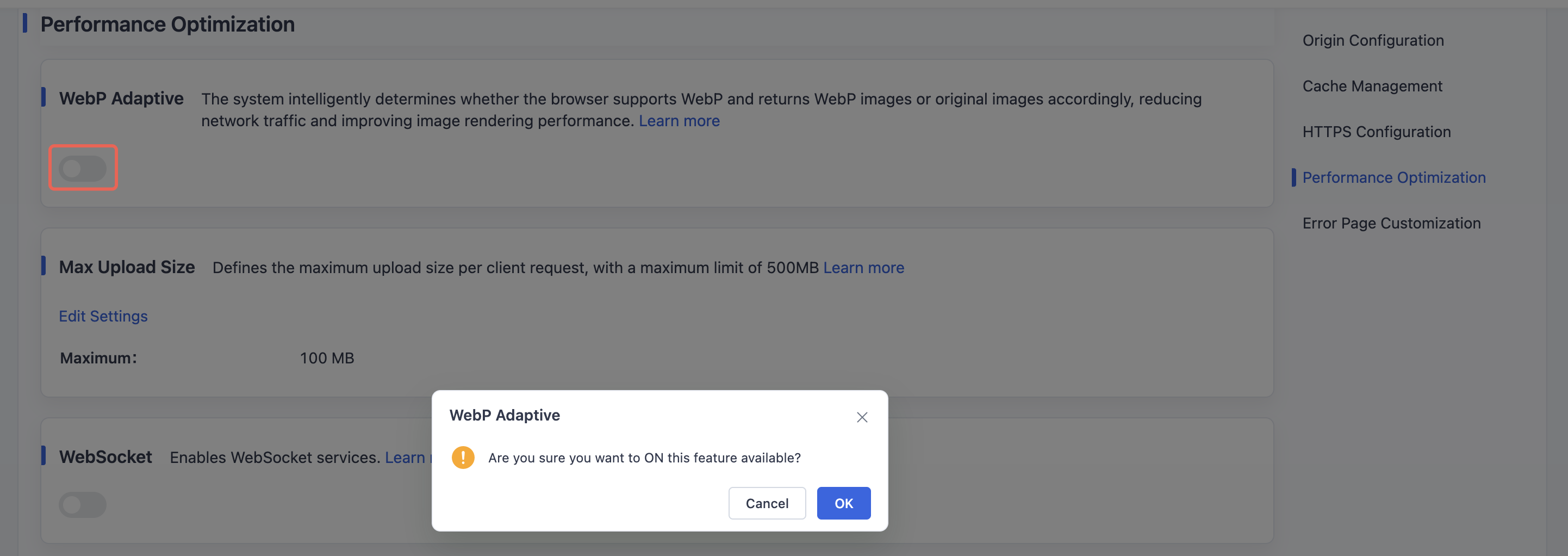
Click OK to enable WebP Adaptive and save the configuration for the selected template.
Need help? Contact our support team at support@edgenext.com.
Back to documentation home