

Mobile Redirection
The Mobile Redirection feature automatically detects the type of user device (e.g., mobile phone, tablet) and redirects mobile users to a designated mobile-specific URL. This enhances the mobile browsing experience and improves page load performance.
Use Cases
- When PC and mobile pages have different URLs (e.g., redirecting www.example.com to m.example.com)
- When mobile users are provided with a simplified and responsive version of the site tailored for mobile devices.
How to Configure
Log in to the Security CDN Console.
In the left navigation bar, go to Speed & Cache > Acceleration to access the Global Acceleration Policy page.
At the top, click Domain Acceleration Template to switch to the Speed & Cache Template Management page.
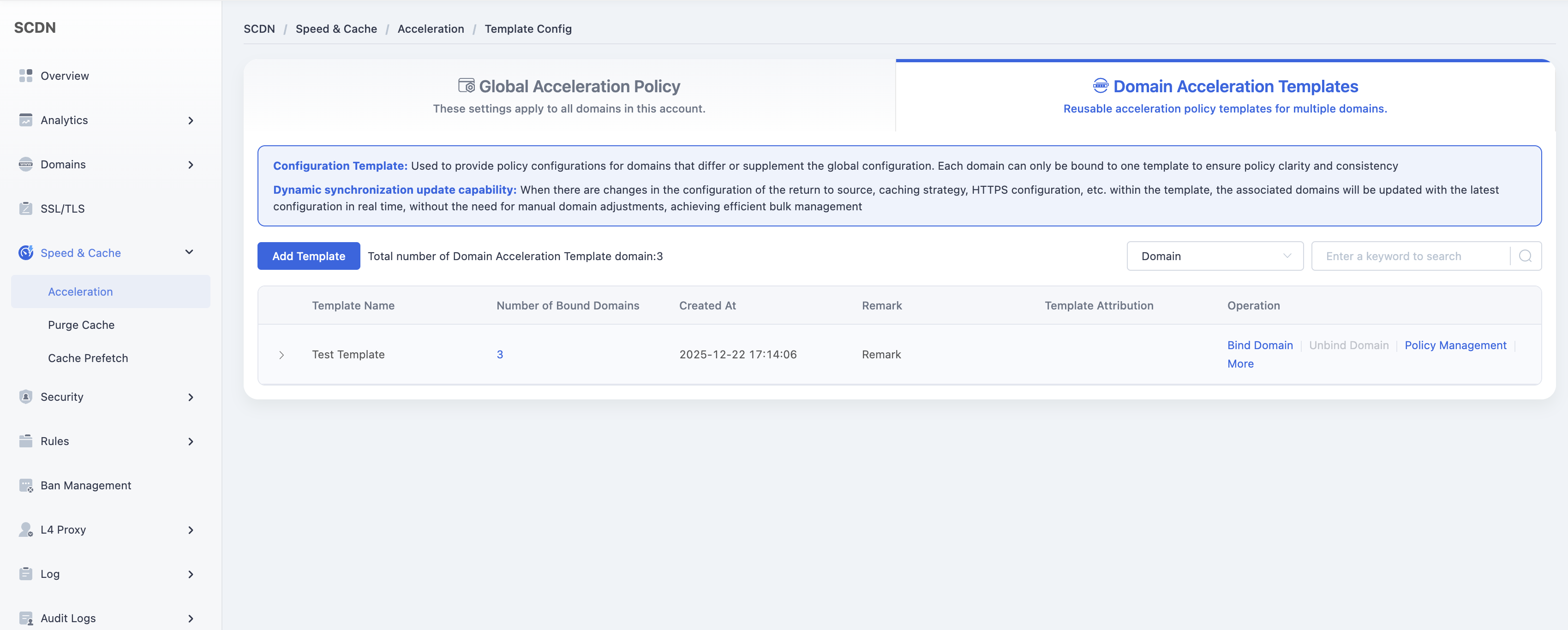
In the template list, locate the template you want to modify and click Policy Management in the operations column to open the corresponding configuration page.
Scroll down to the Performance Optimization > Mobile Redirection module.

Toggle the switch to open the Mobile Redirection configuration window.
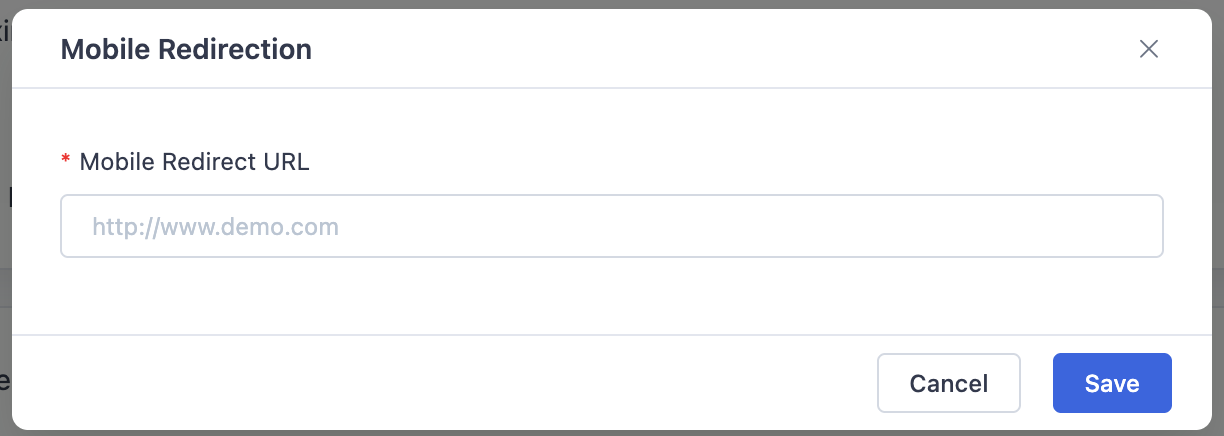
Enter the destination mobile URL (must start with http:// or https://),then click Save to complete the configuration.
Need help? Contact our support team at support@edgenext.com.
Back to documentation home