

Max Upload Size
When accelerating and protecting websites via Security CDN, end users may upload large files such as images, videos, or documents. To ensure website stability and security, Security CDN enforces limits on the maximum upload size.
Limit Description
The maximum data size per single upload request from the client is limited by default to 100MB. The configurable maximum allowed size can be set up to 500MB.
Configuration Guide
Scenario 1: Global Domain Configuration
Log in to the Security CDN Console.
In the left navigation bar, select Speed & Cache, then click Acceleration to enter the Global Acceleration Policy page.
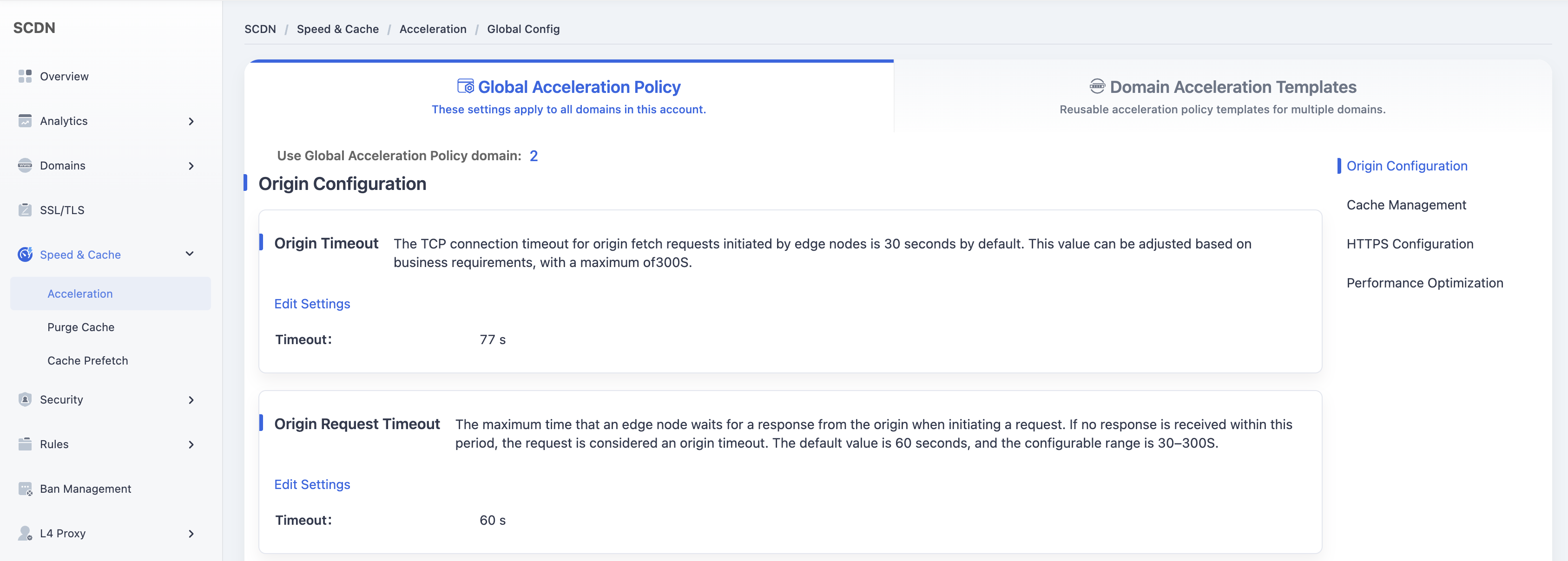
Scroll down and select the Performance Optimization - Maximum File Upload Size module.
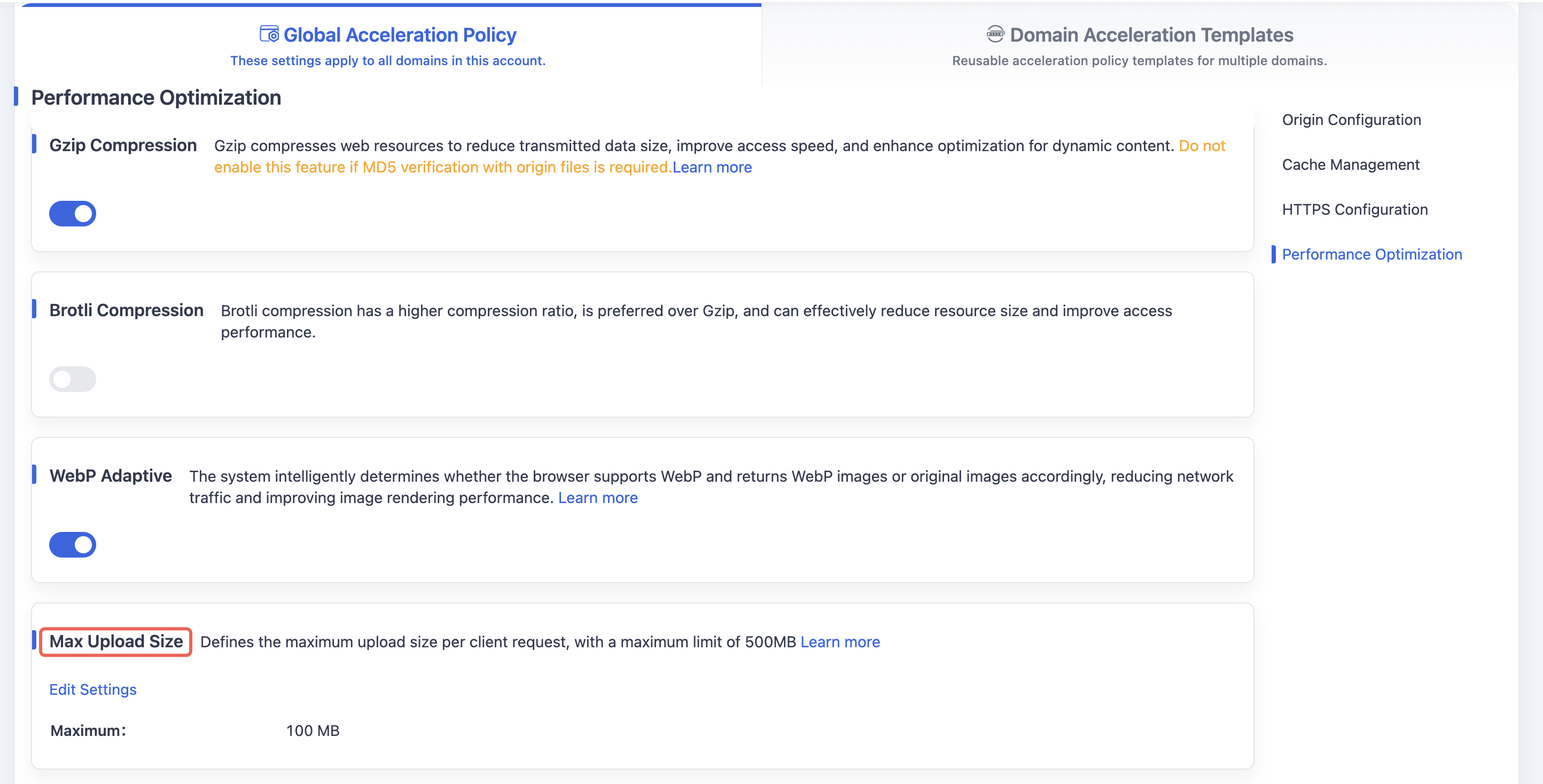
By default, the maximum upload size per single request is set to 100MB.
Click the Edit Settings button to open the configuration window for modifying the maximum file upload size.
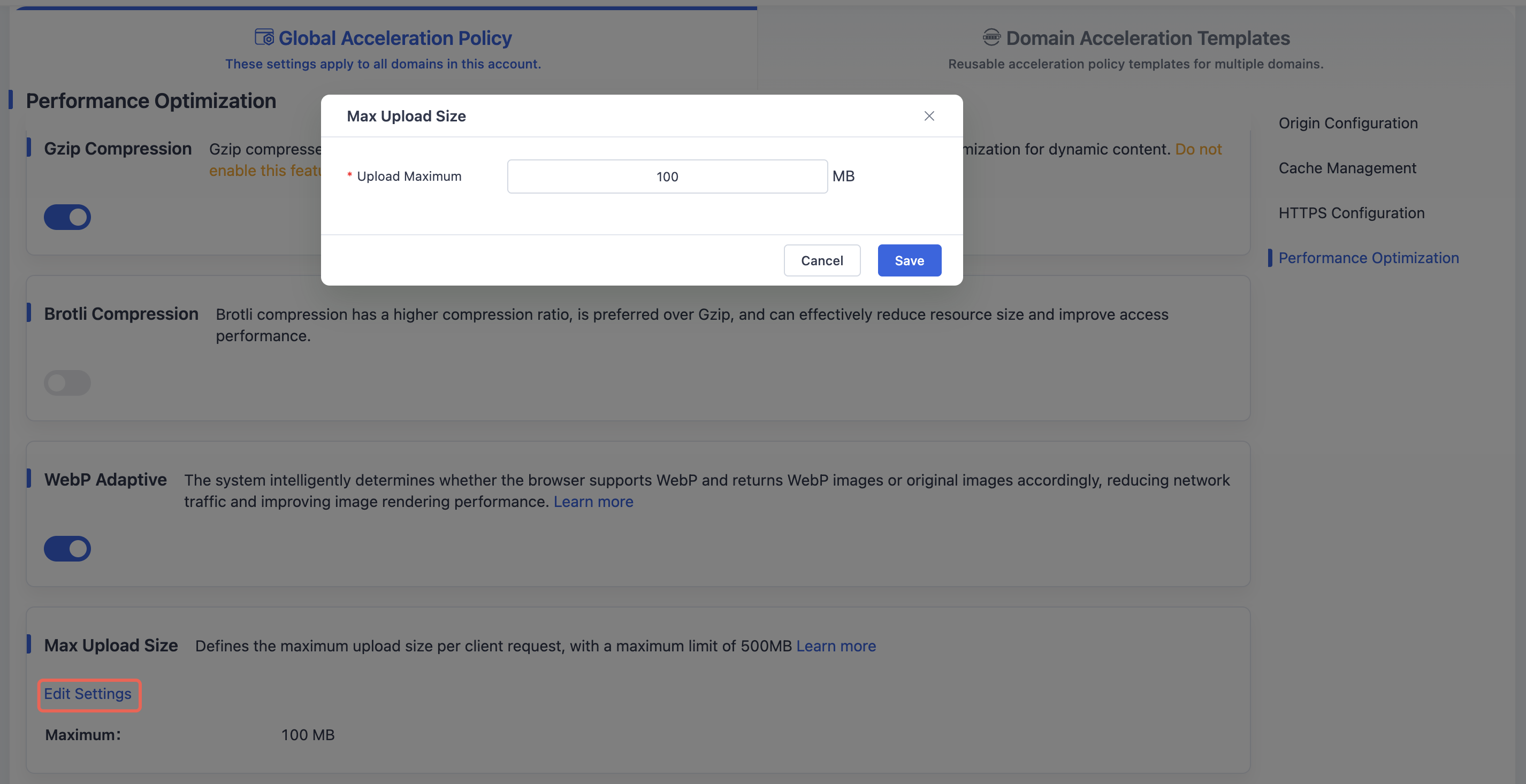
After adjusting the upload size limit, click Save to close the window and save the updated global domain maximum file upload size configuration.
Scenario 2: Domain Acceleration Template Configuration
Log in to the Security CDN Console.
In the left navigation bar, select Speed & Cache, then click Acceleration to enter the Global Acceleration Policy page.
Click Domain Acceleration Template Configuration at the top to switch to the Speed & Network Template Management page.
In the template list, select the template you want to adjust, then click Policy Management in the operations column to open the template configuration page.
Scroll down to the Performance Optimization - Maximum File Upload Size module.

Click the Edit Settings button to open the modification window for the maximum file upload size.
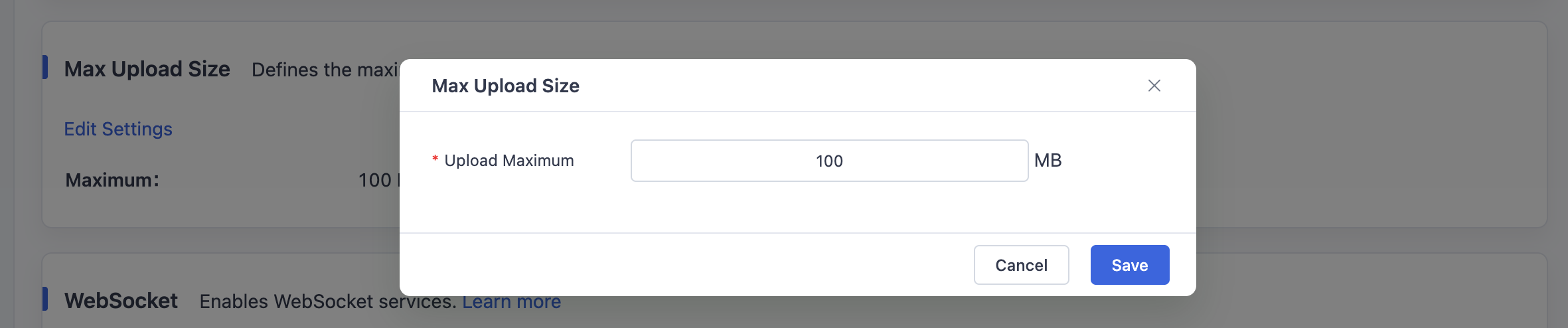
After setting the desired maximum upload size, click Save to close the window and save the updated maximum file upload size configuration for the selected template.
Need help? Contact our support team at support@edgenext.com.
Back to documentation home