

Prewarm Content
Feature Introduction
After a domain is enabled with CDN acceleration service, there is no cached resource of the domain on any CDN acceleration nodes across the network in the initial state. Caching behavior on nodes is triggered by access requests from end users. When a user request reaches a CDN acceleration node, if there is no cached resource or the cached resource has expired, the node will pull the resource from the CDN parent node. If the parent node still has no valid cache or the resource has expired, the request will be sent to the origin server to fetch the resource, which is then cached level by level down the chain.
EdgeNext CDN provides the resource preheating feature. It does not require triggering by end-user requests. You can manually submit a resource list in the CDN console to proactively load specified resources onto CDN acceleration nodes.
Applicable Scenarios
Installation Package Release
Before releasing a new version or upgrade package, preheat the resources to CDN acceleration nodes in advance. After official launch, download requests from massive users will be directly responded to by global acceleration nodes, which improves download speed and significantly reduces the pressure on the origin server.
Operational Campaigns
Before launching an operational campaign, preheat the static resources involved in the campaign page to CDN acceleration nodes in advance. After the campaign starts, all static resources accessed by users will be responded to by acceleration nodes. The massive bandwidth reserve ensures service availability and improves user experience.
Operation Guide
Usage Steps
- Log in to the EdgeNext CDN console, click Purge in the left sidebar. On the page that opens, select the "Cache Prefetch" tab to start submitting URL preheating tasks as needed.
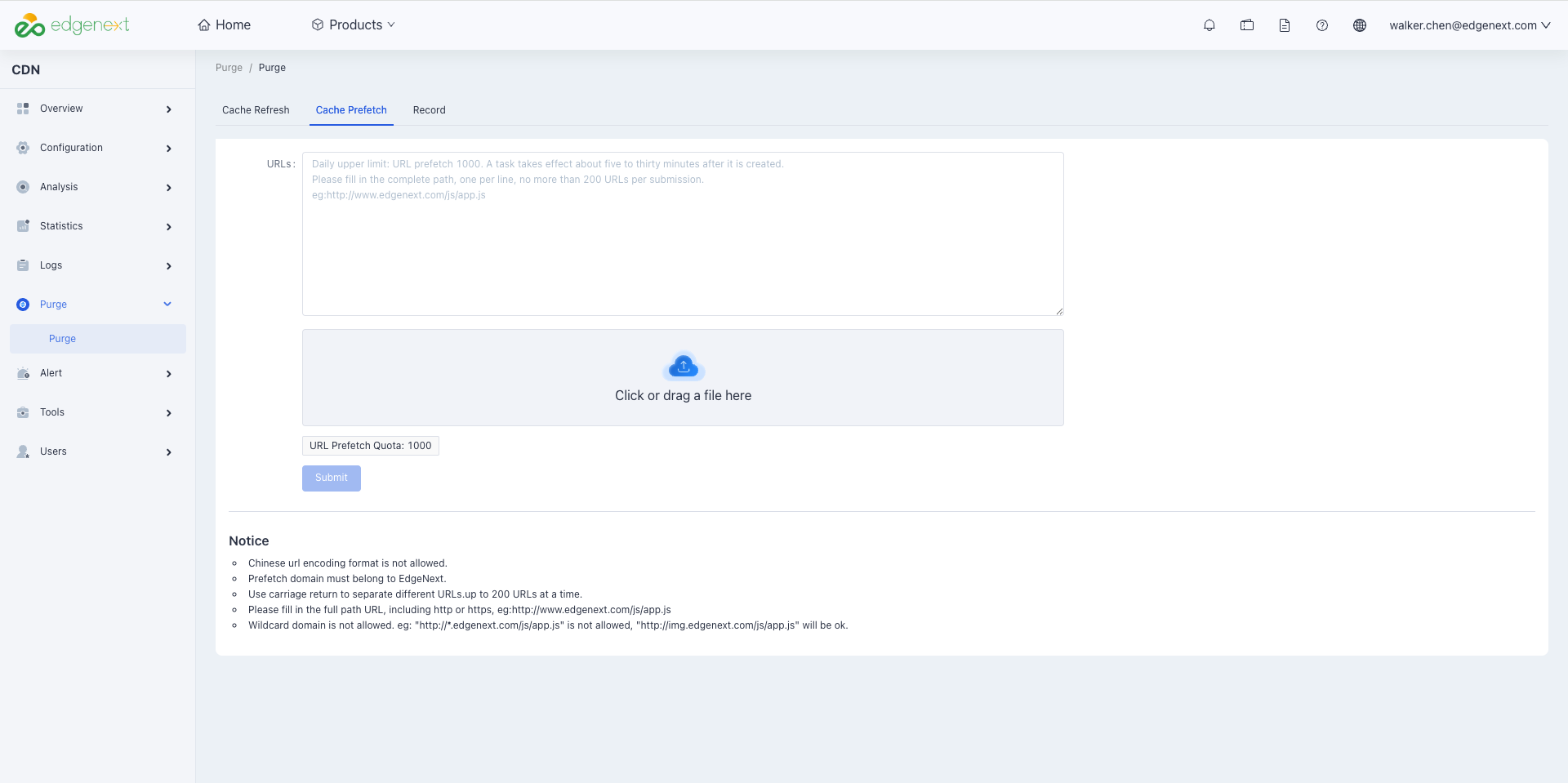
- Fill in the URLs as required on the page, separated by line breaks (Enter key). You can also import files in batches to add URLs or directories that need preheating.
- Click the Submit button to complete the file preheating operation.
Notes
- Chinese URL encoding format is not supported.
- The domain to be preheated must be an accelerated domain of EdgeNext.
- Separate different URLs in the list with line breaks (one per line). A maximum of 200 lines (i.e., 200 URLs) can be submitted at one time; the daily preheating limit is 1000 URLs.
- Fill in the full path for URLs, including the protocol header (http or https). Example:
http://www.EdgeNext.com/js/app.js. - Wildcard domain preheating must be performed with subdomain URLs.
http://*.EdgeNext/js/app.jsis not supported; usehttp://img.EdgeNext.com/js/app.jsfor preheating operations.
Need help? Contact our support team at support@edgenext.com.
Back to documentation home