

Security CDN
Origin SNI
When the origin server's IP hosts multiple domains and is accessed over HTTPS, it is essential to specify the exact domain name to be used in the SNI (Server Name Indication) during the TLS handshake.
How Origin SNI Works
- When a Security CDN edge node connects to the origin server over HTTPS, it includes the specified domain in the SNI field of the TLS handshake.
- The origin server identifies the domain from the SNI and returns the corresponding SSL certificate.
- The Security CDN edge node validates the certificate and establishes a secure connection with the origin server.
Configuration Guide
Log in to the Security CDN Console.
In the left navigation menu, go to Domain Management, then click Domain List.
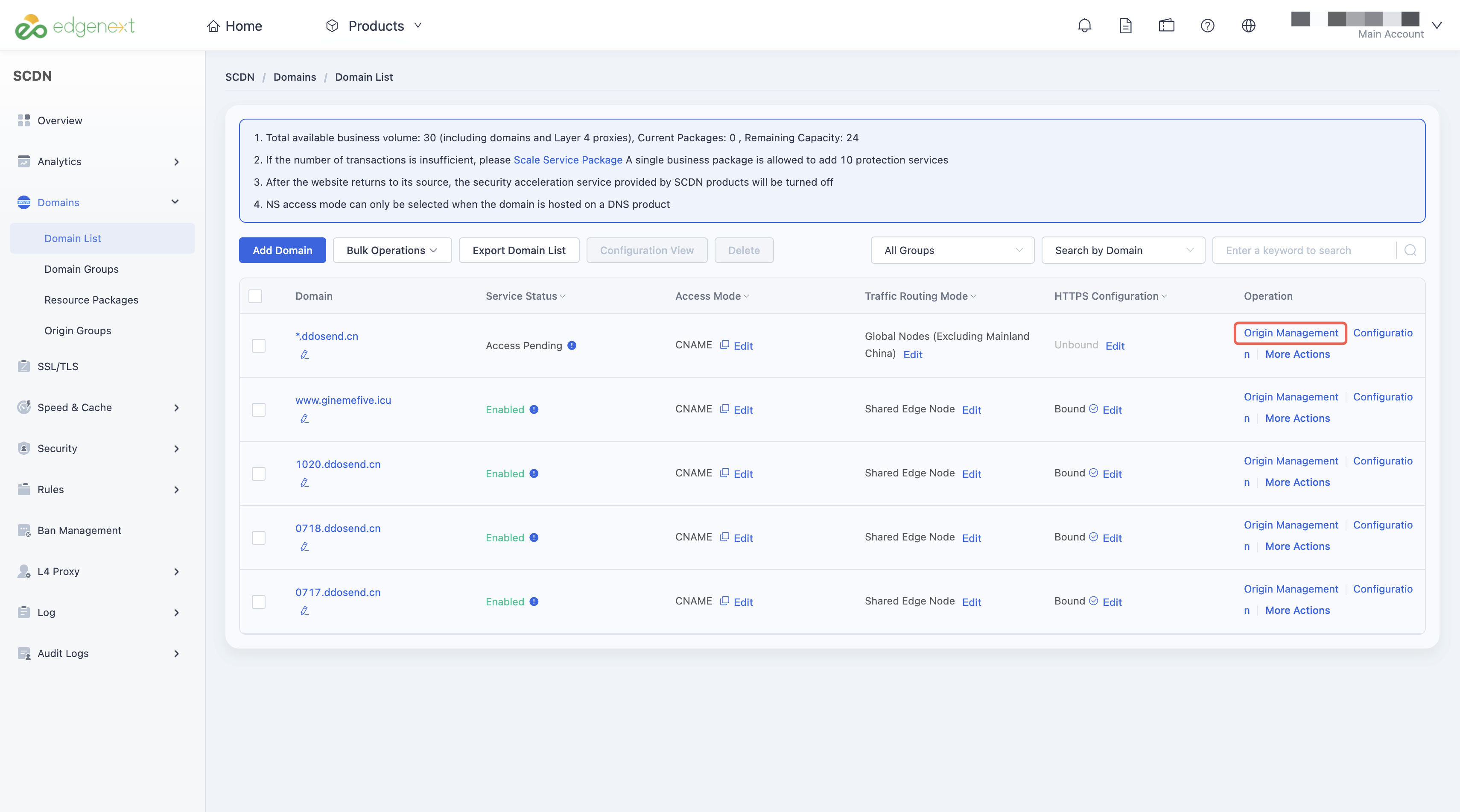
Locate the domain to configure, and click Origin in the action column to enter the origin configuration page.
Find the Origin SNI field.
- The default setting is OFF.
- When using a custom domain, enter the exact domain you want to use for HTTPS origin fetch.
Note: The value for Origin SNI must be an exact domain name (e.g., www.example.com). Wildcard domains are not supported.

Need help? Contact our support team at support@edgenext.com.
Back to documentation home