

Origin Configuration
This document outlines the required origin configuration when integrating your domain with Security CDN to ensure normal service access.
Protocol Type
| Protocol | Description |
|---|---|
| HTTP | Enables website acceleration using the HTTP protocol. |
| HTTPS | Enables website acceleration using the HTTPS protocol. HTTPS Certificate Configuration is required when selecting this option. |
Listening Port
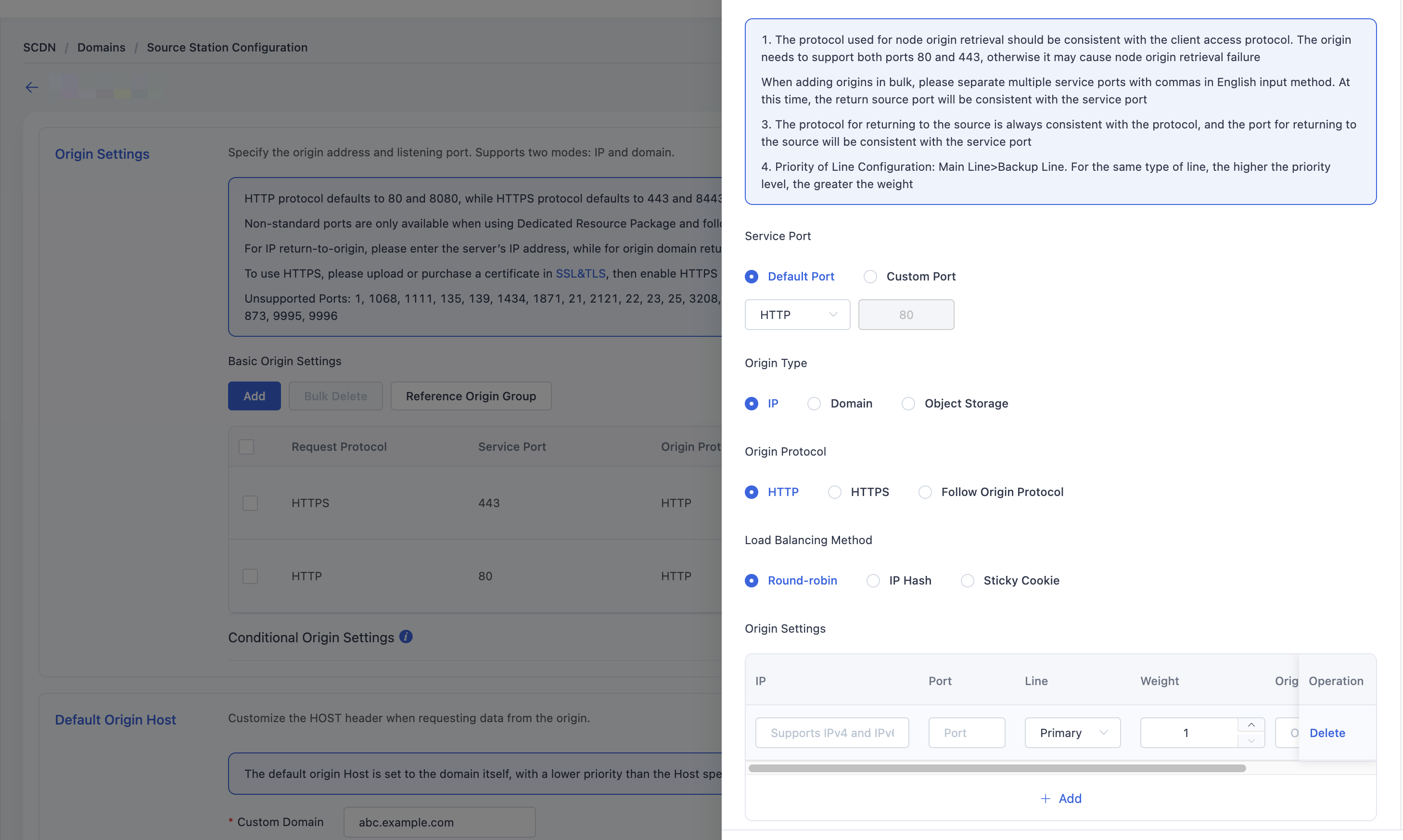
- Listening ports are the ports opened on Security CDN edge nodes. By default, the system allocates ports 80, 8080, 443, and 8443 through the shared resource package.
- For additional custom ports, you must purchase a dedicated resource package.
Origin Protocol
When a client requests content not cached at the edge, the edge node will fetch it from the origin server using the configured protocol.
| Origin Protocol | Description |
|---|---|
| HTTP | Edge nodes fetch content from the origin server using HTTP. |
| HTTPS | Edge nodes fetch content from the origin server using HTTPS. |
| Follow Protocol | The edge node uses the same protocol as the client request. Make sure the origin supports both port 80 and 443, otherwise origin fetch failures may occur. |
Load Balancing Method
When multiple origin addresses are configured, the following load balancing strategies are supported:
| Method | Description |
|---|---|
| Round Robin | Origin selection is based on priority. The weight of each origin determines its traffic share proportionally. |
| IP Hash | The first client request is randomly assigned to an origin. All subsequent requests from the same IP are routed to the same origin, unless it's marked as down. |
| Cookie Sticky | Similar to IP Hash. The first request is randomly routed to an origin. All requests with the same cookie will go to that origin until it is marked down or the cookie expires. |
Origin Type
Security CDN supports both IP, Domain Name and Object Storage as origin types:
| Type | Description |
|---|---|
| IP | Requests can be forwarded directly to specified IPv4 or IPv6 origin servers. Multiple origin IPs and load balancing strategies are supported. |
| Domain | Requests are forwarded to a specified origin domain, and CDN automatically resolves the domain to origin IP addresses. |
| Object Storage | Supports using object storage services as origins, for example, EdgeNext's object storage service or other object storage services compatible with the S3 protocol. |
Note:
- Origin routing supports primary and backup lines. Edge nodes will first attempt to fetch from the primary origin(s) based on the load balancing method.
- If all primary origins fail, backup origins will be used.The system automatically detects link performance to ensure optimal origin selection.
Configuration Guide
Log in to the Security CDN console. In the left navigation pane, select Domain Management, then click Domain List to enter the domain management page.
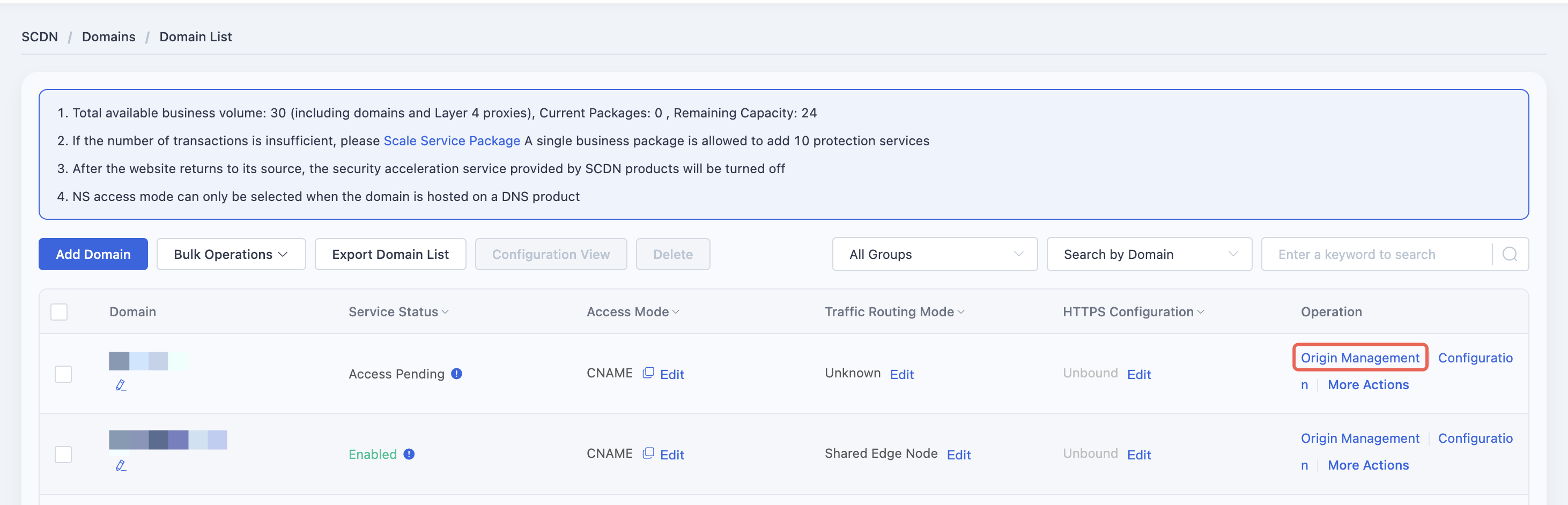
On the domain list page, locate the domain to be configured, and in the Actions column, click Origin Management to go to the origin configuration page.
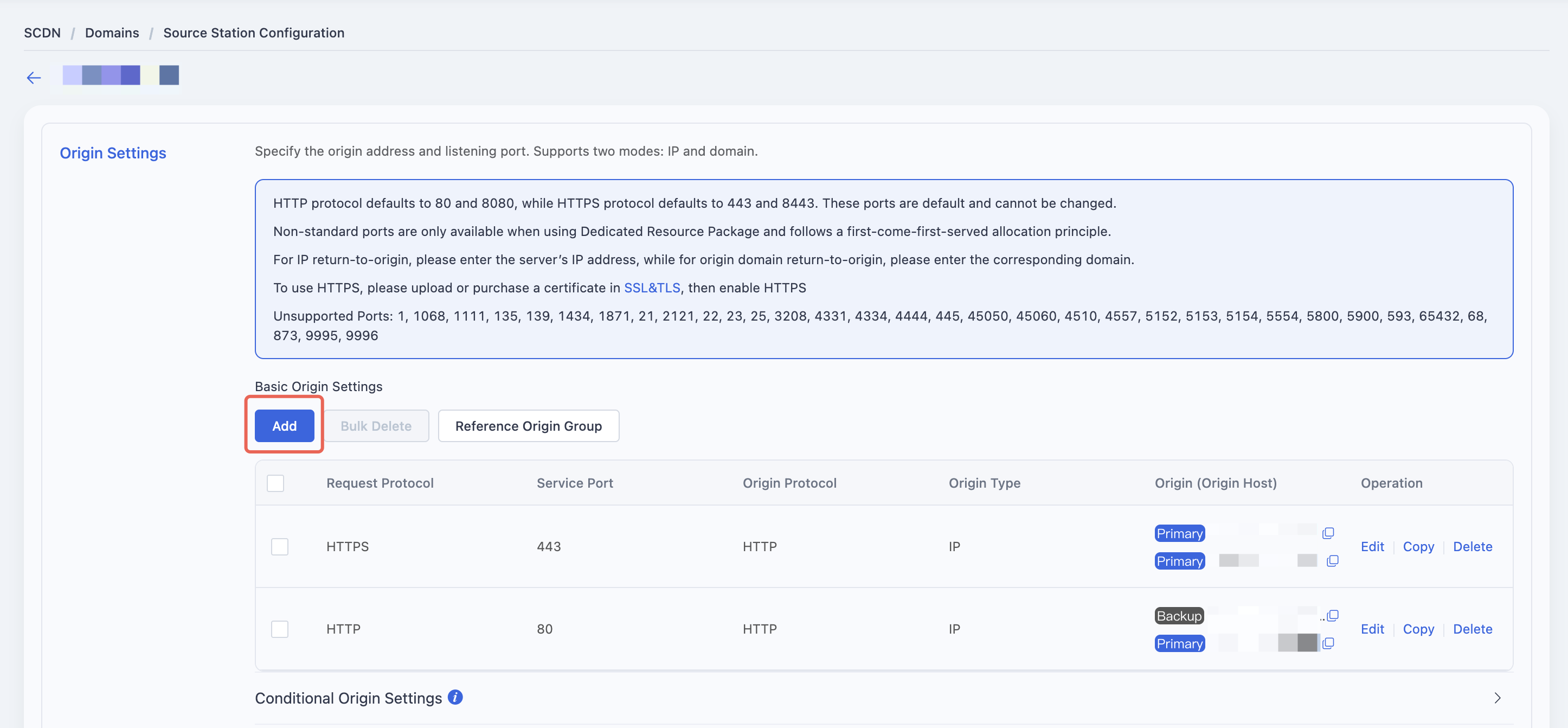
Please refer to the descriptions of the configuration options above and fill in the relevant information based on the actual deployment of your domain’s origin. Ensure that the origin address (such as IP or domain name), port number, protocol type, and other parameters match the actual settings of your origin server to ensure proper acceleration service and accurate origin retrieval.
Need help? Contact our support team at support@edgenext.com.
Back to documentation home