

Explicit and Implicit Redirection
Explicit and Implicit Redirection is an advanced feature for access control and content delivery, allowing requests to be redirected to a designated target URL based on user access paths.
Differences Between Explicit and Implicit Redirection
- Explicit Redirection:
When a user accesses a page, the browser's address bar is updated with the new URL.
Currently, 301 (permanent) redirection is supported. - Implicit Redirection:
Similar in function to explicit redirection, but the browser address bar does not change.
Note: Implicit redirection does not support redirecting to non-HTTPS URLs when HTTPS is enabled.
Configuration Guide
Log in to the Security CDN Console.
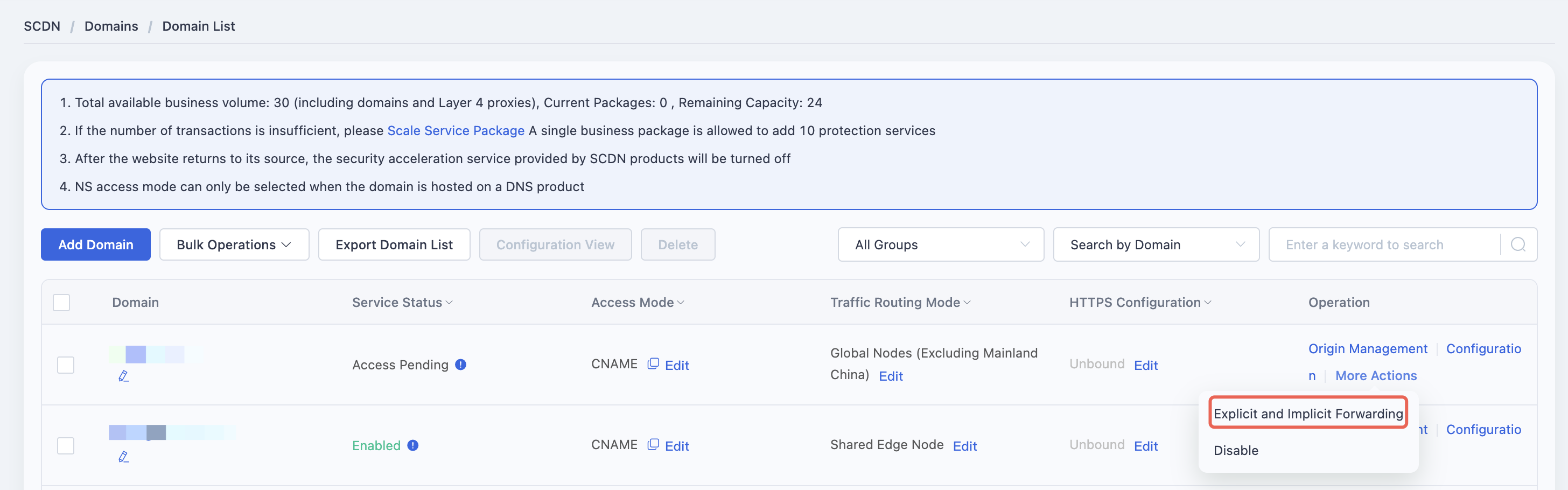
In the left navigation menu, go to Domains, then click Domain List.
Locate the domain to be configured and click More → Explicit and Implicit Forwarding in the operations column to open the configuration window.
In the configuration window, choose to enable either Explicit Forwarding or Implicit Forwarding redirection.
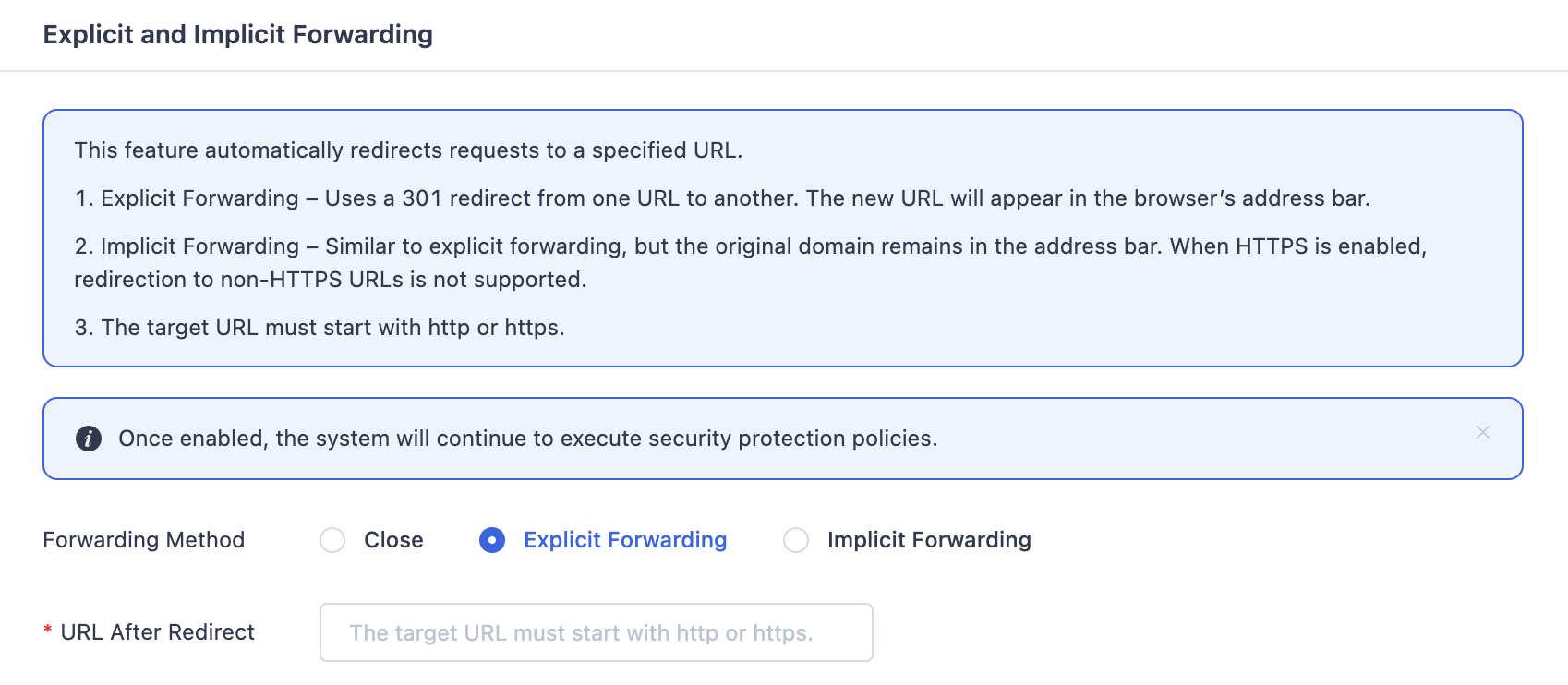
Enter the redirection URL, which must begin with http:// or https://.
Note: When explicit and implicit forwarding is enabled, the system will continue to execute the security protection policy.
Need help? Contact our support team at support@edgenext.com.
Back to documentation home