

Security CDN
Disable Domain
Disabling a domain means temporarily removing a domain integrated with Security CDN from active service. Once disabled, the domain will stop handling user requests. This action does not delete the domain or its configurations.
Use Cases
- Temporarily stopping traffic during system maintenance or migration.
- Temporarily taking down a domain due to content violations.
Configuration Guide
Log in to the Security CDN Console.
Navigate to Domain Management > Domain List.
Locate the domain to disable, click More → Disable in the action column.
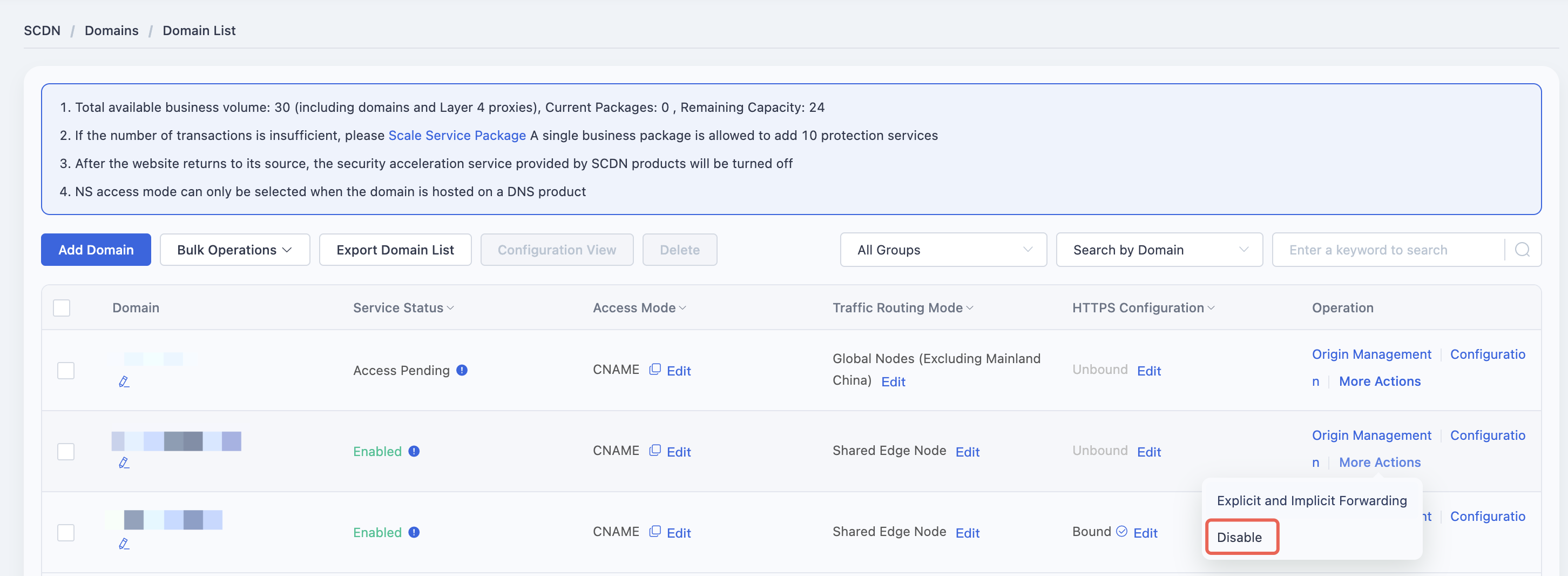
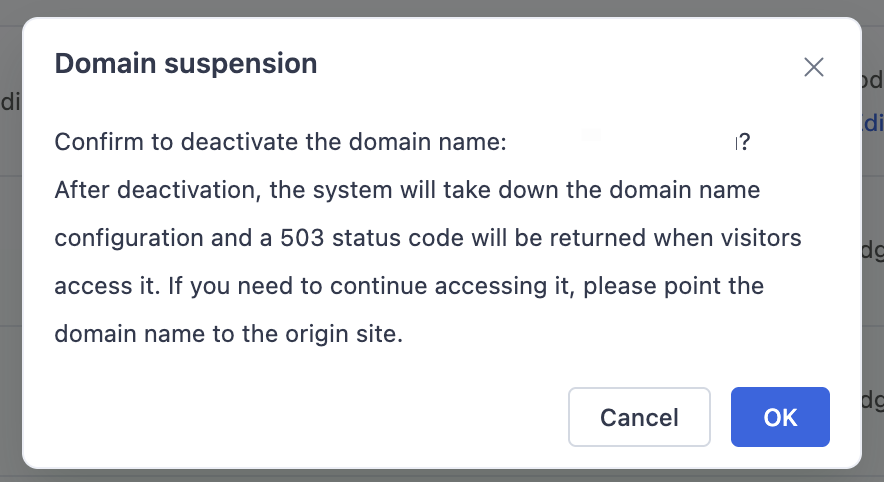
In the confirmation dialog:
- Click OK to disable the domain. All access will return HTTP 503, and security acceleration will be suspended.
- Click Cancel to abort the operation.
To re-enable the domain, return to the Domain List, click More → Enable, and confirm in the dialog box.
Need help? Contact our support team at support@edgenext.com.
Back to documentation home