

Security CDN
Origin Host
The Origin Host refers to the domain name used by Security CDN edge nodes in the Host header when fetching content from the origin server.
- By default, the origin host is set to the domain being accelerated.
- If a wildcard domain is integrated, the actual origin host will follow the specific domain accessed by the user.
Note: The specified origin host must match a configured virtual host (vHost) on your origin server. Otherwise, it may lead to 404 errors during origin fetch.
Difference Between Origin Address and Origin Host
- Origin Address:Determines the IP address used when the edge node initiates an origin request.
- Origin Host:Determines the site/domain name on that IP address which the request is targeting.
Configuration Guide
Log in to the Security CDN Console.
In the left-hand navigation menu, go to Domain Management, then click Domain List.
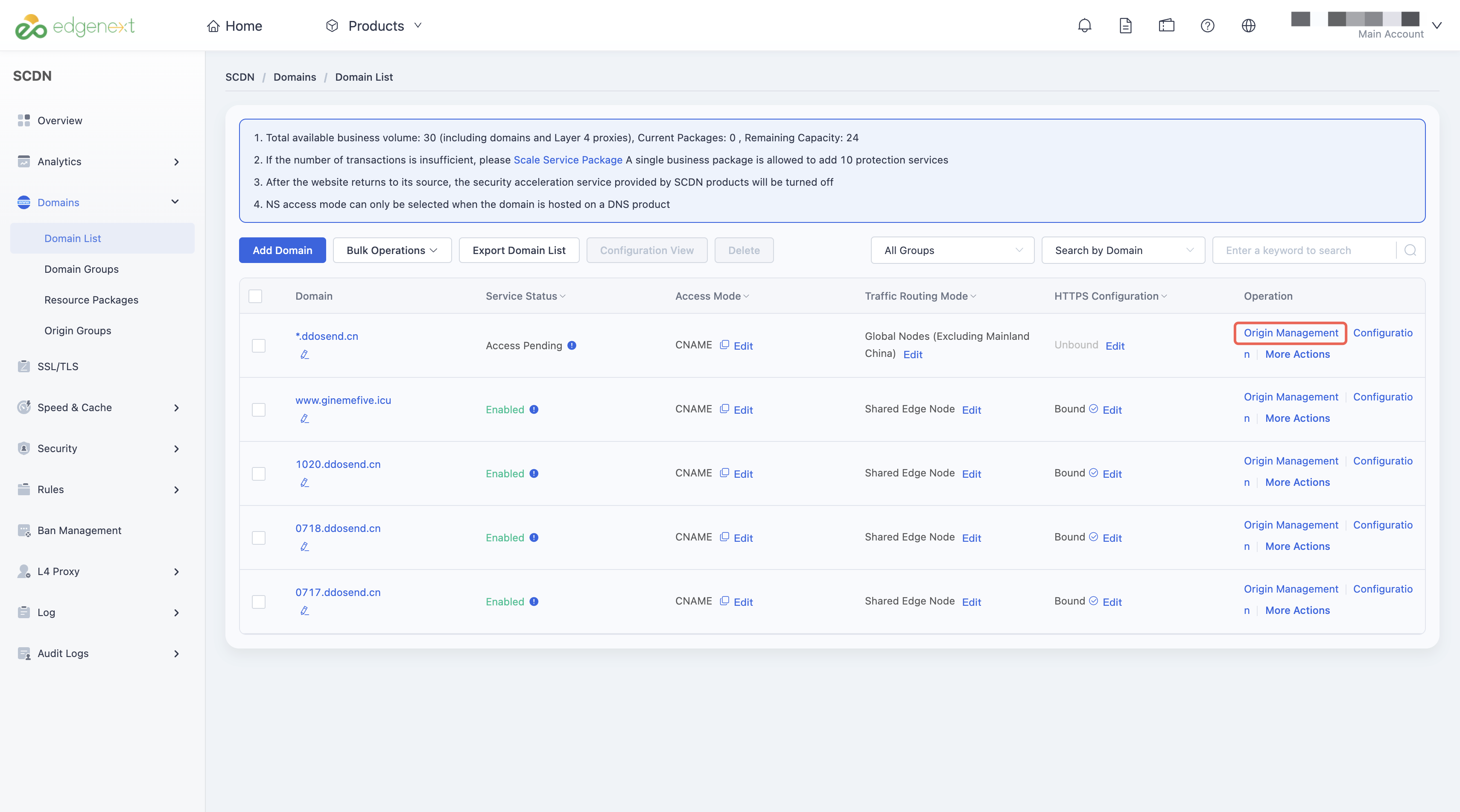
Find the target domain, and in the actions column, click Origin to enter the origin configuration page.
Locate the Origin Host field.
- By default, it is set to the current domain.
- If you define a custom domain, the system will use the specified domain as the Origin Host during origin fetch.

Configuration Example
Assume the following setup:
- The accelerated domain is www.abc.com
- The origin server is configured as www.test.com

Access Flow:
- A user accesses: http://www.abc.com/test.txt
- The Security CDN edge node checks its cache. If the file is not cached, it performs an origin fetch.
- The system resolves www.test.com to an IP address, e.g., 1.1.1.1
- The edge node sends a request to 1.1.1.1, using abc.test.com in the Host header.
- The origin server returns /test.txt from the abc.test.com virtual host.
- The file is delivered to the user.
Need help? Contact our support team at support@edgenext.com.
Back to documentation home