

HSTS
HSTS is a web security policy mechanism that forces browsers to use only HTTPS to access a website. It helps prevent protocol downgrade attacks and man-in-the-middle hijacking during a user's initial or redirected visit.
Once HSTS is enabled and the browser successfully accesses the website over HTTPS for the first time, the browser will remember that this site must always be accessed via HTTPS. For the specified duration, even if a user manually enters http://, the browser will automatically upgrade it to https://, ensuring encrypted access at all times.
Prerequisites
Before enabling this feature, make sure that an HTTPS certificate has been successfully configured. For instructions, refer to Configure HTTPS Certificate.
Configuration Guide
Scenario 1: Global Domain Configuration
Log in to the Security CDN Console.
In the left navigation pane, go to Speed & Cache, then click Acceleration to open the Global Acceleration Policy page.
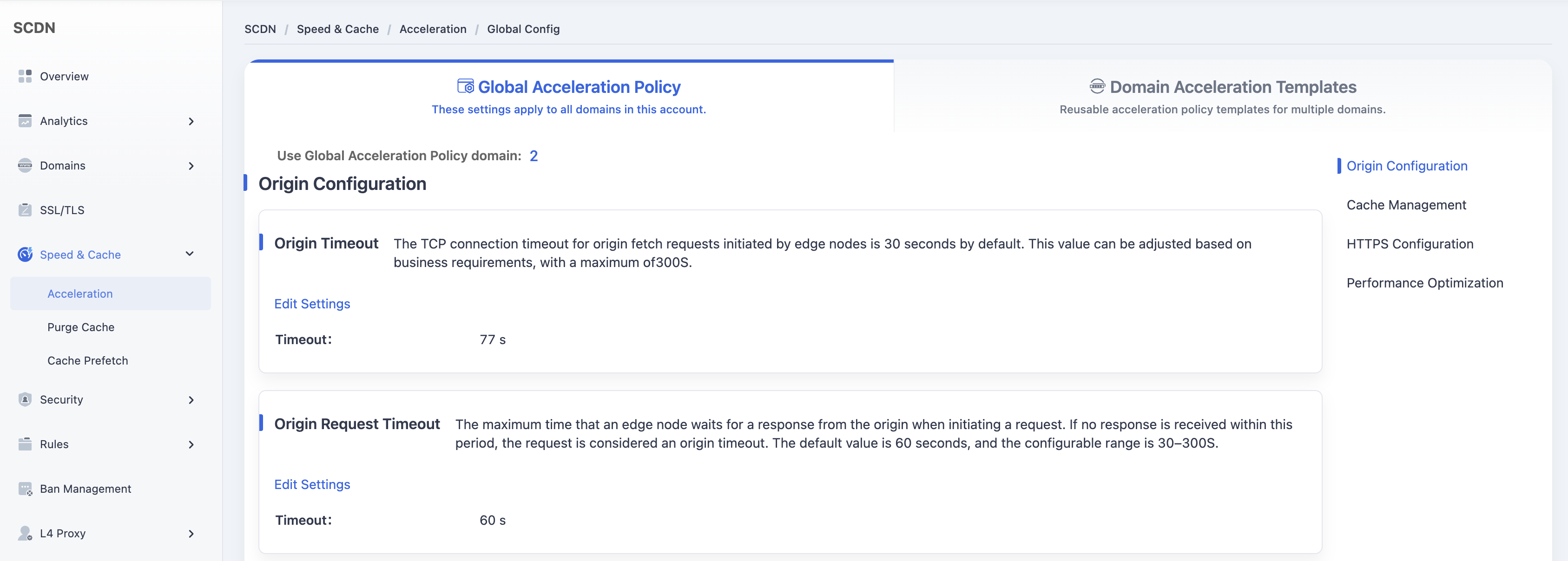
Scroll down and locate the HSTS module.

Toggle the switch. A confirmation dialog will appear.
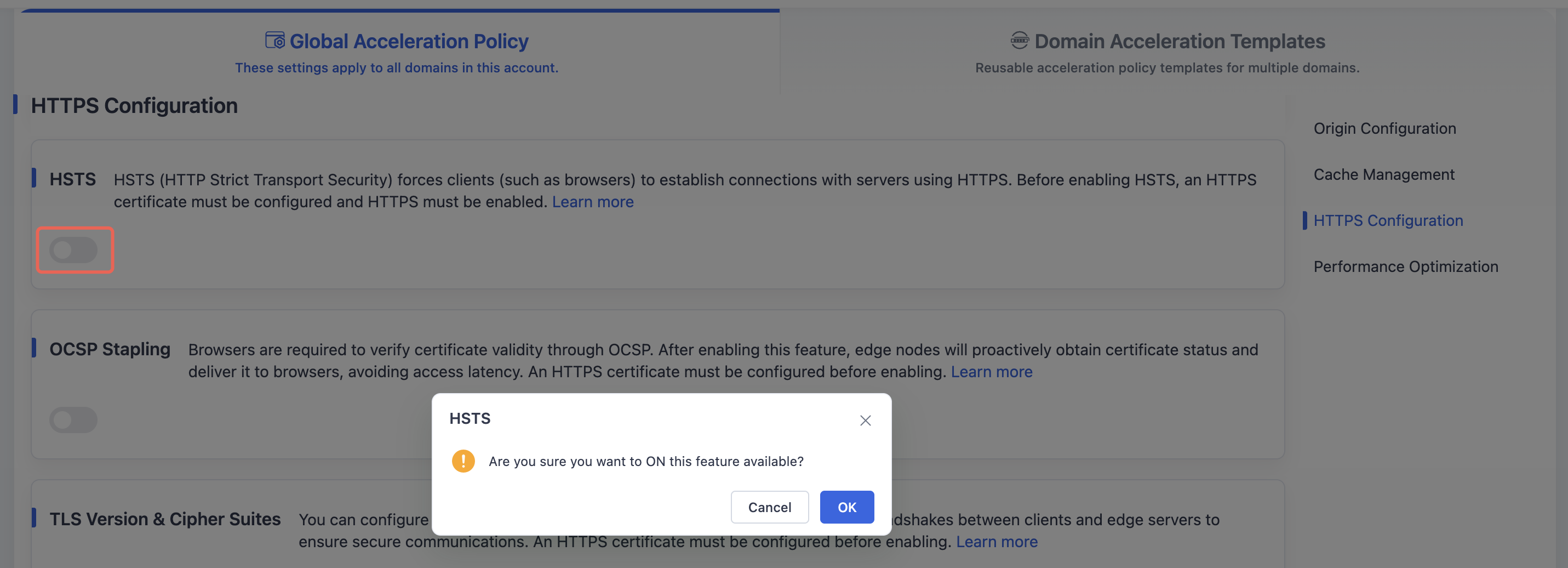
Click OK to activate HSTS and save the global configuration.
Scenario 2: Domain Acceleration Template Configuration
Log in to the Security CDN Console.
In the left navigation pane, go to Speed & Cache then click Acceleration.
At the top, click Domain Acceleration Template Configuration to access the Template Management page.
Locate the desired template and click Policy Management in the operations column.
Scroll down to find the HTTPS - HSTS module.

Toggle the switch. A confirmation dialog will appear.
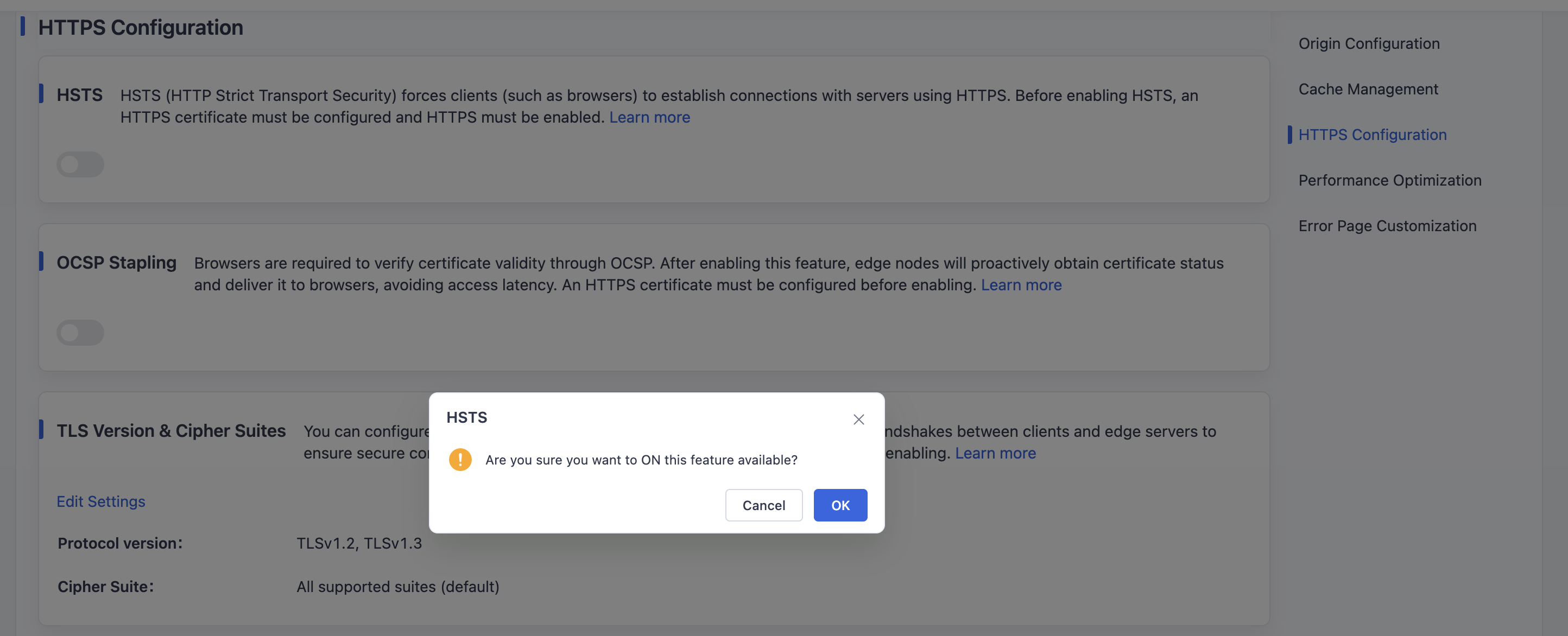
Click OK to activate and save the HSTS configuration for the selected template.
Need help? Contact our support team at support@edgenext.com.
Back to documentation home