

WAF Rule Engine
The WAF (Web Application Firewall) Rule Engine is built upon over 1,500 proprietary rules developed through Security CDN’s years of experience in cybersecurity operations. It provides automated protection against OWASP Top 10 threats.
The Rule Engine covers a wide range of web attacks, including:
- SQL Injection
- Sensitive File Access
- Remote Command Execution
- WebShell
- Cross-Site Scripting (XSS)
- Code Execution
- Malicious Scanning
- Web Application Vulnerabilities
- File Upload Attacks
Configuration Description
| Setting | Description |
|---|---|
| Protection Mode | OFF: Disables the WAF Rule Engine module. No rule-based protection is applied. Observation Mode: Analyzes and logs attacks in real-time, but does not block them. Blocking Mode: Actively intercepts detected attacks. Ban Mode: Intercepts detected attacks and automatically adds IPs that match certain rules to a blacklist. |
| Protection Level | Standard: Recommended if you observe frequent false positives or deal with unpredictable user inputs. Strict: Recommended if you require stronger defense against SQL injection, command execution, or directory traversal. |
| Rule Set | Select a specific WAF rule set to apply. The system will only perform request inspection and actions based on the selected rule set. |
Operation Guide
Log in to the Security CDN Console.
In the left navigation menu, go to Security, and click Web Security to open the Global Security Policy page.
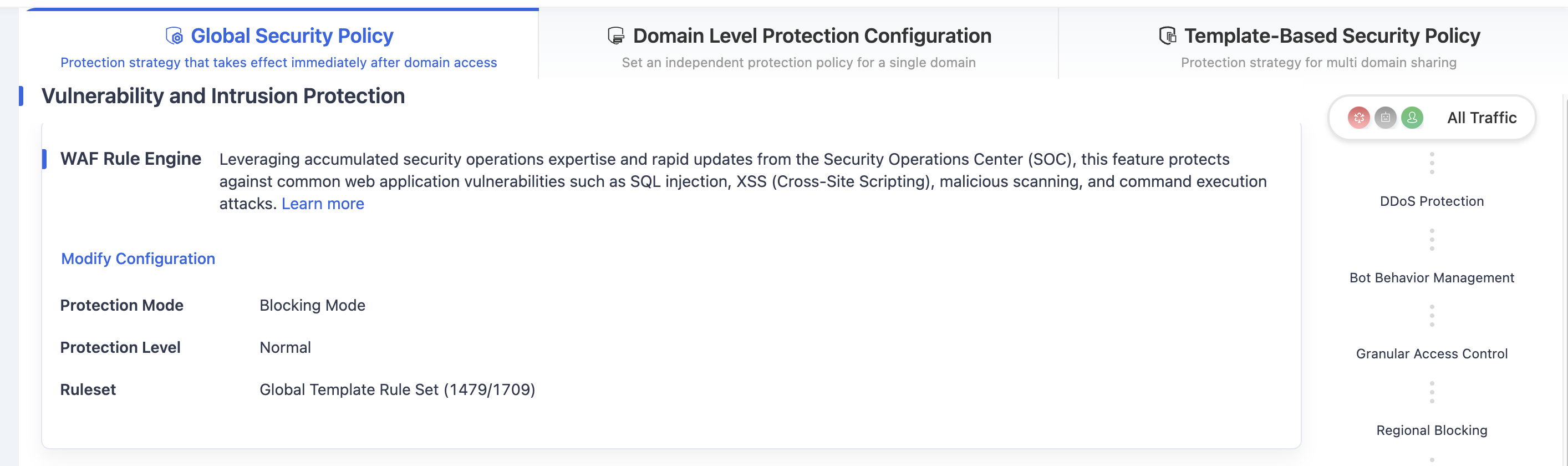
Scroll down to Vulnerability and Intrusion Protection – WAF Rule Engine.
Click Moddity Configuration to open the WAF Rule Engine settings dialog.
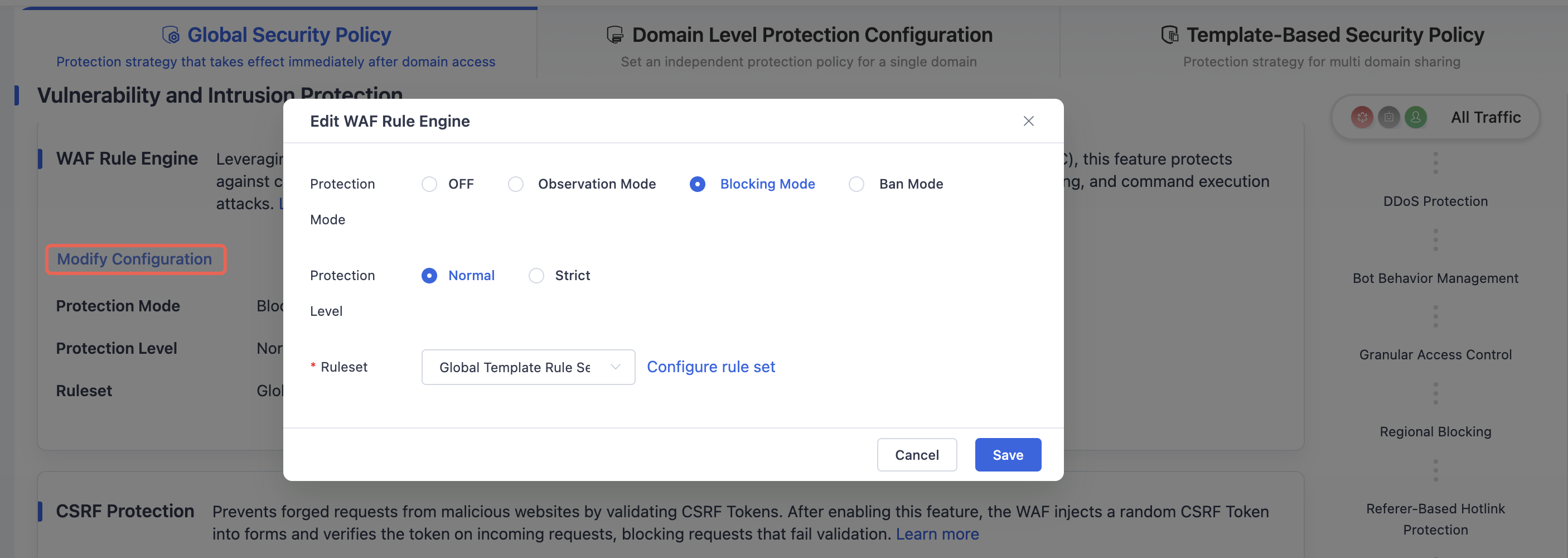
Configure the Protection Mode, Protection Level, and Ruleset as needed.
Click Save to apply the WAF Rule Engine policy to the global configuration.
Need help? Contact our support team at support@edgenext.com.
Back to documentation home