

Replay Attack Protection
Replay Attack Protection prevents attackers from intercepting legitimate requests and reusing them within a short time window, bypassing authentication and repeating sensitive operations (e.g., transfers, logins, confirmations). This function uses request signatures combined with time validation to effectively block replayed requests.
Configuration Description
| Setting | Description |
|---|---|
| Enable/Disable | Allows you to enable or disable the CSRF Protection feature. When disabled, no cross-site request validations will be performed. |
| Protection Mode | Provides three protection modes: Block: Suspicious requests are directly blocked, returning a 463 status code and an interception page. CAPTCHA: For requests that fail signature validation under specific paths, a CAPTCHA challenge is triggered. If the CAPTCHA is passed, the request proceeds; if failed, it is blocked. Observe: Only logs suspicious requests without blocking them. Ideal for testing and policy validation. |
| Time Skew Tolerance | Defines the maximum allowable time discrepancy for incoming requests, preventing replay of outdated requests. Options include: No tolerance (0 minutes) 5 minutes 10 minutes 15 minutes |
| Protected Paths | Specifies the paths where CSRF protection should be applied. Formatting Rules: Must start with / One path per line Max 128 characters per line Leave empty to apply protection to all paths |
| Exempted Paths | Specifies the paths excluded from CSRF validation, commonly used for static resources or open APIs. Formatting Rules: Must start with / One path per line Max 128 characters per line Takes precedence over Protected Paths |
Operation Guide
Log in to the Security CDN Console.
In the left-hand navigation panel, select Security, then click Web Security to enter the Global Security Policy configuration page.
Scroll to Vulnerability and Intrusion Protection – Replay Attack Protection module.
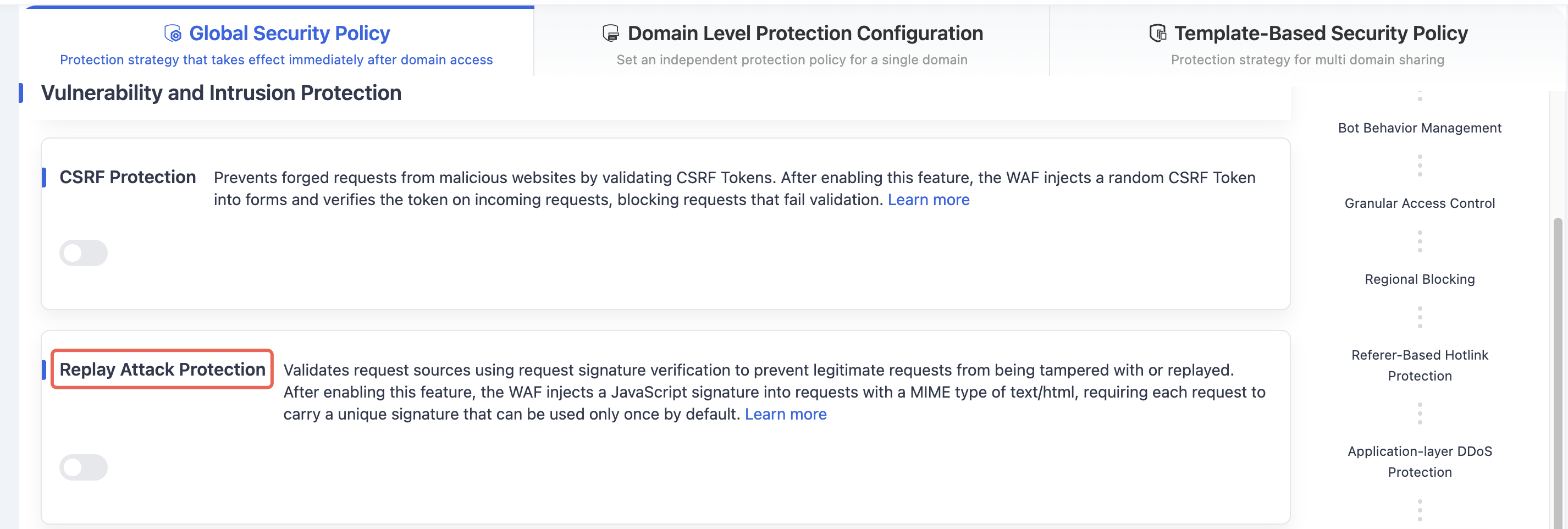
Toggle the switch to open the Replay Attack Protectionsettings dialog.
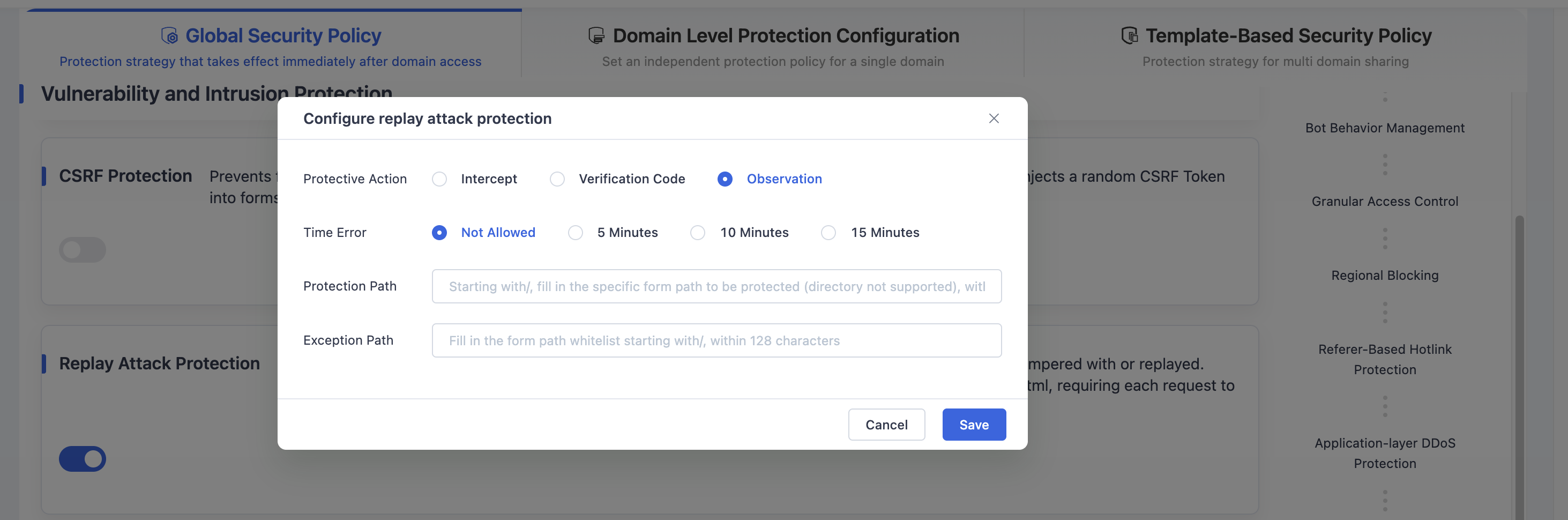
Configure settings as needed according to the guidelines above.
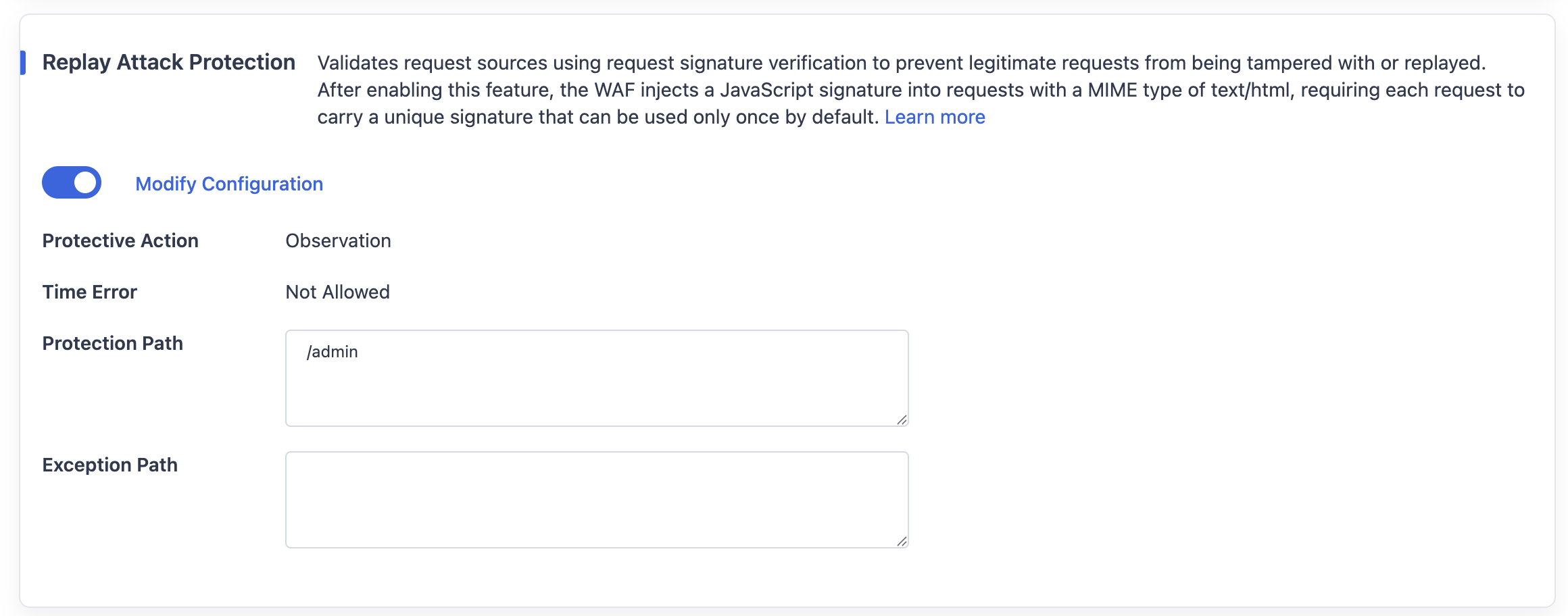
Click Save to apply the replay attack protection policy to the Global Security Policy.
Need help? Contact our support team at support@edgenext.com.
Back to documentation home