

Security CDN
CSRF Protection
CSRF Protection defends against Cross-Site Request Forgery attacks, protecting users from being tricked into unauthorized operations during login sessions, especially for sensitive interfaces such as account changes, payments, and order submissions.
Configuration Description
| Setting | Description |
|---|---|
| Enable/Disable | Enables or disables the CSRF Protection feature. When disabled, no cross-site request validation will be performed. |
| Protection Mode | Two modes are available: Block: Suspicious requests are immediately blocked, and a custom interception page is returned with status code 462. Observe: Logs suspicious requests without blocking them. Suitable for testing and policy evaluation. |
| Protected Paths | Specifies the paths where CSRF validation should be enforced. Formatting Rules: Must start with / One path per line Max 128 characters per line Leave blank to match all paths |
| Exempted Paths | Defines the paths that are exempt from CSRF validation, typically used for static resources or public APIs. Formatting Rules: Must start with / One path per line Max 128 characters per line Exempted paths take precedence over protected paths |
Operation Guide
Log in to the Security CDN Console.
In the left navigation panel, go to Security, then click Web Security to access the Global Security Policy page.
Scroll down to the Vulnerability and Intrusion Protection – CSRF Protection module.

Toggle the switch to open the CSRF Protection settings dialog.
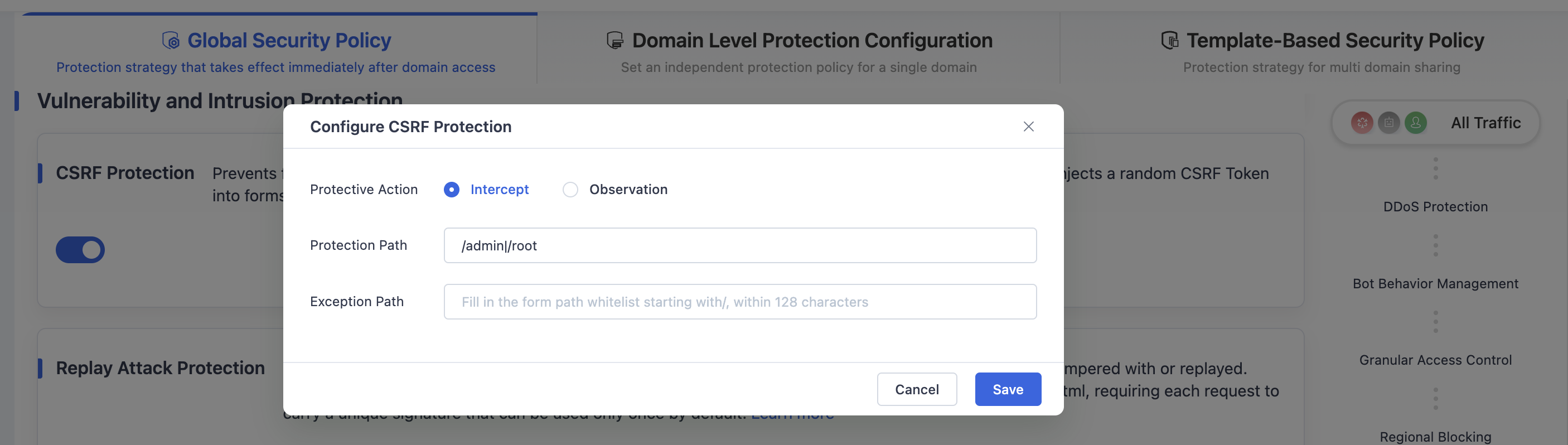
Configure the settings according to the description above.
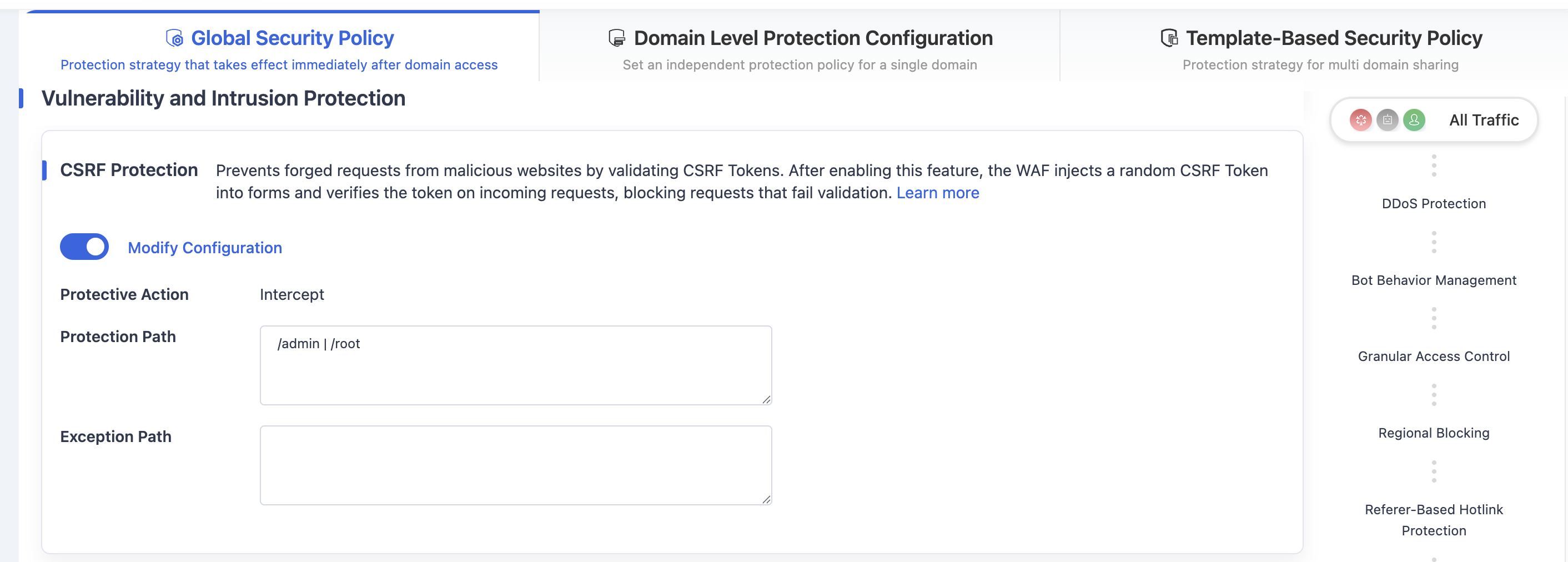
Click Save to apply the CSRF protection policy under the Global Security Policy.
Need help? Contact our support team at support@edgenext.com.
Back to documentation home