

Security CDN
WAF Block Page Customization
WAF Block Page Customization allows users to customize the content displayed to visitors when malicious requests are blocked.
Operation Guide
Log in to the Security CDN Console.
In the left-hand navigation bar, select Security, then click Web Security to enter the Global Security Policy configuration page.
On the Global Security Policy page, scroll down to the Vulnerability and Intrusion Protection – WAF Block Page Customization module.
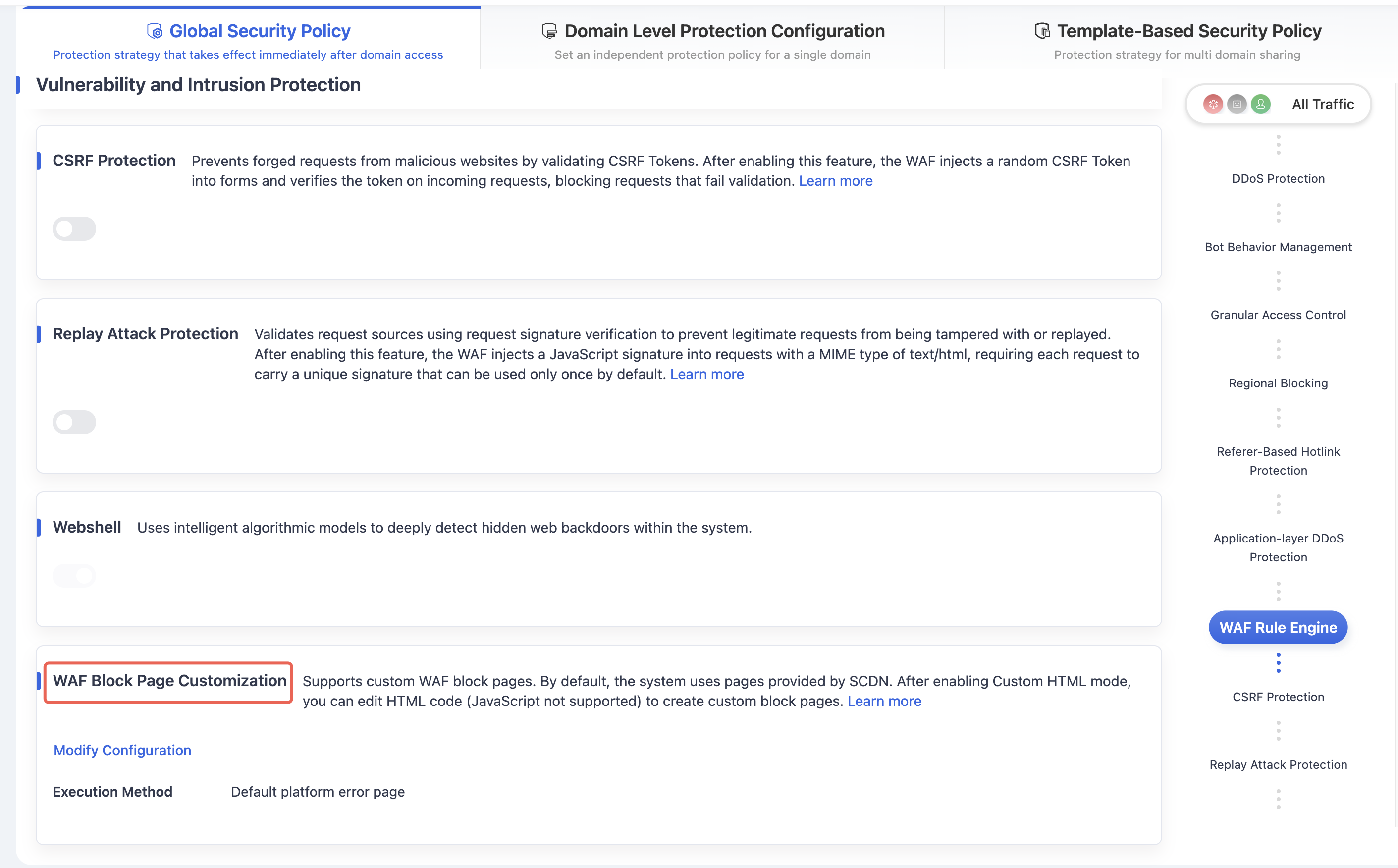
Click the Moddity Configuration button to open the WAF interception page customization configuration window.
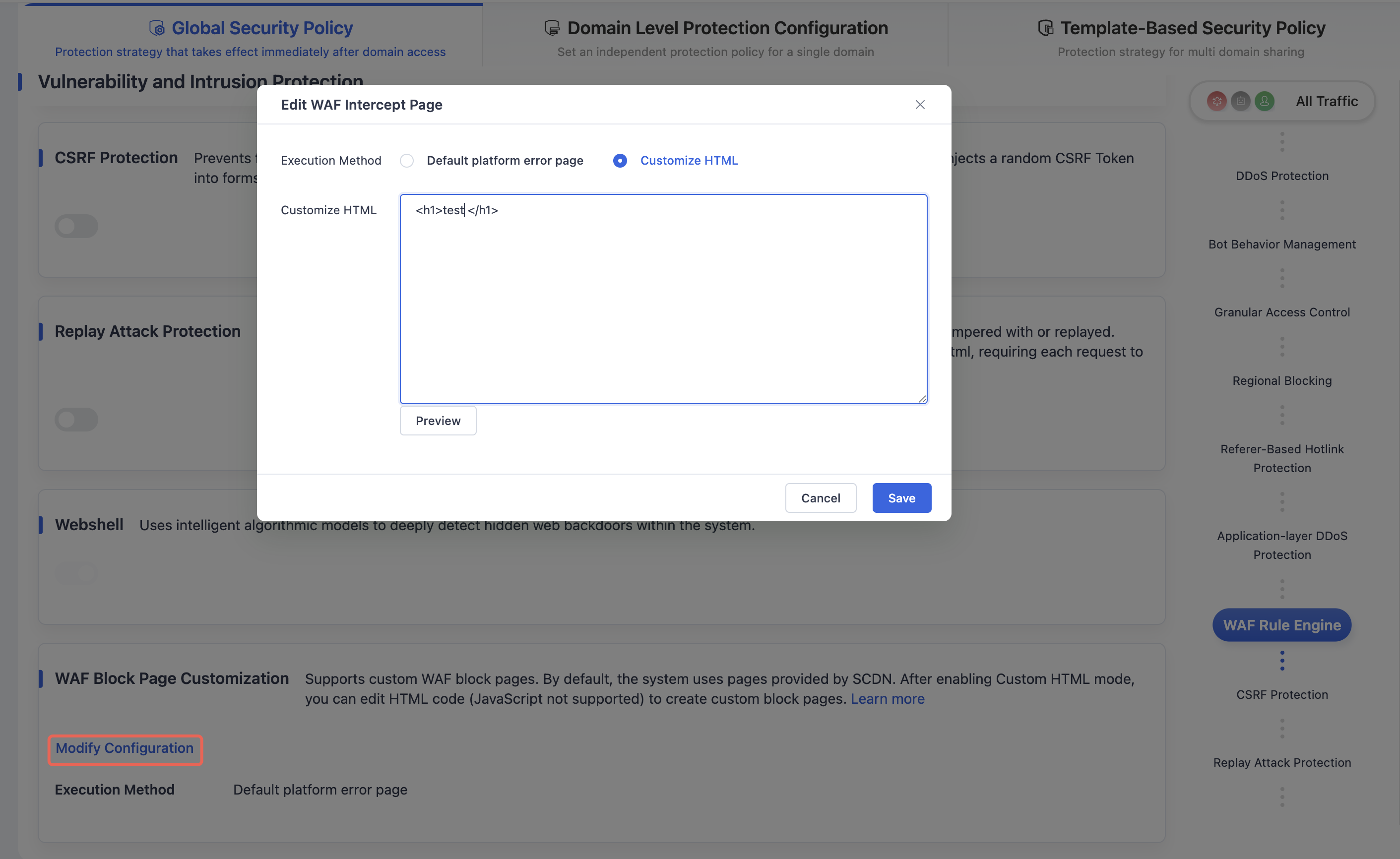
After completing the configuration, click the Save button to apply the WAF interception page customization policy under the Global Security Policy.
Need help? Contact our support team at support@edgenext.com.
Back to documentation home