

Refererbased Hotlink Protection
Referer-based Hotlink Protection is an access control mechanism based on the Referer field in HTTP request headers, used to prevent unauthorized third-party sites from directly linking or stealing resources. By setting allowed or denied referer lists, users can effectively protect their resources from illegal usage, especially suitable for static resource anti-theft scenarios such as images, audio, video, and documents.
Feature Overview: Exclusive Whitelist or Blacklist Mode
When configuring Referer-based Hotlink Protection, users must choose either whitelist or blacklist mode—they cannot be enabled simultaneously.
- Whitelist Mode:Only requests with a Referer header matching the specified domains are allowed to access the resources. All others are denied.
- Blacklist Mode:Requests with a Referer header matching the specified domains are denied. All others are allowed.
Configuration Guide
Log in to the Security CDN Console.
In the left navigation pane, go to Security > Web Security.
On the Global Security Policy page, scroll to the Access Control > Referer-based Hotlink Protection module.
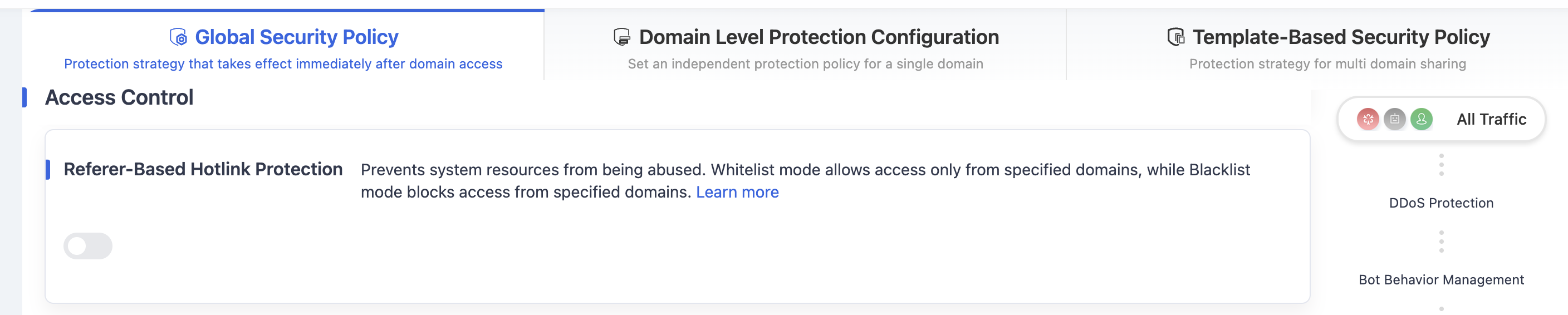
Toggle the switch to open the Referer Protection settings dialog.
In the settings dialog, configure either a whitelist or blacklist strategy.
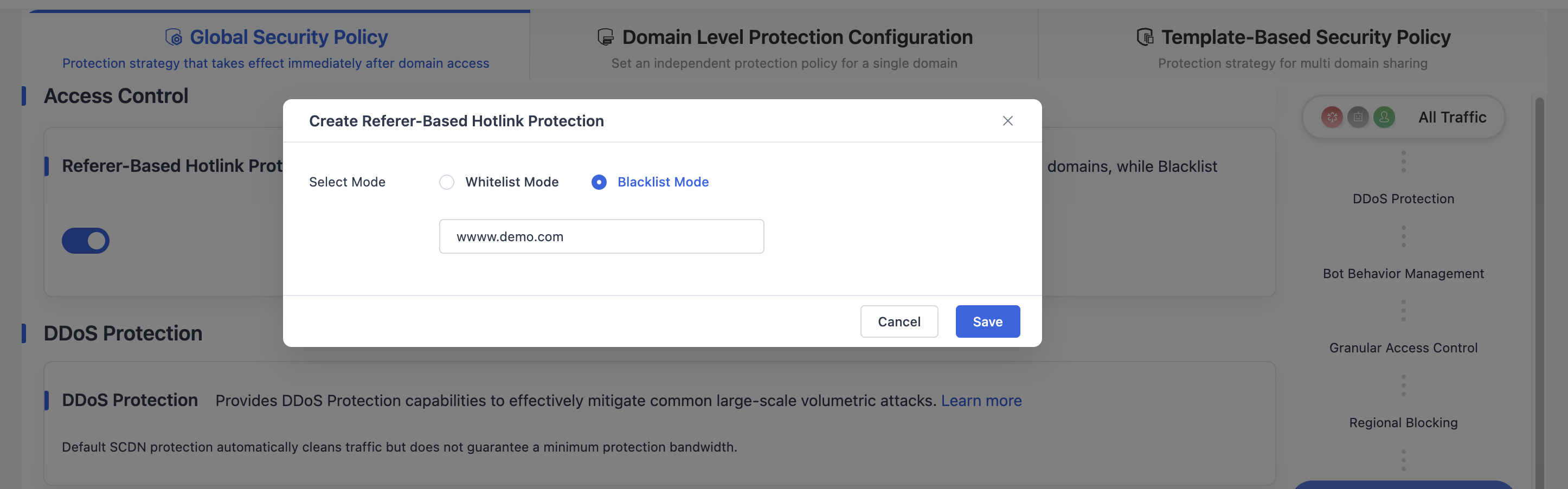
Click Save to save the Referer-based Hotlink Protection settings to the global policy.
Need help? Contact our support team at support@edgenext.com.
Back to documentation home