

Granular Access Control(HTTPS)
Granular Access Control(HTTPS) supports multi-dimensional access policies based on IP, geographic location, request path, User-Agent, request rate, and more, enabling users to flexibly identify and manage requests from different sources, effectively mitigating malicious access, business abuse, and abnormal traffic, thereby enhancing overall security protection.
Match Fields and Logic
| Match Field | Description | Matching Logic |
|---|---|---|
| IP | Client IP accessing the Security CDN edge node ($remote_addr). Supports IPv4, IPv6, and CIDR (e.g., 1.1.1.0/24). | Equal to Does not Equal to In IP list Not in IP list In the last seven days of the white list Not on the white list in the last seven days |
| Request Region | The geographic region of the requester accessing the SCDN edge node. Supports configuration by continent, region, country, or province. | Belongs Does not belong |
| IP Type | The attribute category of the client IP accessing the SCDN edge node, such as search engine, partner, IDC, botnet, etc. | Equal to Does not Equal to |
| IP Request Frequency | The frequency of requests sent by a single client IP. | Larger than X Second Y Times |
| JA3 Fingerprint | A unique identifier derived from the client's TLS/SSL handshake characteristics. Requires TLS version 1.2 or above to be effective. | Equal to Does not Equal to |
| JA3N Fingerprint | A unique identifier derived from the server-side TLS/SSL handshake characteristics. Requires TLS version 1.2 or above to be effective. | Equal to Does not Equal to |
| JA4 Fingerprint | An identifier generated by hashing a set of client characteristics observed during the TLS handshake—such as the TLS version, cipher suites, and extensions. | Equal to Does not Equal to |
Disposal Method
| Operation Method | Description |
|---|---|
| Block | Immediately block matched requests and return an error page. |
| Ban | Block matched requests and add the request source to a denylist, temporarily preventing further access. |
| Whitening | Whitelist matched IPs for the domain. These IPs will bypass Granular Access Control and App-Layer DDoS protection but still go through WAF. Whitelisting is time-limited and cannot be revoked by deleting rules. Optional: still perform WAF inspection on first access. |
Rule Priority
Rules are evaluated top-down in list order.
New rules are added to the top by default and have the highest priority.
Paused rules are skipped during evaluation and are not executed.
You can adjust rule order to change priority manually.
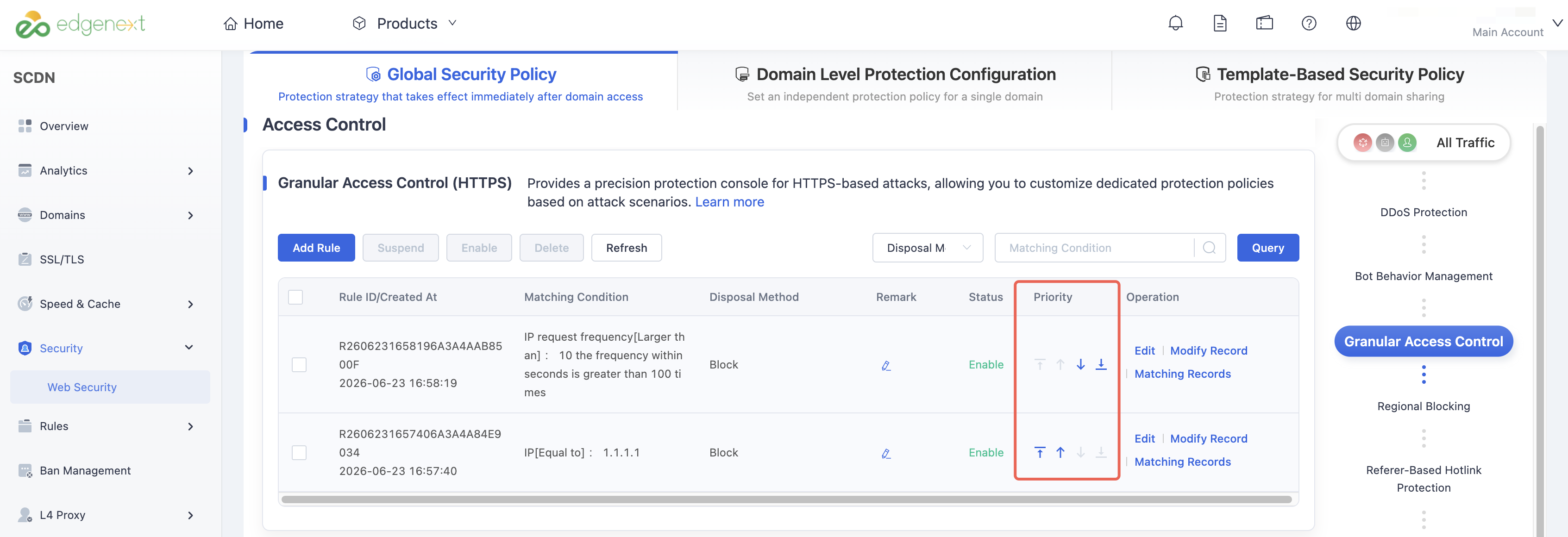
4. Create New Rule – User Guide
Log in to the Security CDN Console.
In the left navigation panel, select Security > Web Security to access the Global Security Policy page.
On the Global Security Policy page, scroll down to the Access Control > Granular Access Control (HTTPS) module.
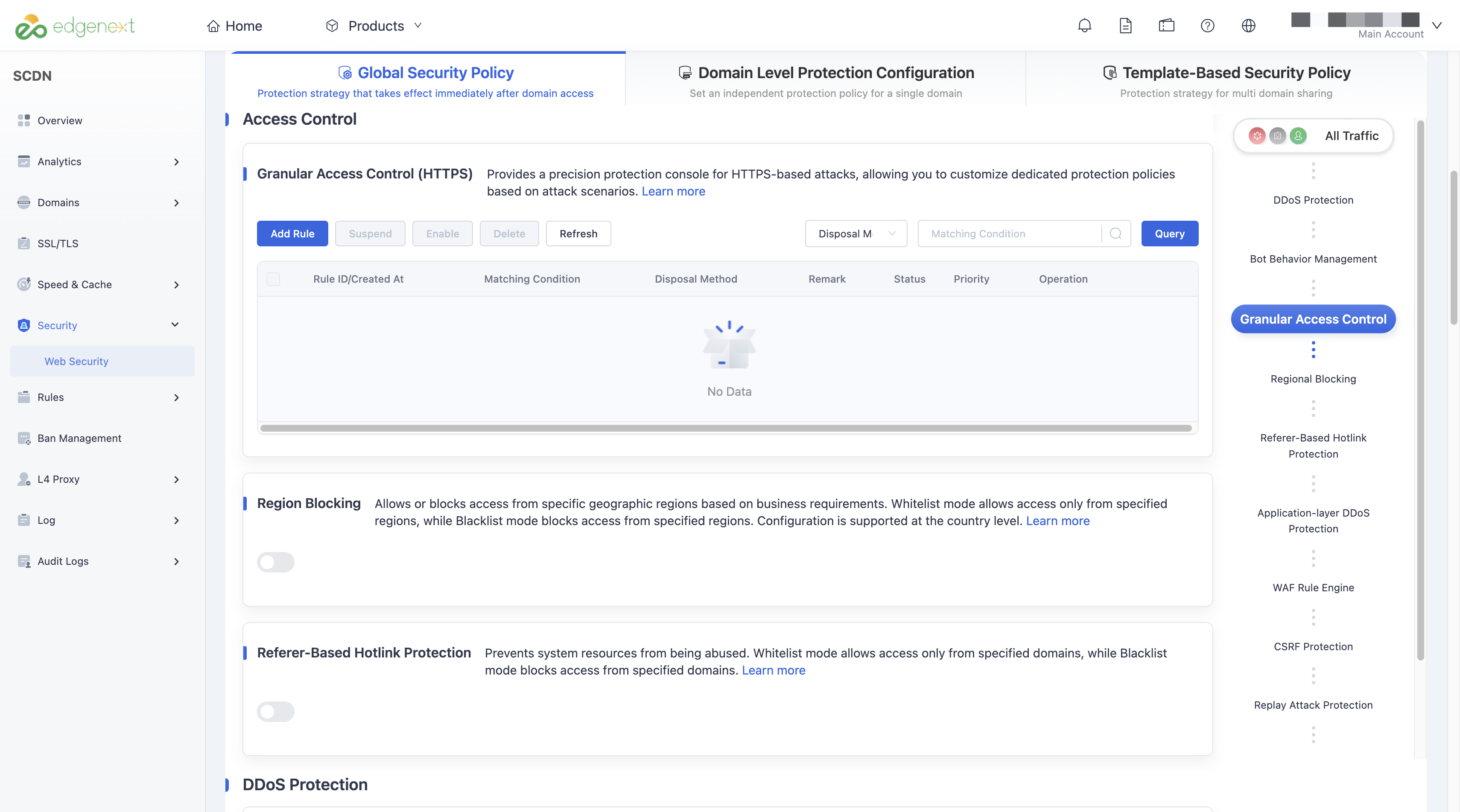
Click Add Rule to open the rule creation window.
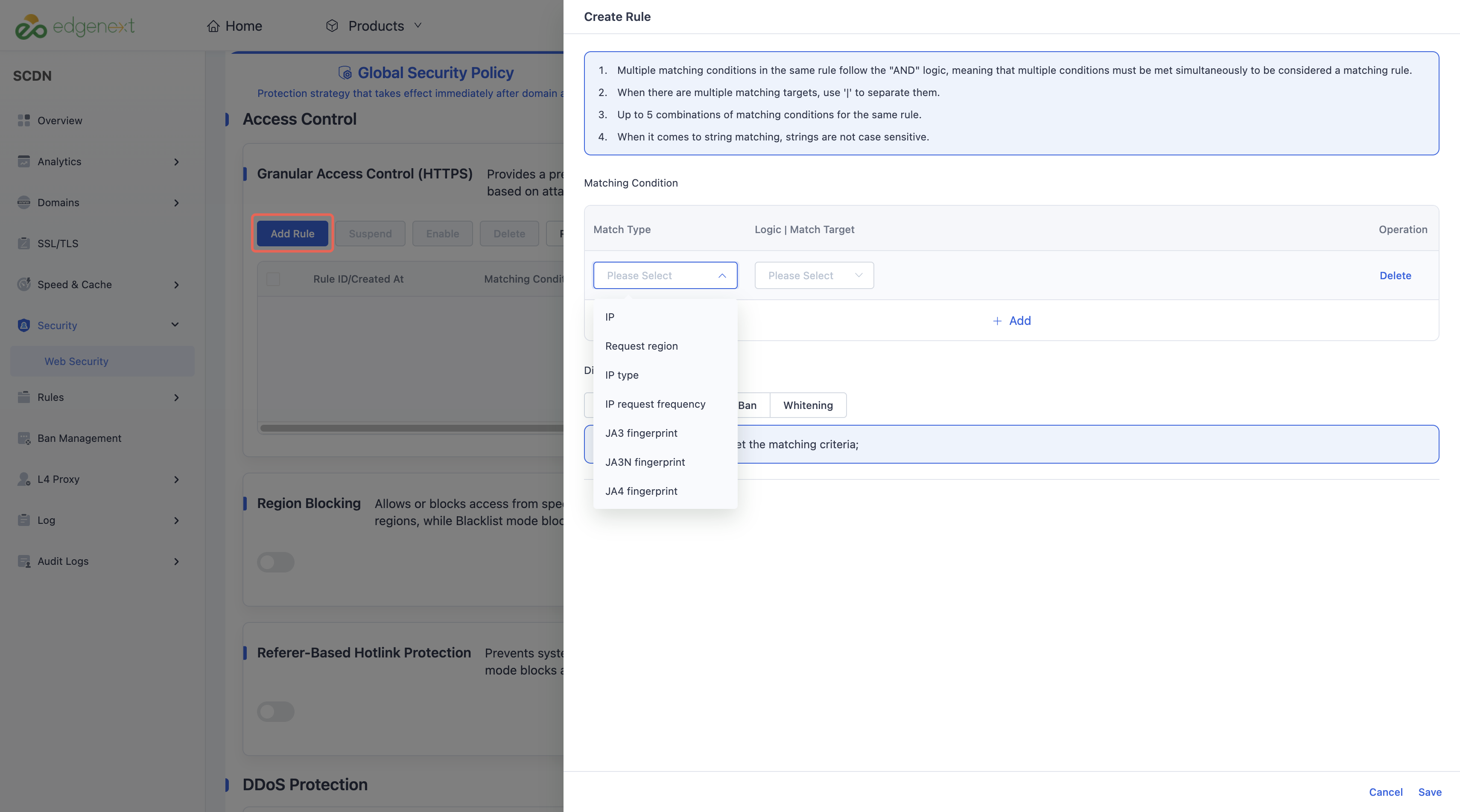
Configure the Matching condition and Disposal Method, then click Save to complete the creation of the HTTPS Granular Access Control rule.
Need help? Contact our support team at support@edgenext.com.
Back to documentation home