

Granular Access Control
Granular Access Control supports multi-dimensional access policies based on IP, geographic location, request path, User-Agent, request rate, and more, enabling users to flexibly identify and manage requests from different sources, effectively mitigating malicious access, business abuse, and abnormal traffic, thereby enhancing overall security protection.
Match Fields and Logic
| Match Field | Description | Matching Logic |
|---|---|---|
| URL | Request URL without domain name. For example, for https://www.edgenext.com/index.html?a=1&b=2, the URL is /index.html?a=1&b=2. | Contains Does not Contain Equal to Does not Equal to |
| IP | Client IP accessing the Security CDN edge node ($remote_addr). Supports IPv4, IPv6, and CIDR (e.g., 1.1.1.0/24). | Equal to Does not Equal to In IP list Not in IP list In the last seven days of the white list Not on the white list in the last seven days |
| Referer | Origin URL of the request, e.g., https://www.google.com/search?a=1. | Contains Does not Contain Equal to Does not Equal to Does not exist Length larger than Length equal to Length smaller than |
| Referer Domain Name | Domain used by the visitor to access or search for the destination domain. | Equal to Does not Equal to |
| Request Region | Geographical location of the client. Supports continent, region, country, province. | Belongs Does not belong |
| User-Agent | Client’s browser signature, rendering engine, version, etc. | Contains Does not Contain Equal to Does not Equal to Does not exist Length larger than Length equal to Length smaller than There is a garbled code There is no garbled code |
| Request Type | Type of resource requested, either static or dynamic. | Belongs Does not belong |
| URL Request Parameters | Includes Host, Content-Type, Cookie, Content-Length, etc. | Contains Does not Contain Equal to Does not Equal to Does not exist Length larger than Length equal to Length smaller than |
| POST Request Parameters | POST body parameters for x-www-form-urlencoded content-type. | Contains Does not Contain Equal to Does not Equal to Does not exist Length larger than Length equal to Length smaller than |
| URL Query String | The portion of the URL after ?, e.g., a=1&b=2. | Contains Does not Contain Equal to Does not Equal to Does not exist Length larger than Length equal to Length smaller than |
| Request Header | HTTP request header field, which can specify a field setting policy. | Contains Does not Contain Equal to Does not Equal to Does not exist Length larger than Length equal to Length smaller than |
| Request Time | Time the request reaches the SCDN edge node. | Belongs Does not belong |
| Request Method | Request method (HEAD, GET, POST, PUT, DELETE, OPTIONS, PATCH, PURGE). | Equal to Does not Equal to |
| Request Protocol | Protocol used (HTTP, HTTPS, WebSocket, etc.). | Belongs Does not belong |
| Device Type | Terminal type (e.g., QQ browser, WeChat browser, PC browser, etc.). | Equal to Does not Equal to |
| IP Type | IP classification (search engine, partner, IDC, botnet, etc.). | Equal to Does not Equal to |
| Suffix | File suffix in request URL (e.g., .jpg, .png, .php). | Equal to Does not Equal to |
| Server Port | Server port on the SCDN edge node (e.g., 80, 443). | Equal to Does not Equal to |
| IP Request Frequency | Request rate from the same client IP. | Larger than X Second Y Times |
| Request frequency per IP per URL | Request rate to the same URL from the same IP. | Larger than X Second Y Times |
| Origin response code | Status code returned by origin server (e.g., 403, 404). | Status code Larger than X Second Y Times |
| IP Behavior Analysis | AI-based IP behavior profiling for scenario-specific protection. | Belongs Does not belong |
| JA4 Fingerprint | An identifier generated by hashing a set of client characteristics observed during the TLS handshake—such as the TLS version, cipher suites, and extensions. | Equal to Does not Equal to |
| JA4H Fingerprint | A fingerprint generated by hashing client-side HTTP request attributes—such as the User-Agent and Accept headers—to complement JA4 and assist in detecting spoofed clients. | Equal to Does not Equal to |
Disposal Method
| Operation Method | Description |
|---|---|
| General | Apply basic Layer 7 DDoS protection for matched requests. Requests will continue to be processed by WAF/Layer 7 DDoS modules. |
| Observation | Only logs matched requests (no blocking). Results will appear in reports. If “continue evaluation” is enabled, subsequent rule sets will still be checked. |
| Release | Allow explicitly matched requests to pass. All subsequent security modules will be bypassed for these requests. |
| Block | Immediately block matched requests and return an error page. |
| Ban | Block matched requests and add the request source to a denylist, temporarily preventing further access. |
| Man-Machine Verification | Cookie Verification: According to the cookie record of the client, the security CDN node will do a cookie check for the visitor when the visitor makes a request; JS Verification: In the case of normal requests, guest requests will bring JS to the secure CDN node, and this process will also do a JS validation; Intelligent verification code: When guest visits the request page, a CAPTCHA prompt box will pop up, and they need to pass the verification code before they can normally request the website. Note:Cookie validation and JS validation types are not aware of visitor requests, and smart Captchas have a certain impact on user experience. |
| Whitening | Whitelist matched IPs for the domain. These IPs will bypass Granular Access Control and App-Layer DDoS protection but still go through WAF. Whitelisting is time-limited and cannot be revoked by deleting rules. Optional: still perform WAF inspection on first access. |
| Honeynet Traction | Redirect matched requests (HTTP 302) to a honeypot server. If configured, traffic will first pass through WAF/Layer 7 DDoS/rule sets before redirection. |
| Redirect | Redirect matched requests (HTTP 301) to a specified URL. |
Rule Priority
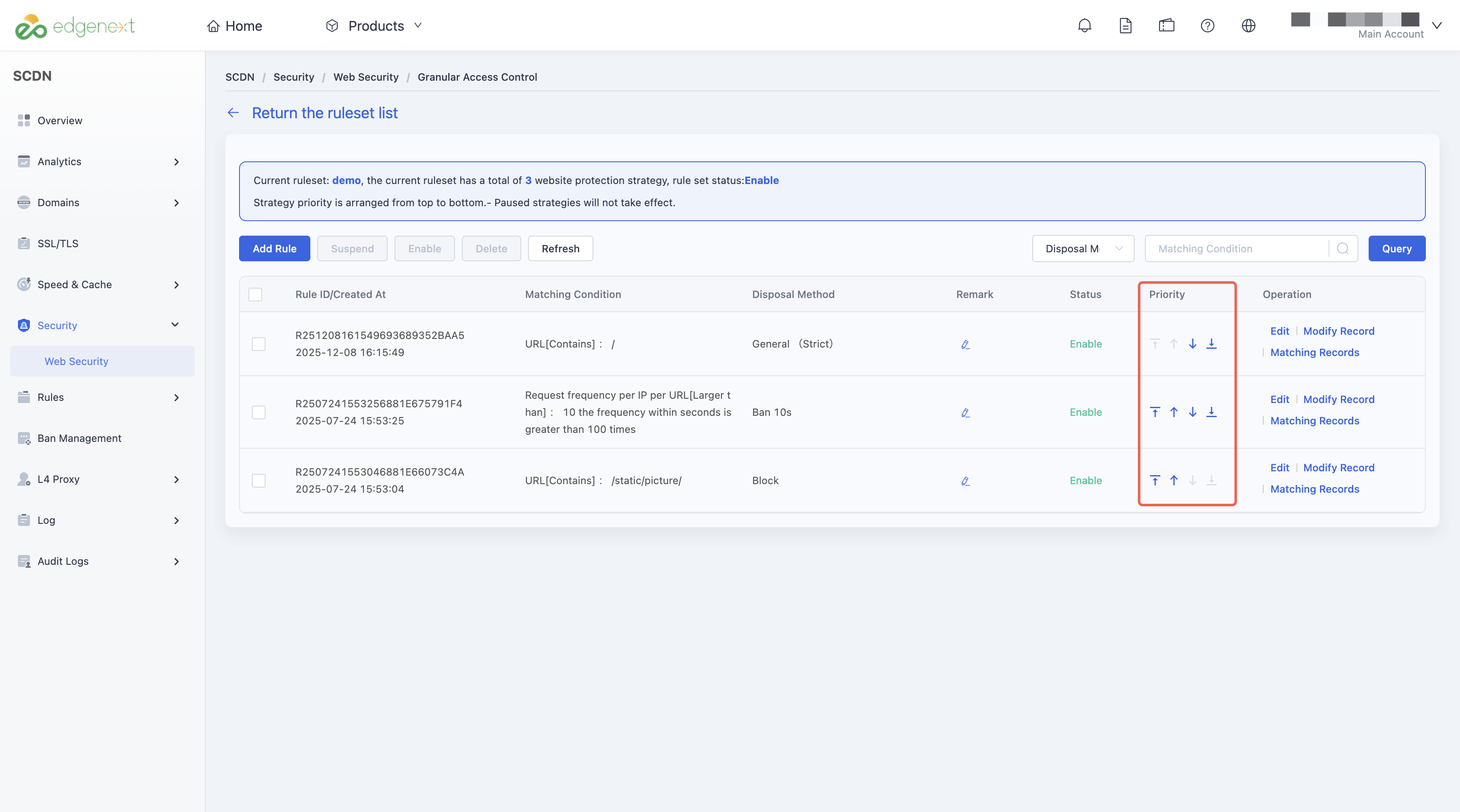
Rules are evaluated top-down in list order.
New rules are added to the top by default and have the highest priority.
Paused rules are skipped during evaluation and are not executed.
You can adjust rule order to change priority manually.
How to Add a Rule Set
Log in to the Security CDN Console.
In the left navigation pane, go to Security > Web Security.
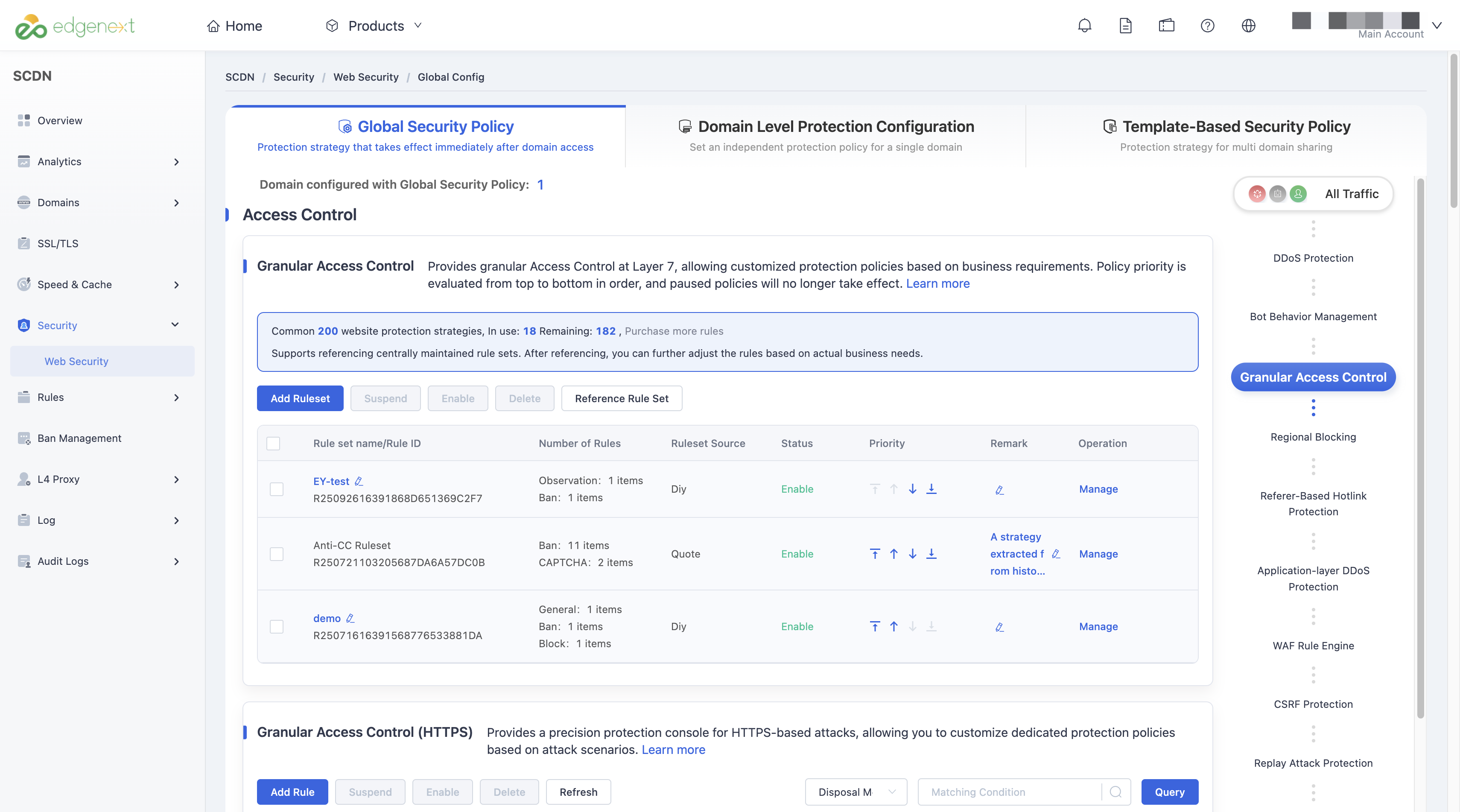
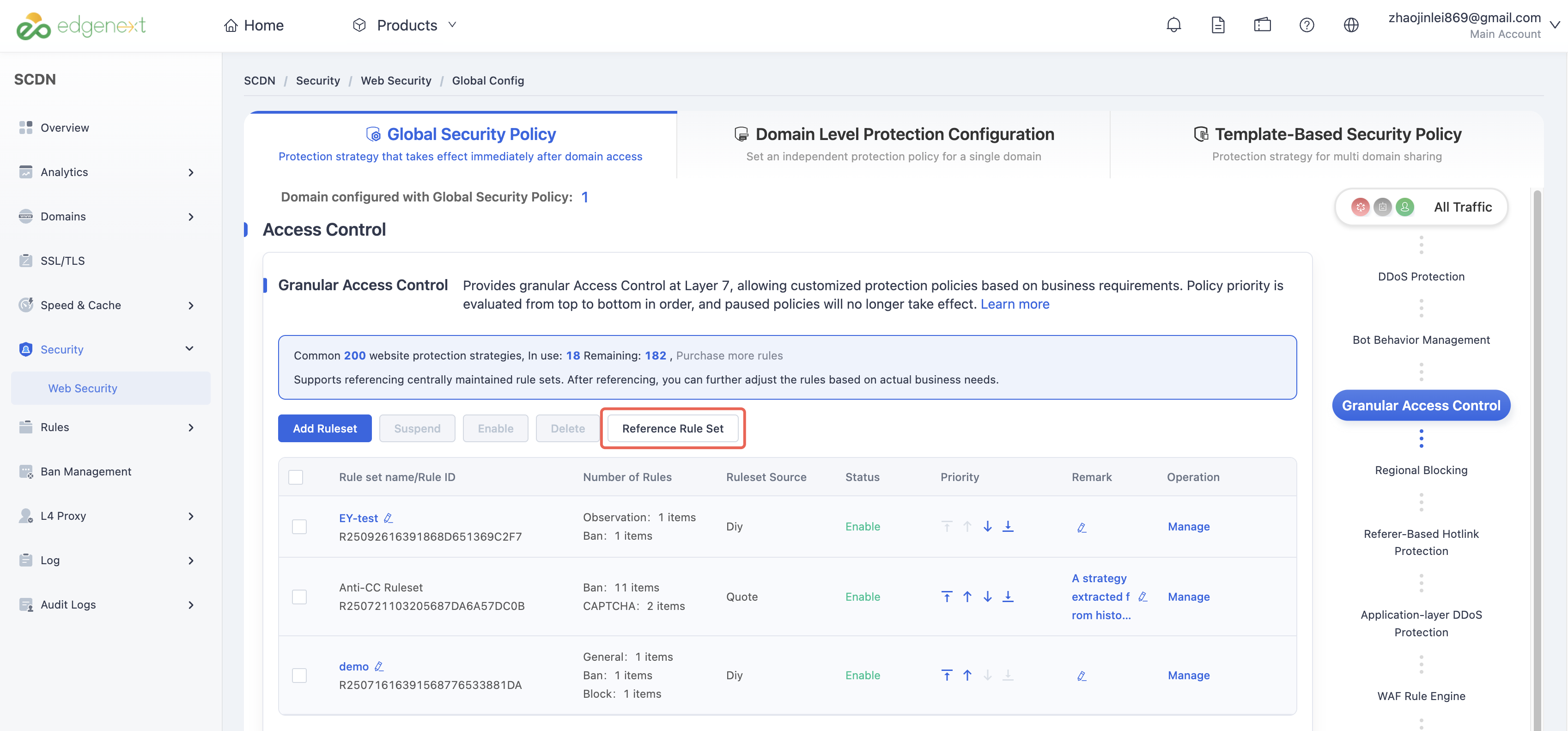
On the Global Security Policy page, scroll to Access Control > Granular Access Control.
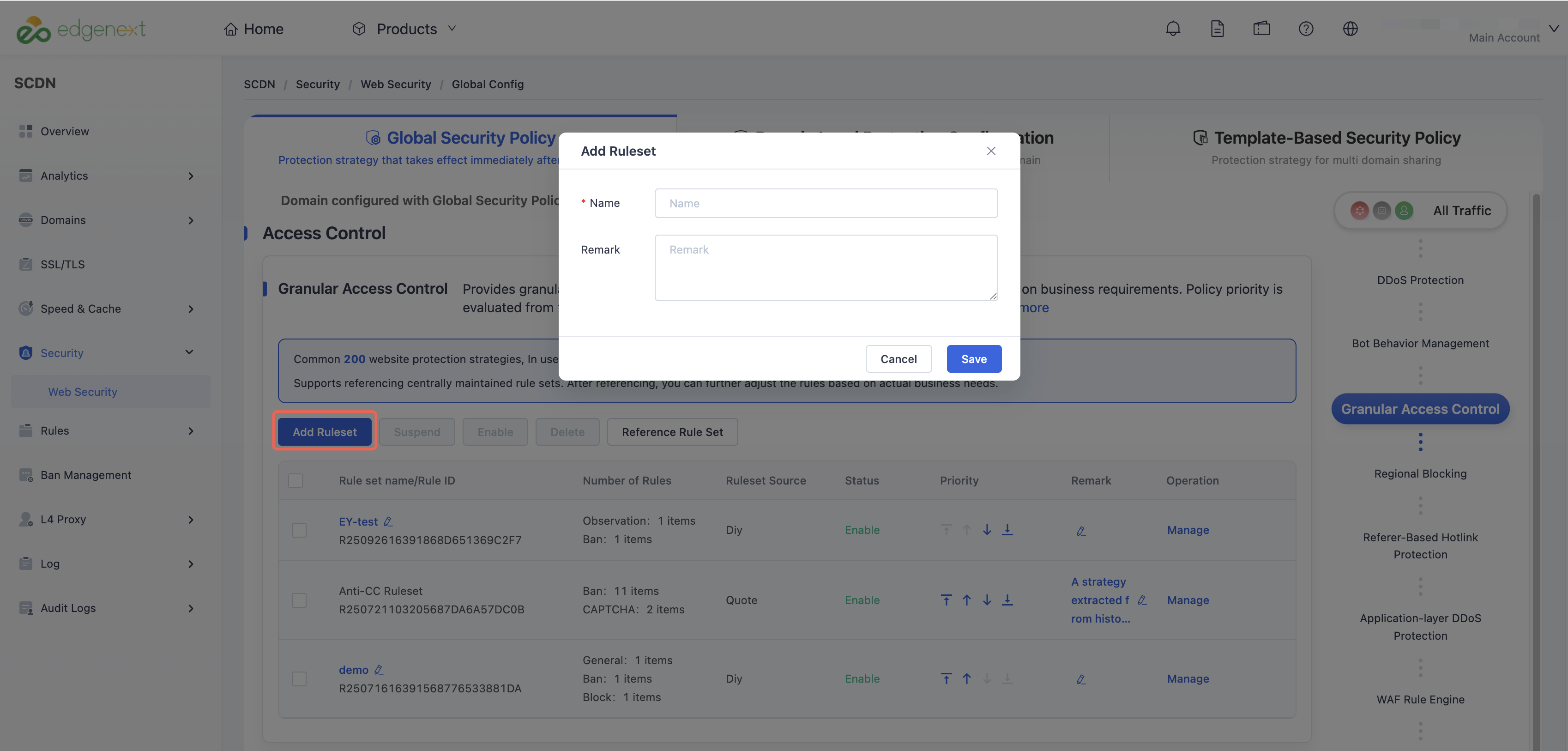
Click Add Rule Set to open the creation window.
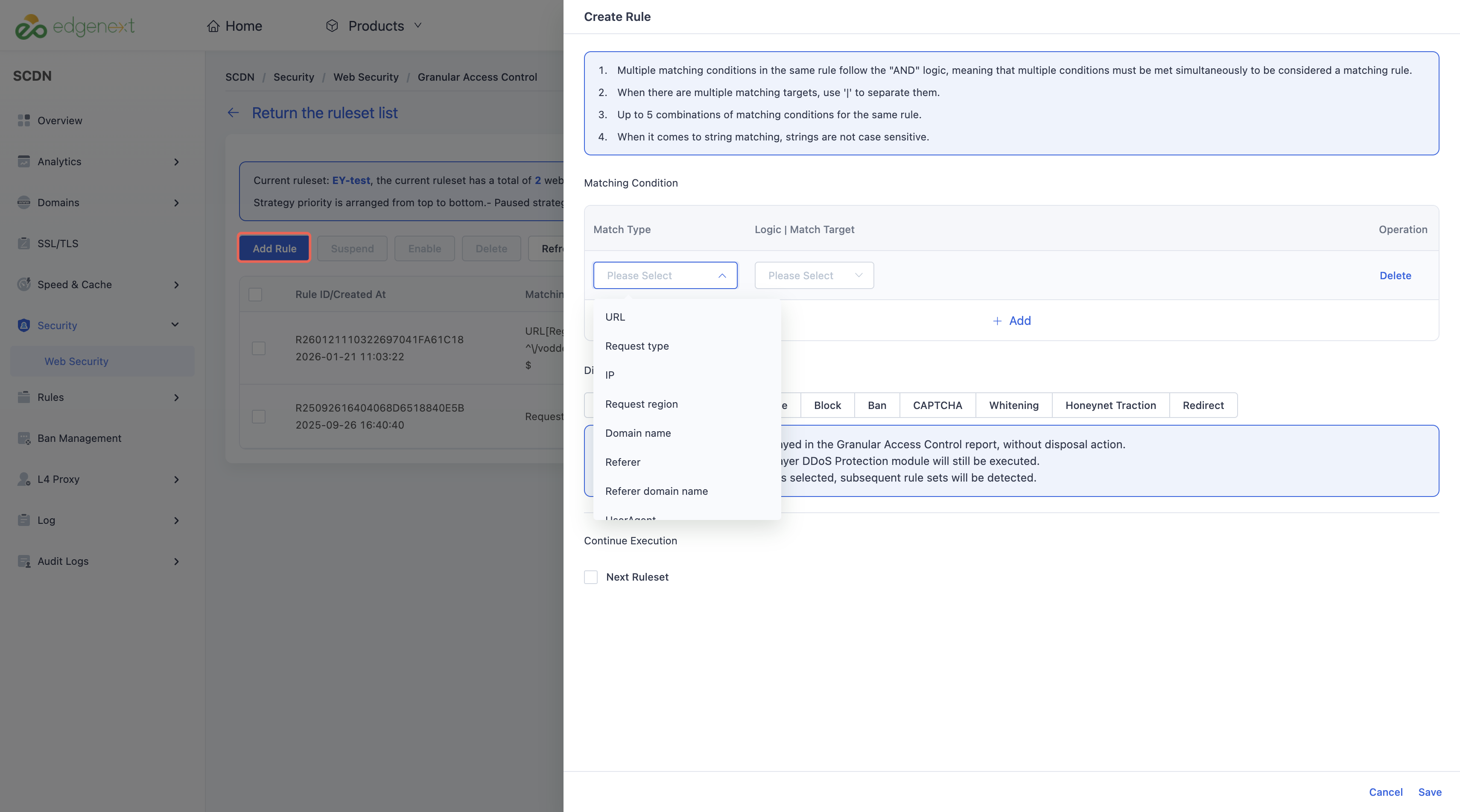
After creation, click Manage to open the rule list.
Click Add Rule, configure Matching condition and Disposal Method, and then click Save.
5. How to Apply an Existing Rule Set
Log in to the Security CDN Console.
In the left navigation pane, go to Security > Web Security.
On the Global Security Policy page, scroll to Access Control > Granular Access Control.
Click Reference Rule Set to open the selection window.
Select an existing rule set and click Save.
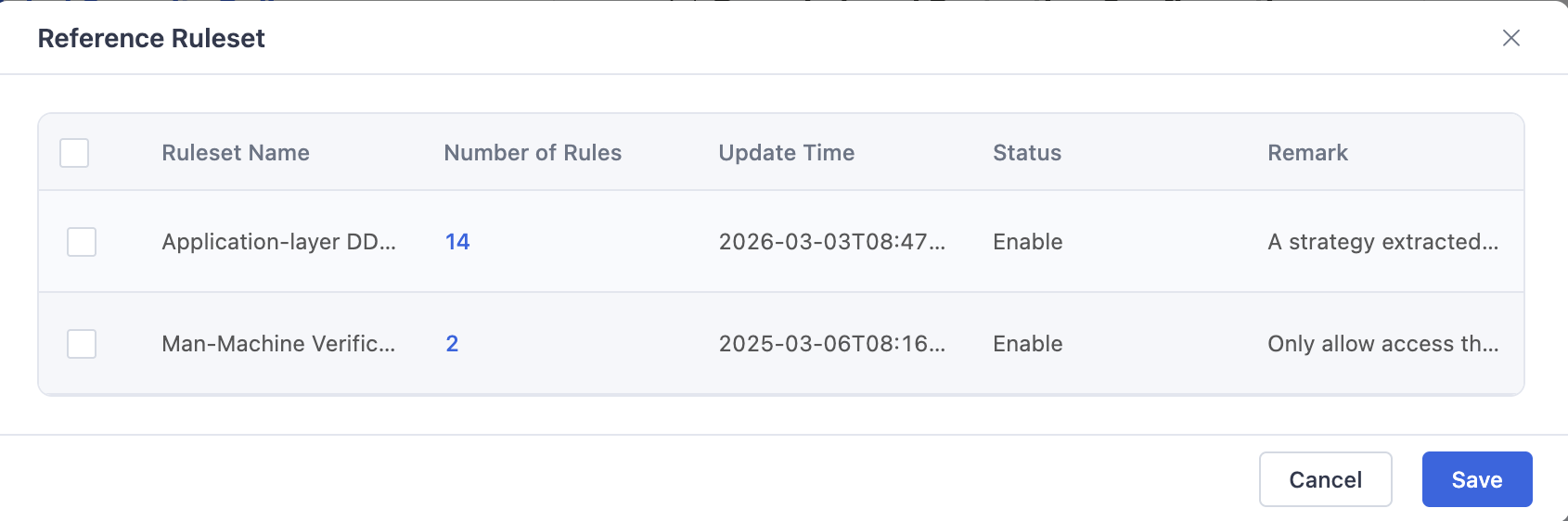
Manually adjust the parameters in the rules as needed based on your actual business scenarios.
Note: This feature is available only for Business Edition and above.
Need help? Contact our support team at support@edgenext.com.
Back to documentation home