

Security CDN
L4 Proxy Management
The L4 Proxy Management module is used to manage TCP-based Layer 4 forwarding services, enabling the redirection of client-initiated TCP requests to backend target servers. It supports public access, load balancing, and unified traffic entry.
Usage Limitations
- Only TCP protocol is supported. Other transport protocols such as UDP or ICMP are currently not supported.
- To use L4 proxy services, users must purchase additional L4 Proxy Service Packages and Dedicated IP Resource Packages in advance.
- Basic Plan does not support expansion for L4 proxy services.
L4 Proxy Rule Parameters
| Parameter | Description |
|---|---|
| Forwarding Protocol / Port | Only TCP protocol is supported. When adding in batch, multiple port numbers should be separated by commas (,). The following ports are not supported: 21, 22, 23, 25, 68, 135, 139, 445, 593, 873, 1068, 1111, 1434, 1871, 2121, 3208, 4331, 4334, 4444, 4510, 4557, 5152, 5153, 5154, 5554, 5800, 5900, 9995, 9996, 45050, 45060. Ports 80 and 443 are reserved for HTTP and HTTPS respectively, and cannot be used for TCP forwarding. Ports that are in use will take priority and cannot be reused by other services (e.g., if port 81 is used by TCP forwarding, it cannot be used by Web Protection). |
| Load Balancing Rule | Supports Round Robin and IP Hash. Round Robin is used by default. |
| Origin IP / Port | L4 proxy supports IP or domain name as the origin address. Fill in the protected server's IPv4 address or domain, along with the origin server’s port. Intelligent origin routing is supported: primary and backup origin lines can be configured. The system will only switch to the backup origin if all primary origins are unreachable. Normally, backup routes are not used. |
How to Add an L4 Proxy Rule
Log in to the Security CDN Console.
In the left navigation panel, select L4 Proxy, then clickProxy Management to access the management page.
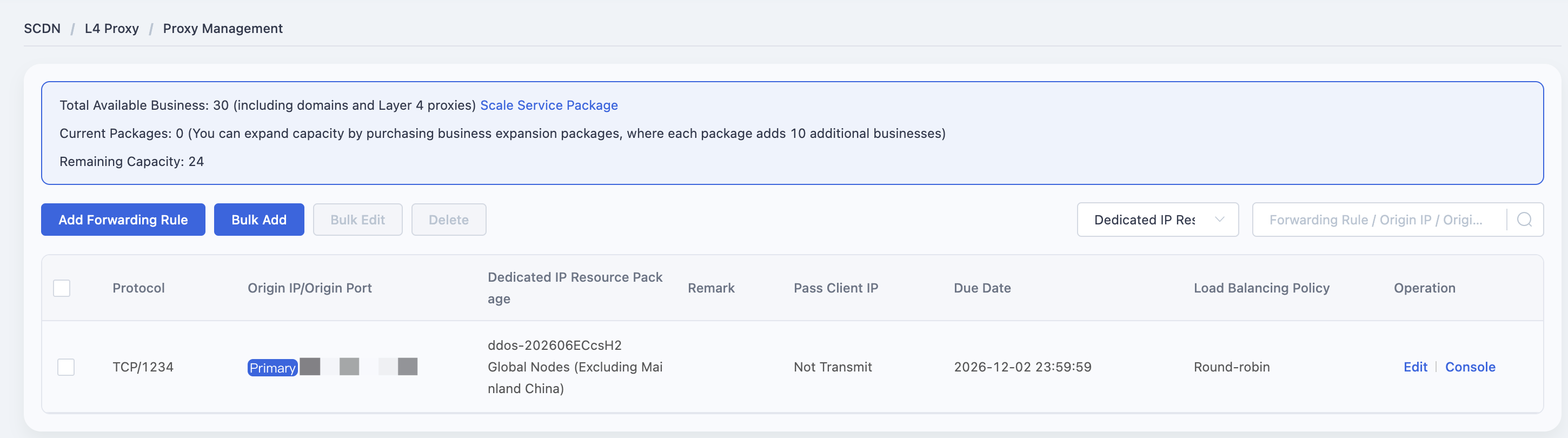
On the L4 Proxy Management page, click the Add Forwarding Rules button to open the rule creation dialog.
In the dialog:
- Select the appropriate Dedicated IP Resource Package.
- Enter the port information.
- Choose a load balancing method.
- Enter the origin information according to the parameters listed above.
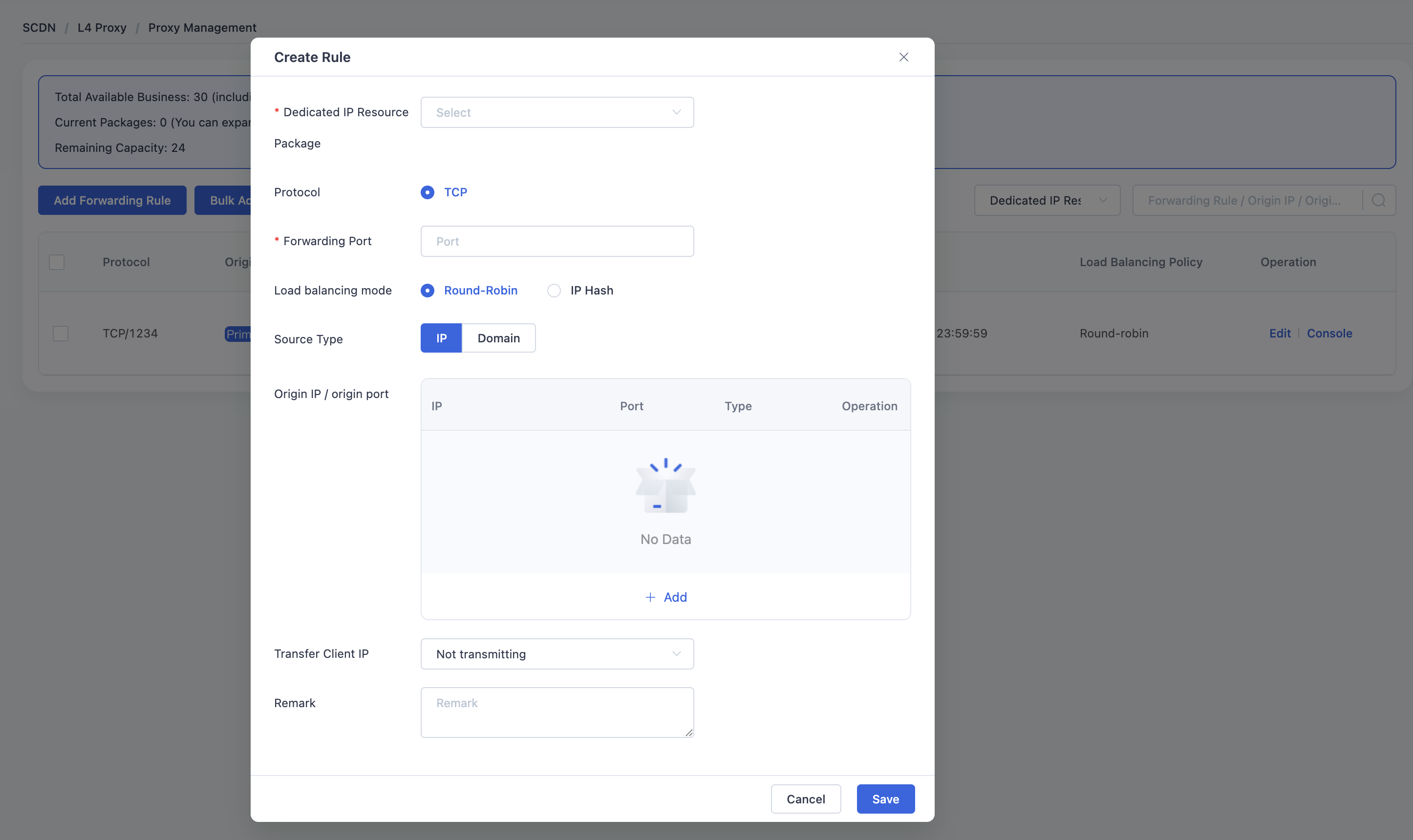
Click Save to complete the rule configuration.
Need help? Contact our support team at support@edgenext.com.
Back to documentation home