

Domain Name Management
Domain Name Management
1.Add Domain
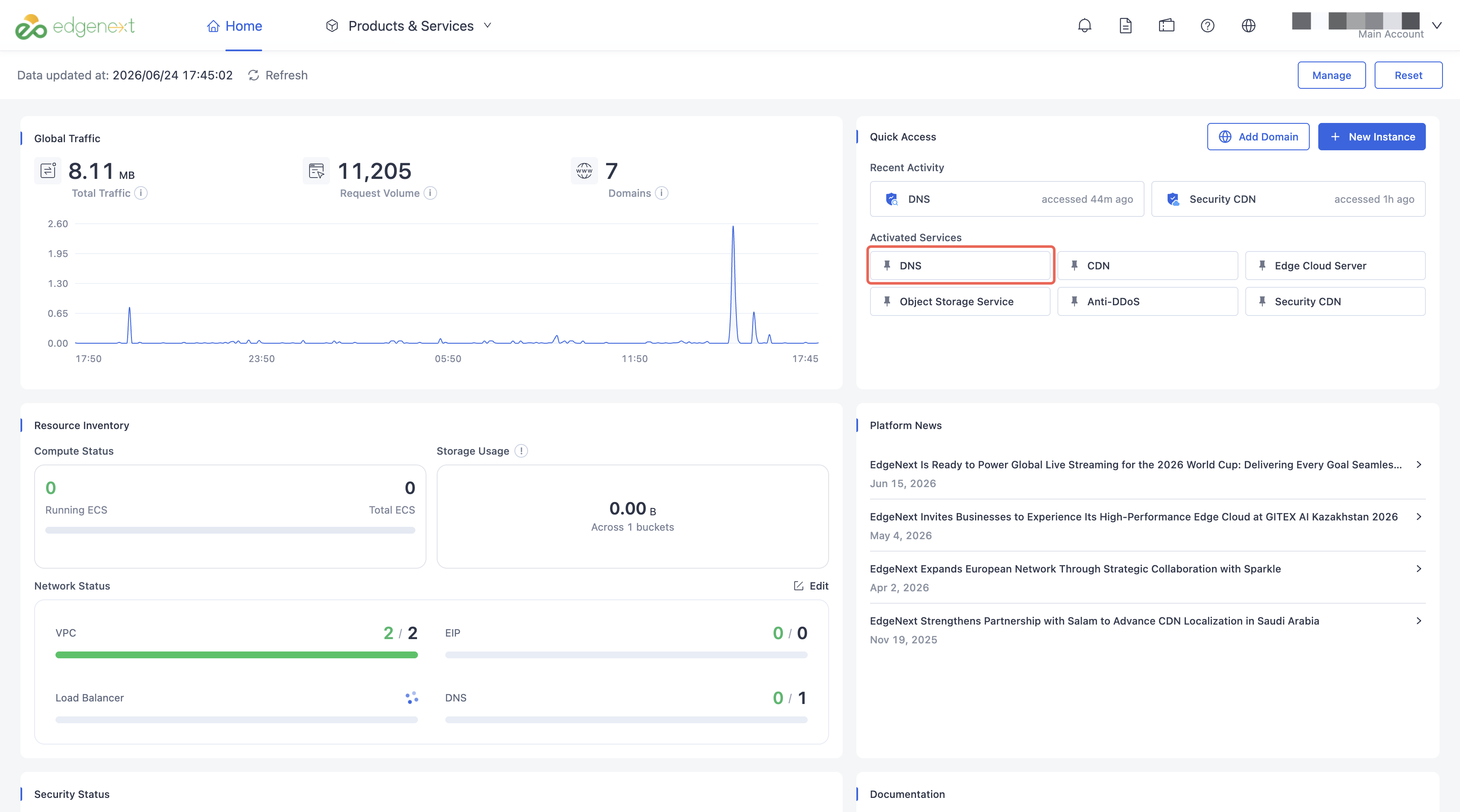
Login to the EdgeNext console -> Select ‘Products->Security Acceleration Services->DNS Security’ on the top of home page.
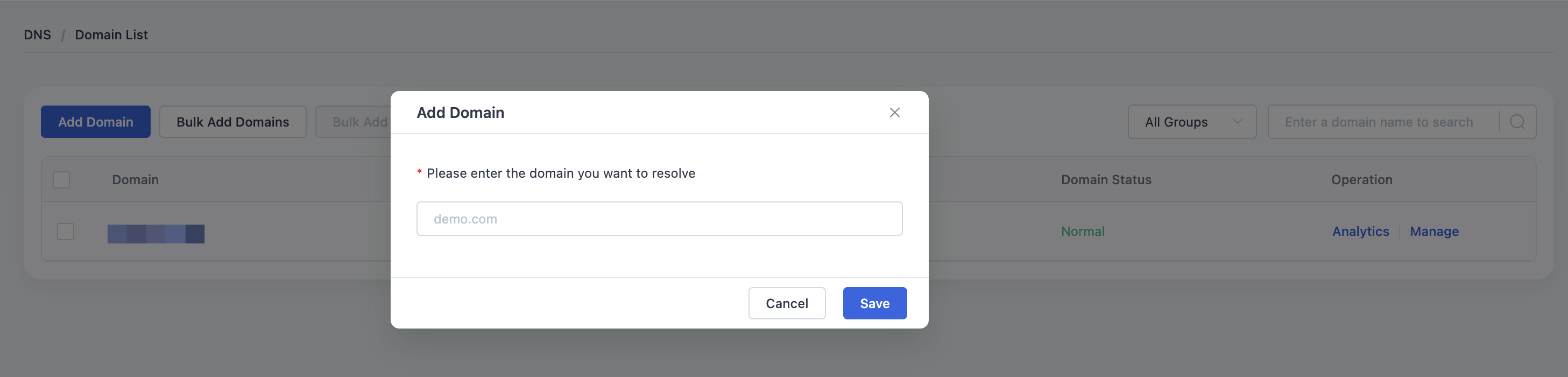
Click ‘Add domain name’-> Input the Domain Name at the pop-up window->Click ‘Preserve ‘ to save it.
2.Add Domain in batch
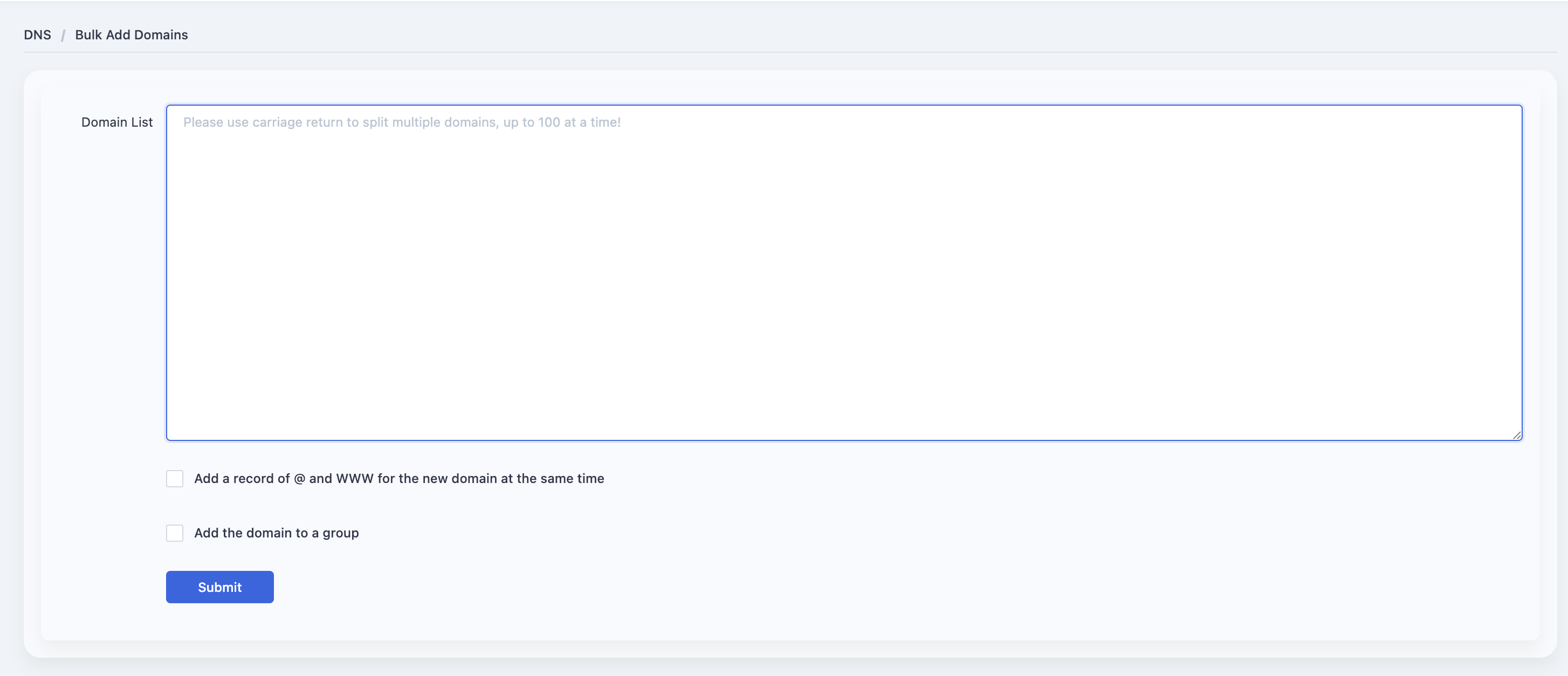
Log in to the EdgeNext console, select [Product Services-Security Acceleration Service-DNS Security Acceleration], enter the domain name list page of DNS security acceleration products, click the batch add domain name button, and jump to the batch add domain name page.
After entering the operation interface of adding domain names in batches, please directly fill in the domain names to be added in the input box. At the same time, if you need to add @ and www A records (same IP) for the new domain name, please check [Add @ and www A records for the new domain name at the same time] and fill in the record IP.
Whether to add the website to a group: If you need to add a new domain to a unified group, please check 【Whether to add the website to a group】, and after checking, select the corresponding group. When submitting the task of batch adding domains, the system will add the domains to the corresponding group.
After filling in the required batch domain name information, click the [Submit] button to submit the addition task. At this time, it is impossible to determine whether the domain name has been successfully added, and you can go to the task list to confirm.
Need help? Contact our support team at support@edgenext.com.
Back to documentation home