

Create domain
Function Overview
To use EdgeNext CDN, you first need to add your website as an origin server and configure an accelerated domain name for it. EdgeNext CDN caches the content to be accelerated from the origin server to CDN edge nodes via the accelerated domain name, so as to speed up end-user access to your resources.
Configuration Guide
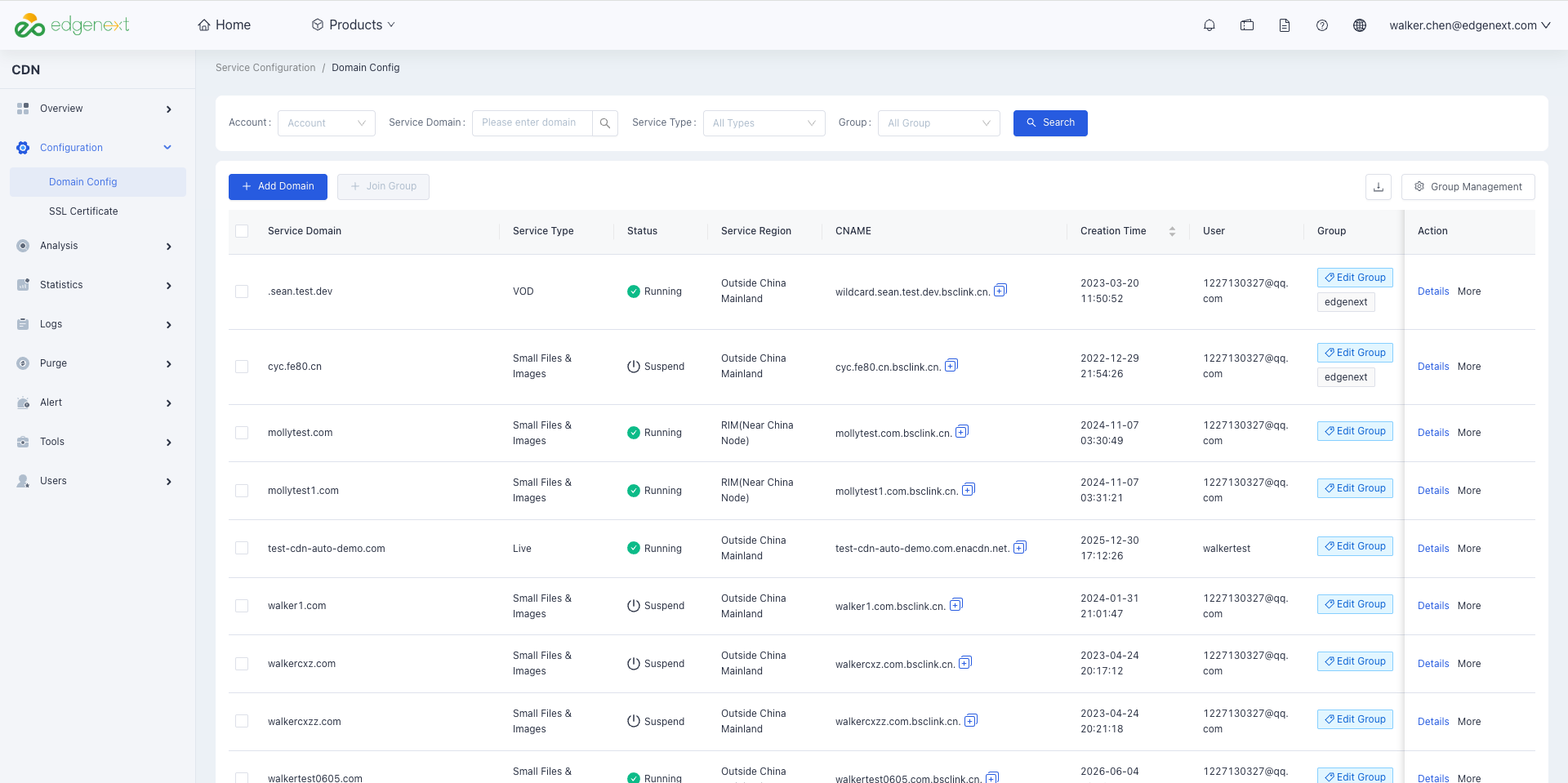
- Select [Configuration] → [Domain Config] from the left menu bar of the console;
- Click the [Add Domain] button in the upper left corner of the page;
Configure Domain Name Information
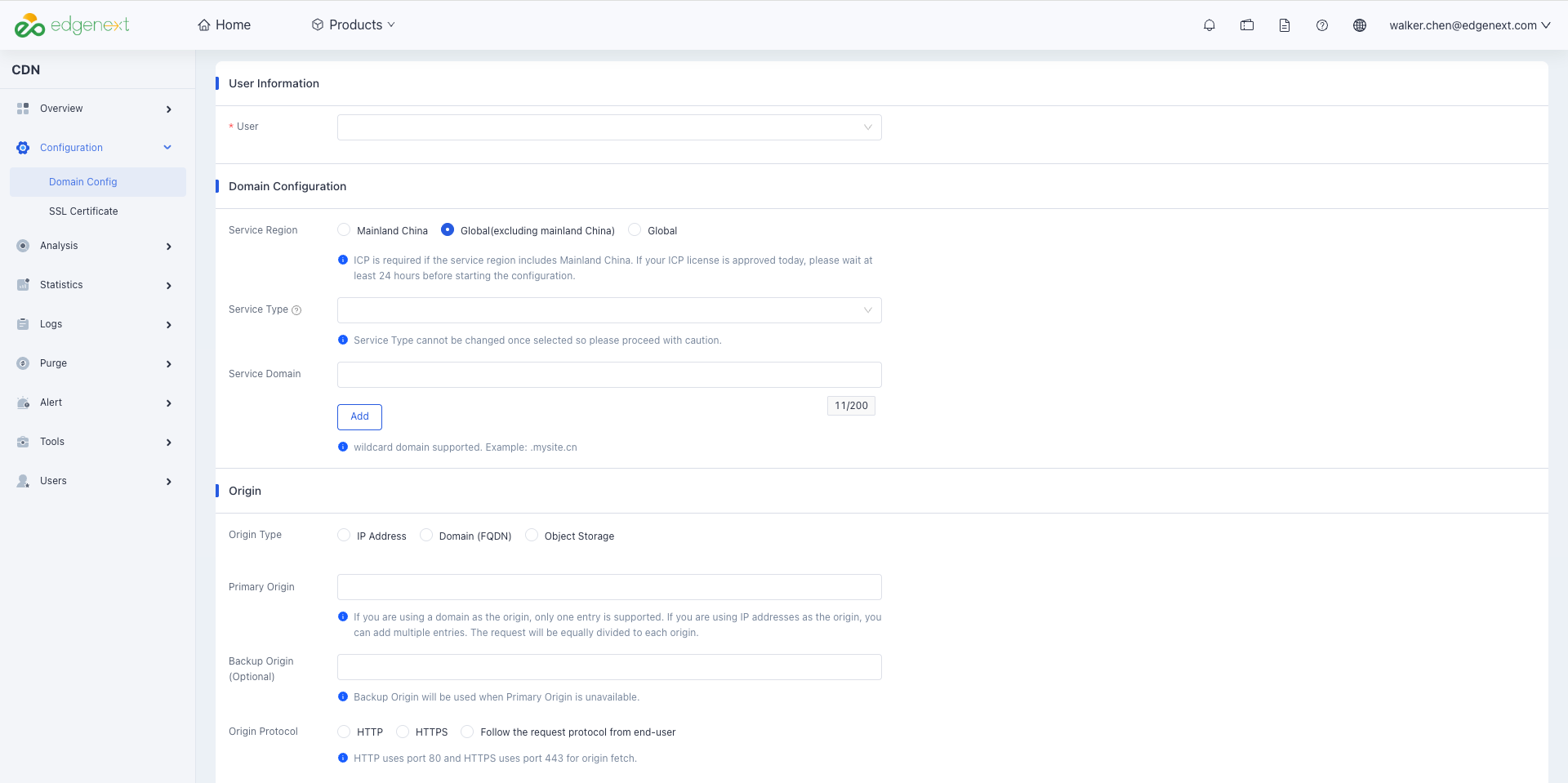
- Service Region: Options include Mainland China, Global (excluding Mainland China), and Global.
- Service Type: Supports web page, download, video on demand (VOD) and other scenarios.
- Service Domain: Multiple domain can be entered for acceleration in a single submission.
Configure Origin Server Information
- Origin Type: Supports IP addresses (multiple entries allowed), domains, or object storage.
- Primary / Standby Origin: A primary origin (domain name or IP) is required. A standby origin is optional and will take over automatically if the primary origin becomes unavailable.
- Origin Protocol: You can specify HTTP or HTTPS, or set it to follow the request protocol.
Submit the Configuration
Click Submit after all required information is filled in.
Automatic CNAME Generation
The system will automatically generates and configures a CNAME record for the accelerated domain name. No manual operation is required.
Configure DNS Resolution
To complete the entire accelerated domain name setup, you only need to point the CNAME record in your DNS service to the CNAME assigned by EdgeNext CDN.
Need help? Contact our support team at support@edgenext.com.
Back to documentation home