

Applicationlayer DDoS Protection
Application-layer DDoS (Layer 7 DDoS) protection is an intelligent detection and mitigation mechanism targeting HTTP/HTTPS traffic. Unlike traditional network-layer attacks, application-layer DDoS attacks mimic legitimate user behavior to continuously consume server resources, aiming to disrupt web service availability. This feature leverages intelligent traffic analysis, behavioral detection, and responsive policies to ensure service stability under attack.
Key Characteristics
- Highly resembles legitimate traffic, making detection difficult
- Lower traffic volume but high resource consumption
- Often targets critical L7 business endpoints (e.g., login, registration, payments)
- Frequently launched via automation tools (e.g., Python scripts, curl, malicious crawlers)
Common Attack Methods
- HTTP Flood: Sends large volumes of valid but meaningless requests to exhaust server threads.
- Slowloris: Maintains long-lived, slow connections to drain server connection pools.
- Malicious Crawlers: Scrape data aggressively in violation of robots.txt,affecting service stability.
- API Abuse: Sends high-frequency requests to open API endpoints, causing service degradation.
Protection Modes
| Mode | Description |
|---|---|
| OFF | Disables application-layer DDoS protection. |
| Default | Automatically blocks severe attack behaviors only. |
| Standard | Intelligently detects and blocks suspicious requests. Recommended during active attacks. |
| Strict | Enhanced protection for severe attacks. Not recommended for non-browser-based traffic. |
| Captcha | 100% enforcement with user interaction. May impact experience; not suitable for APIs or automation traffic. |
Configuration Guide
Log in to the Security CDN Console.
In the left navigation pane, go to Security > Web Security.
Scroll to DDoS > Application-layer DDoS Protection module.
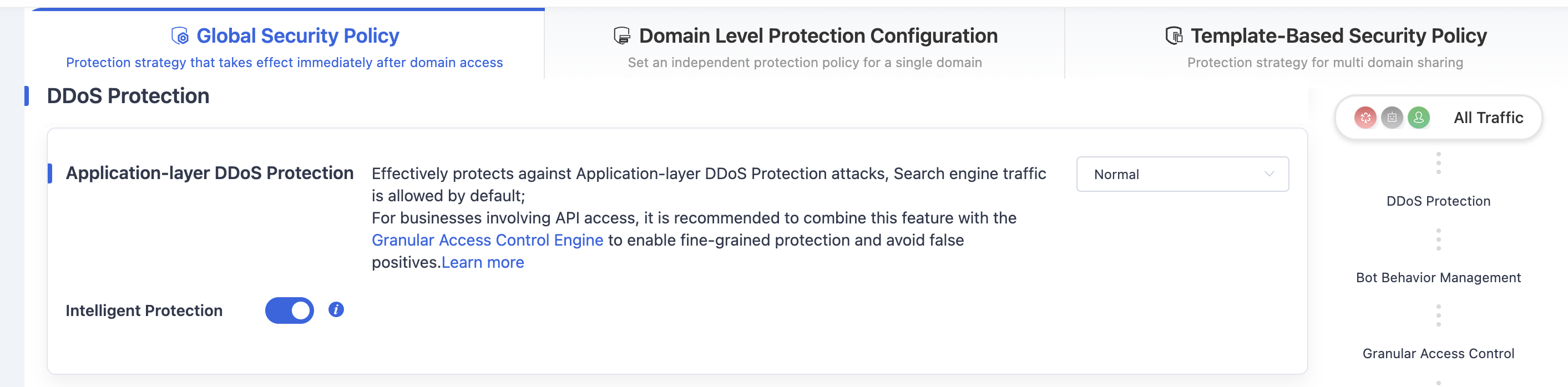
In the top-right Configuration Mode dropdown, select the appropriate protection level based on your business needs.
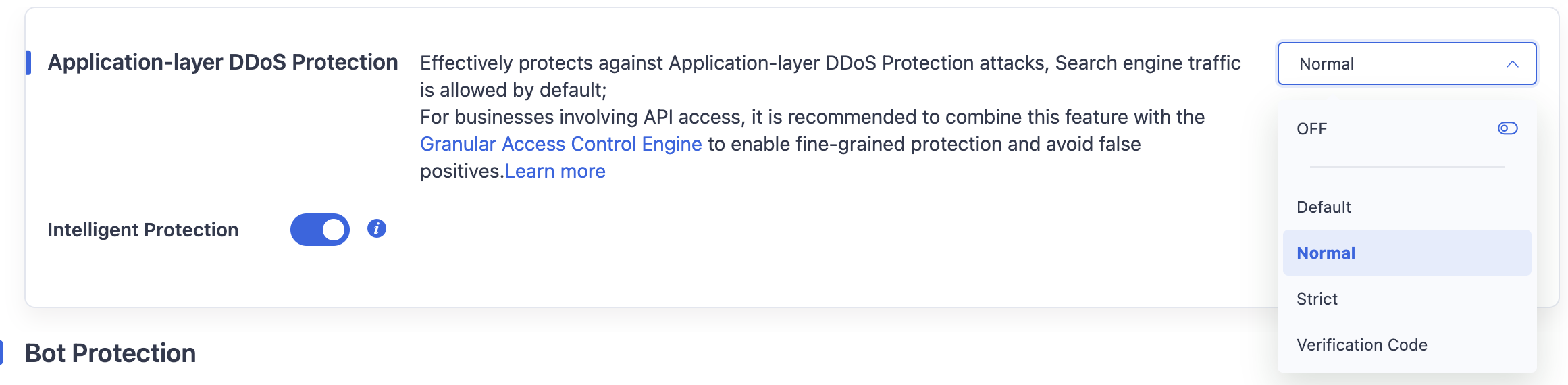
After selecting, the Application layer DDoS protection policy of the Global Security Policy is automatically saved.
Need help? Contact our support team at support@edgenext.com.
Back to documentation home