

Log Query
Security CDN provides an online Log Query feature, enabling users to quickly locate and filter WAF attack logs directly within the console—without downloading full log files. This supports faster issue diagnosis and initial investigation.
Key Capabilities
- Multi-dimensional Filtering & Combined Search
Enables precise filtering based on time range, source IP, request path, status code, attack type, risk level, and more. - Full-text Keyword Search
Allows fuzzy keyword matching in fields such as URI, User-Agent, Referer, and request parameters to quickly locate suspicious behavior. - Detailed View of Single Log Entry
Users can expand individual log records to view the complete request and defense handling details for accurate security analysis.
Guide: Conditional Filtering in Log Query
Log in to the Security CDN Console.
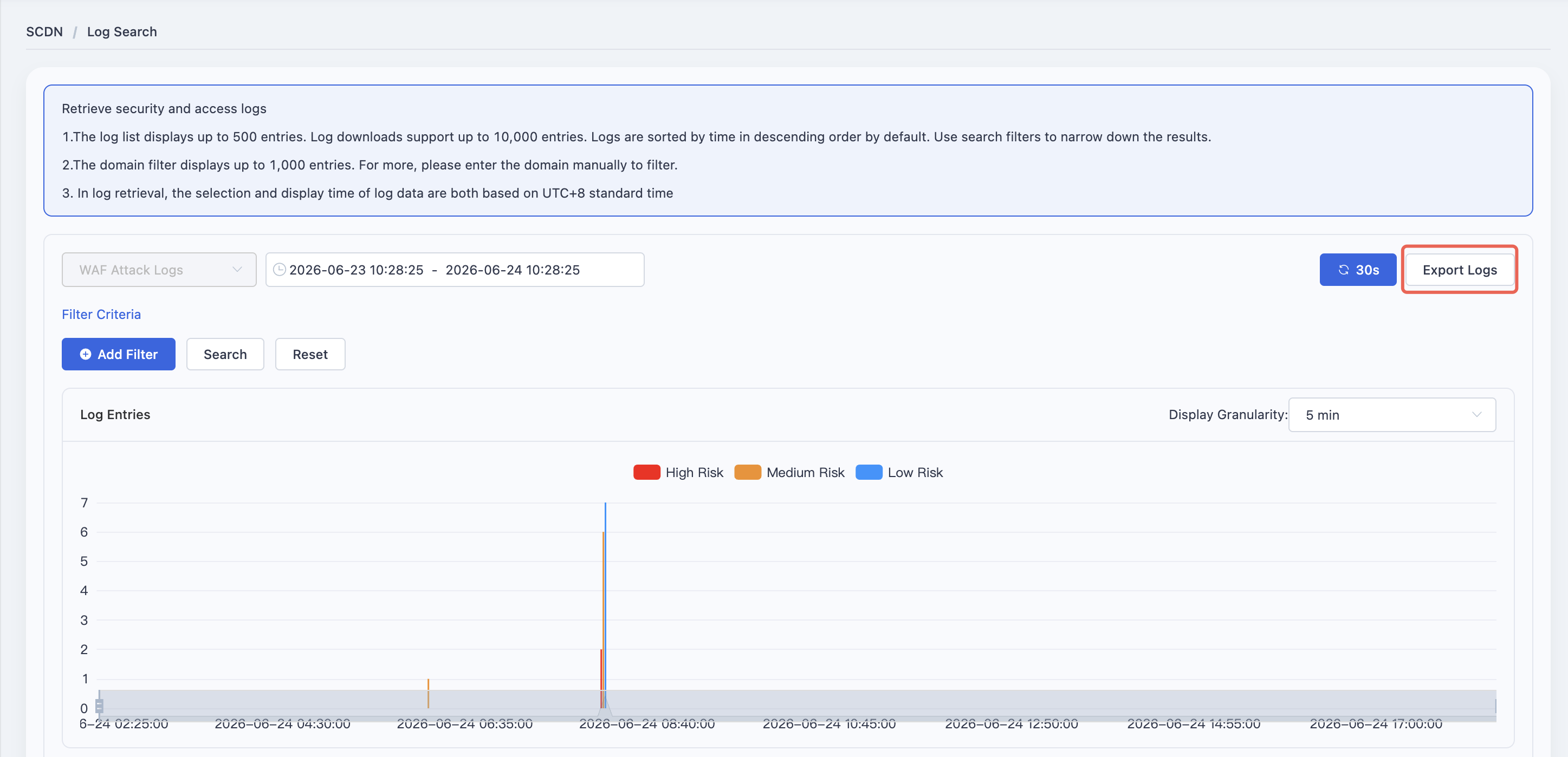
In the left navigation pane, go to Log > Log Query.
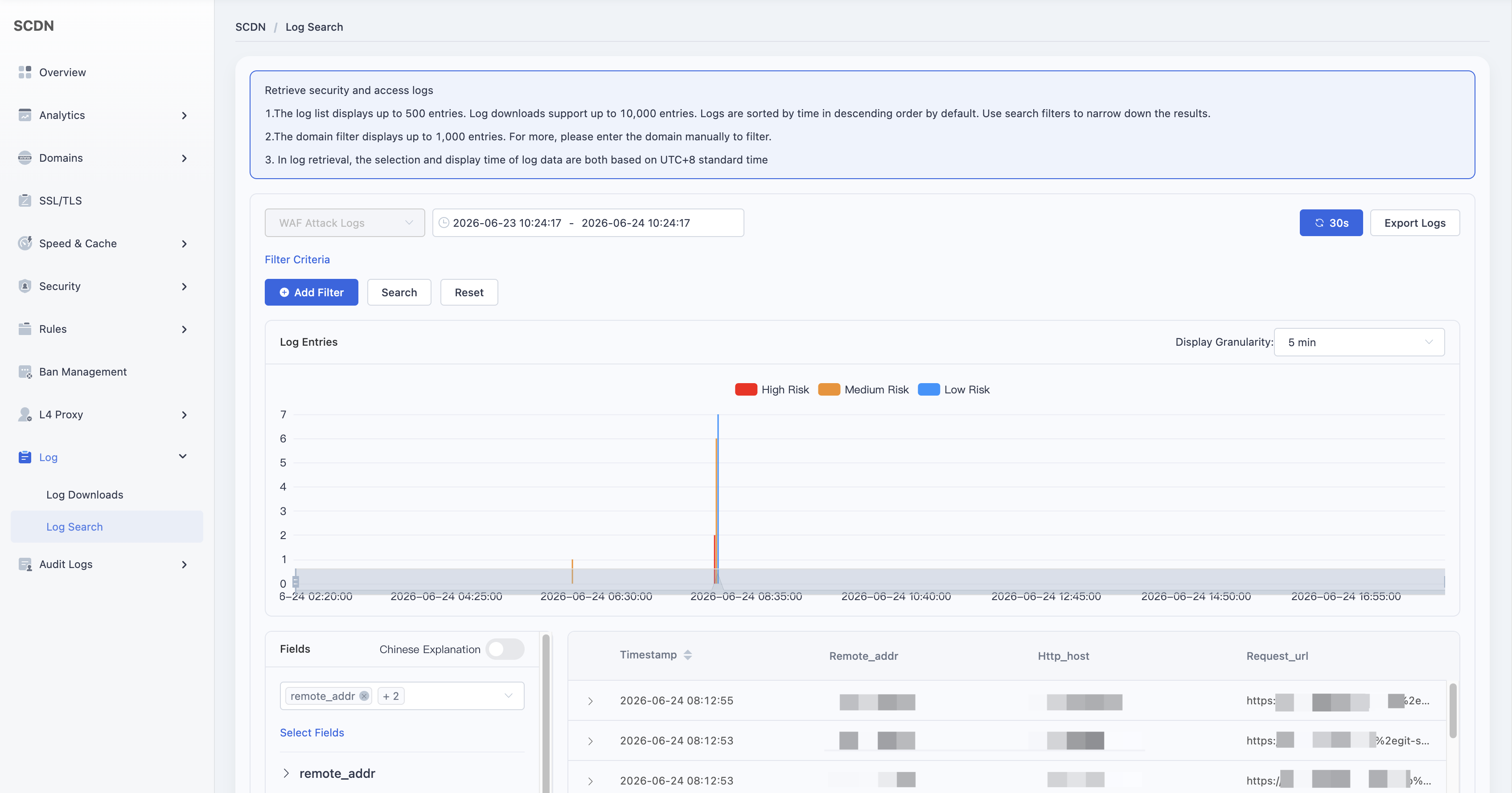
By default, the system loads log data from the last 24 hours.
Use the filter fields to create complex queries by combining:
- Domain
- Attack Type
- Mitigation Action
- Risk Level
- Rule ID
- Attacker IP
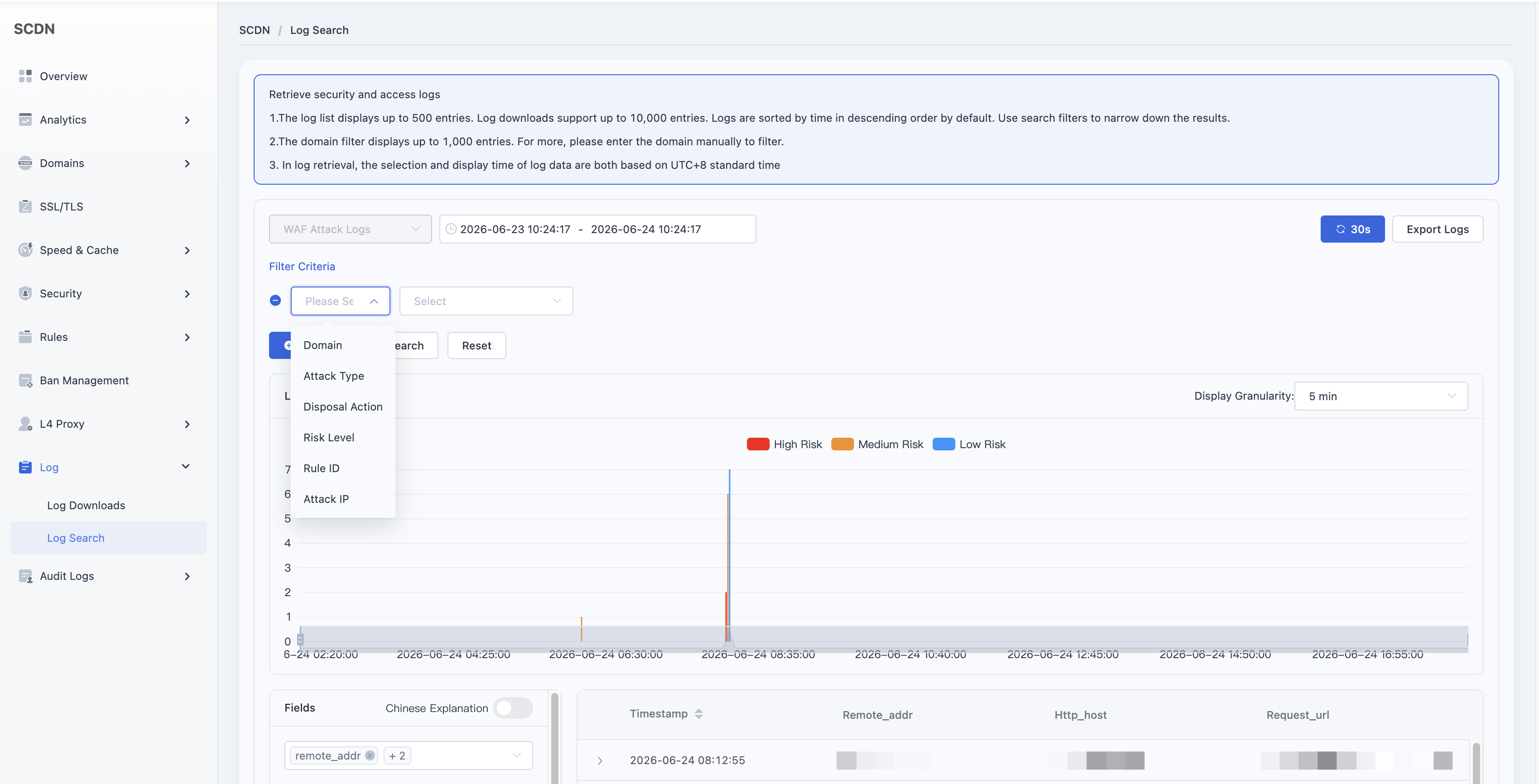
After specifying the filtering conditions, click Search.
The result set displays the following by default:
- Timestamp
- Attacker IP
- Target Domain
- URL
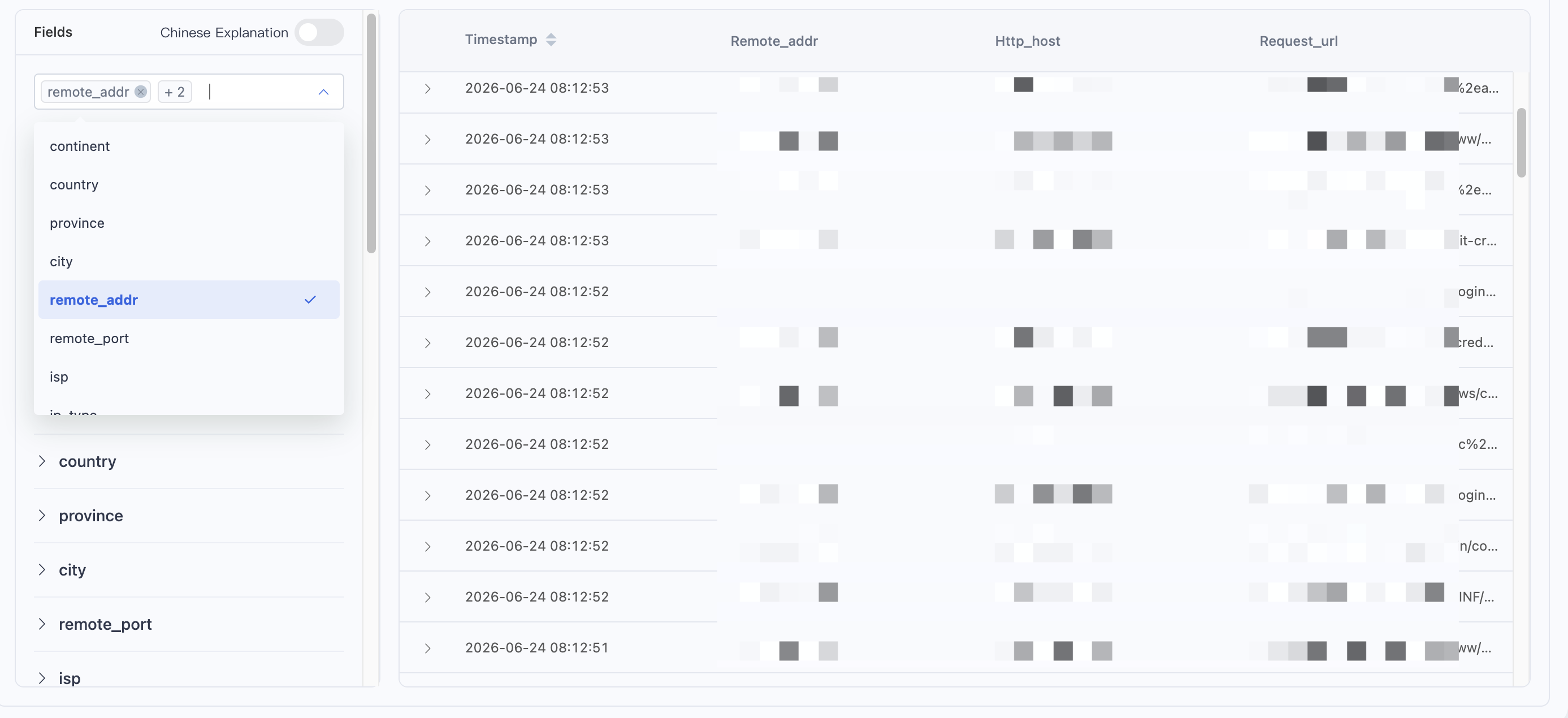
Use the Field Selector in the bottom-left to customize displayed fields (up to 27 options), including:
- Continent
- Country
- Target Source Port
- User-Agent
- Rule ID
- Attack Payload
- Attack Category
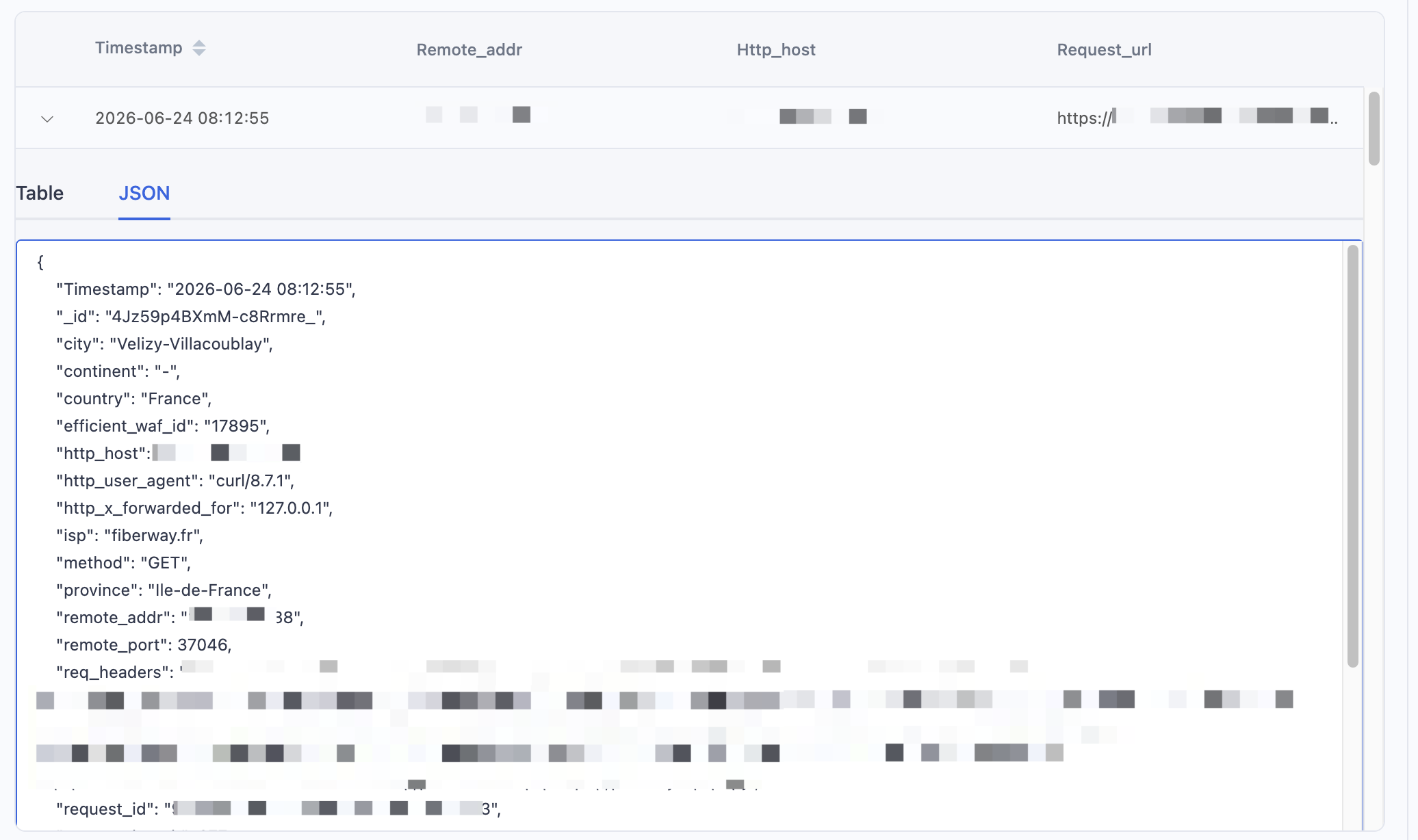
After reviewing the results, click the Download button in the upper-right corner to export matched log entries.
Need help? Contact our support team at support@edgenext.com.
Back to documentation home