

Purchase Guide
This document is designed to provide a convenient entry point for purchasing Security CDN services, helping you quickly acquire the solutions you need. With a clear comparison of available plans, you can flexibly choose the appropriate package and functional modules based on your actual business requirements.
Notes
- You must complete EdgeNext account registration before purchasing a plan.
- Purchased services can be viewed and managed in the Security CDN Console.
If you encounter any issues during the purchase process, please feel free to submit a support ticket — our team is here to assist you.
Purchase Process
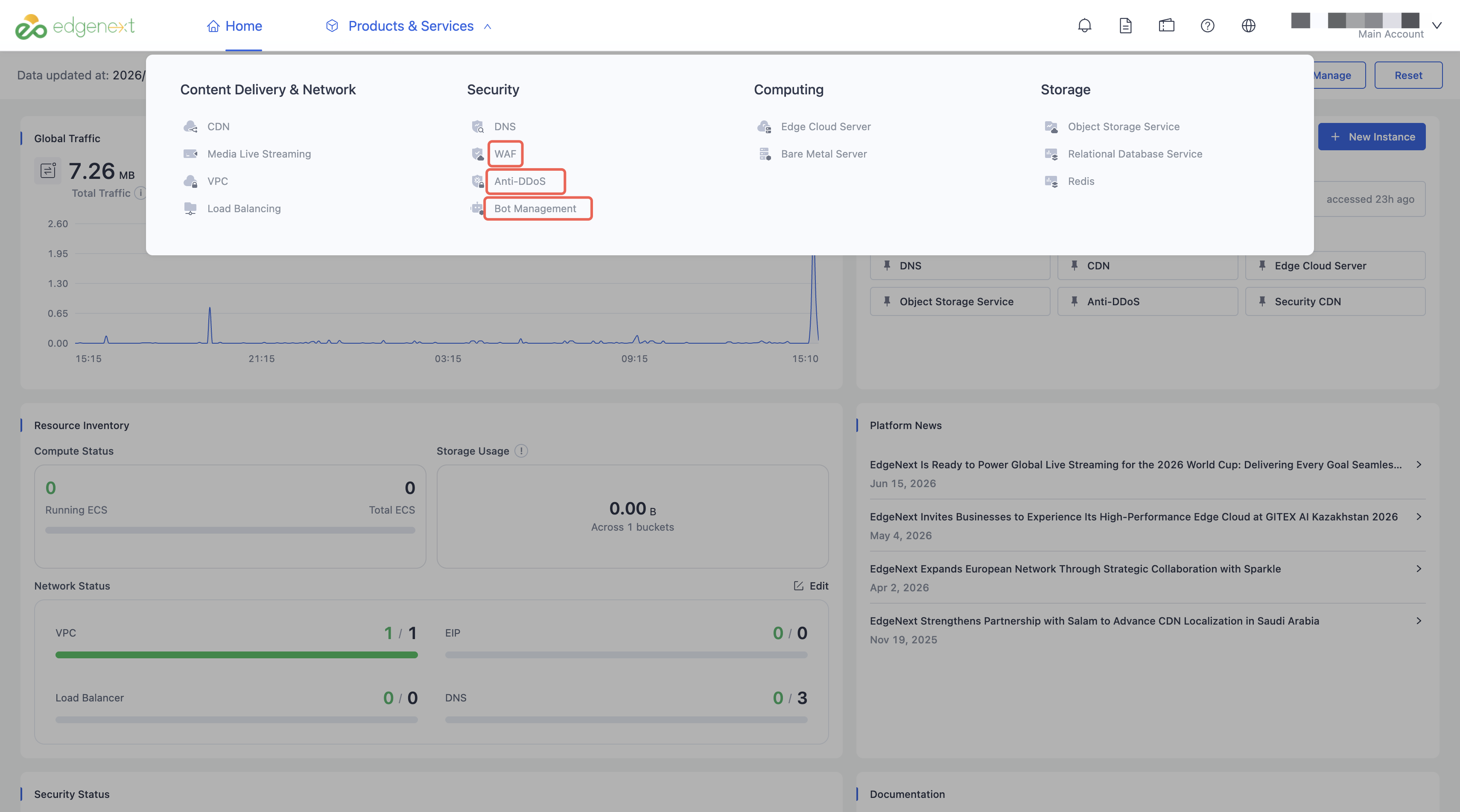
Step 1: Access the SCDN Console
After completing account registration, log in to the console. Click Product Services to open the service navigation panel, then click Security CDN to proceed to the service activation page.
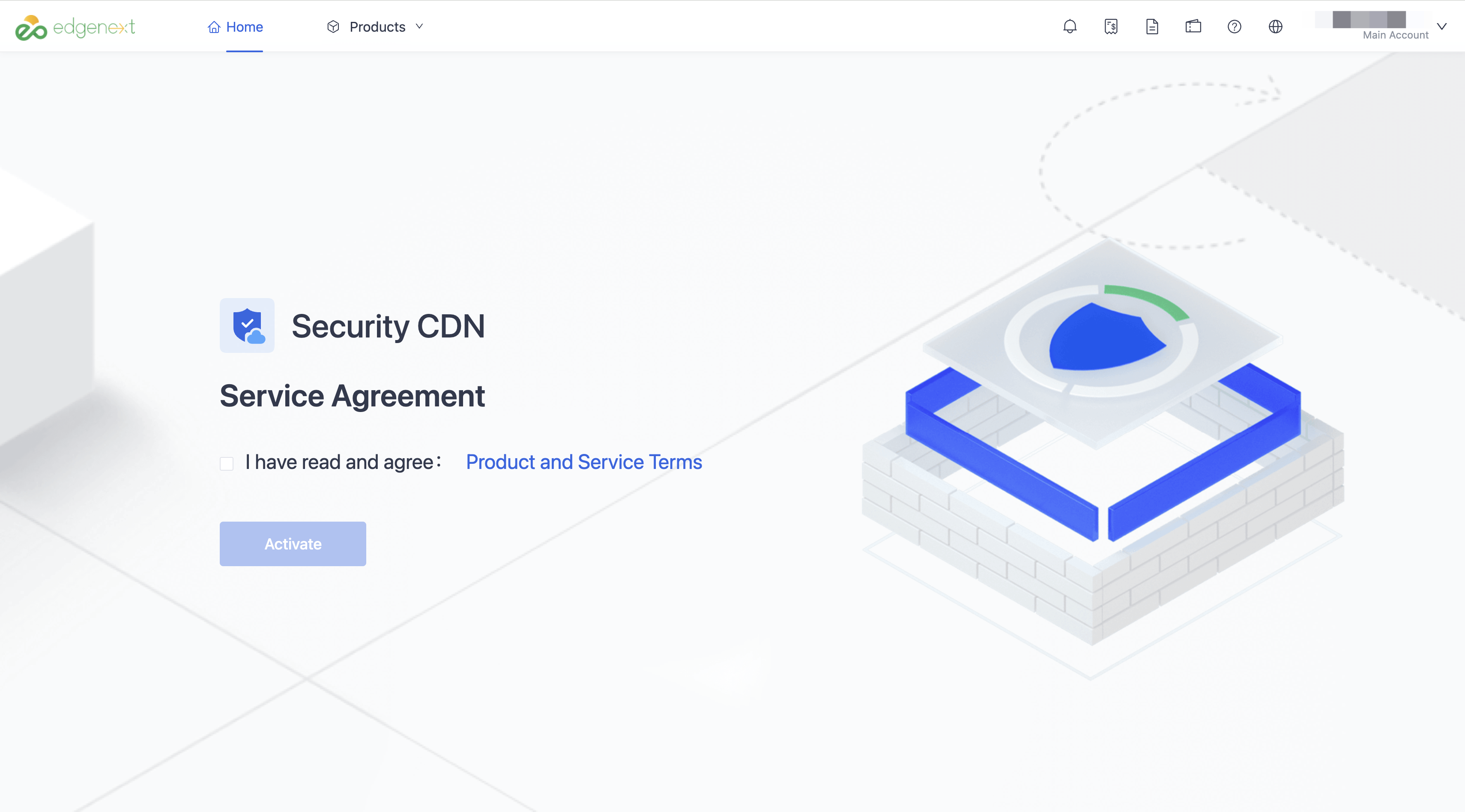
Step 2: Activate the Security CDN Service
To activate the Security CDN service, you must check the box "I have read and agree : Product and Service Terms". Once activated, you will be automatically redirected to the Security CDN - Website Management page.
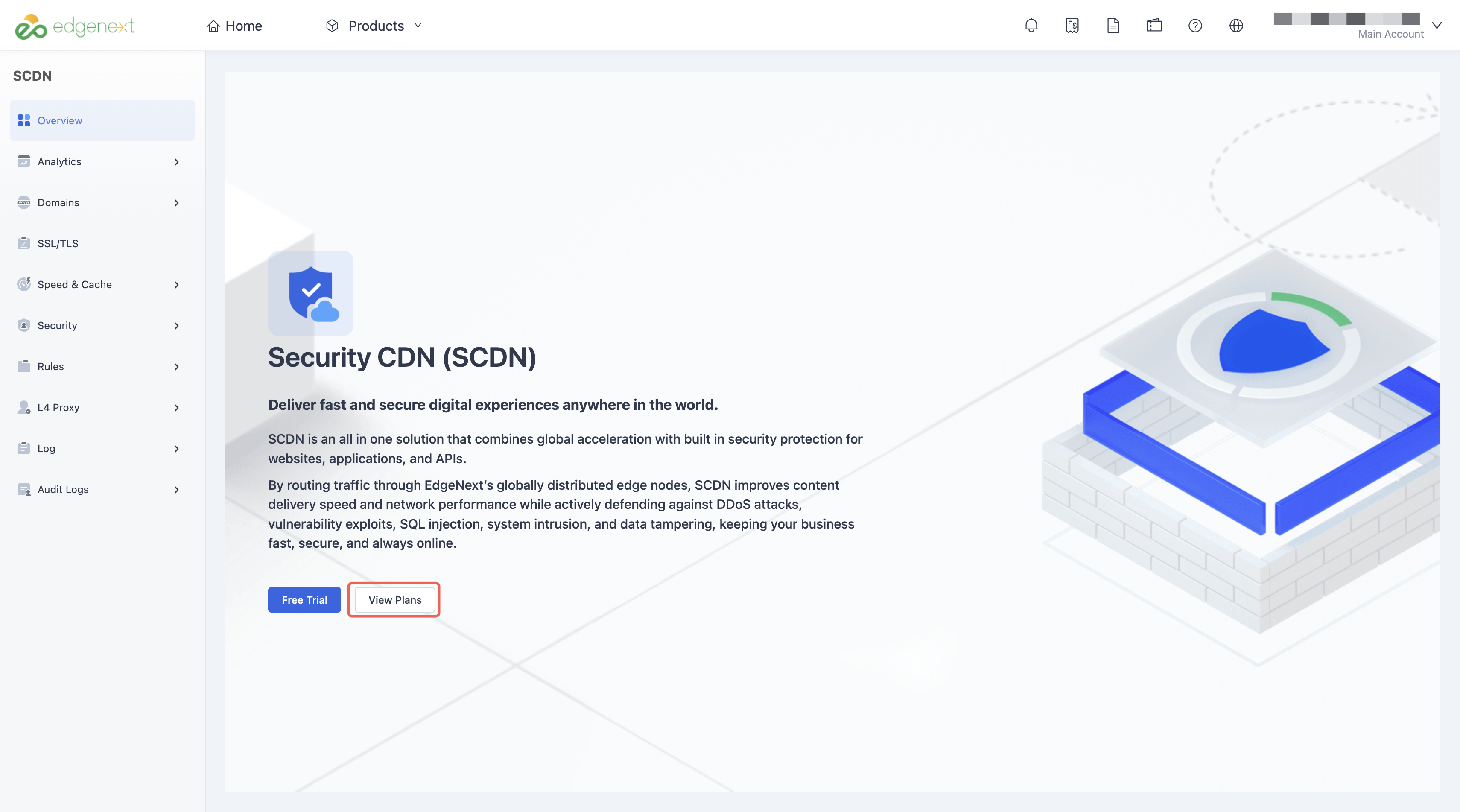
Step 3: Purchase a Security CDN Plan
In the Security CDN console, click the View Plans button to go to the package purchase page.
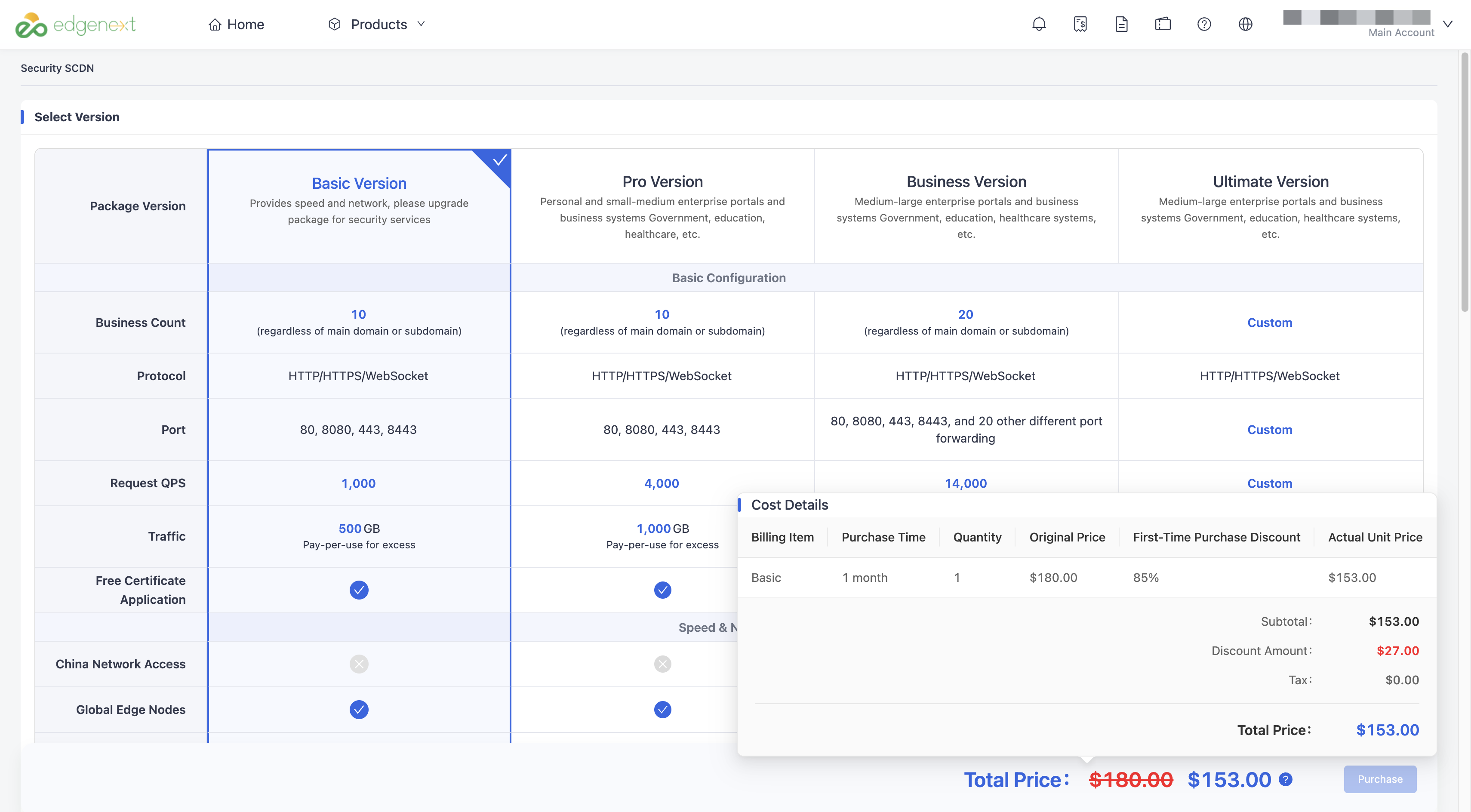
| Parameter | Description |
|---|---|
| Plan Type | Self-service purchase is available for the Basic, Pro, and Business plans. For the higher-tier Enterprise plan, please contact sales. |
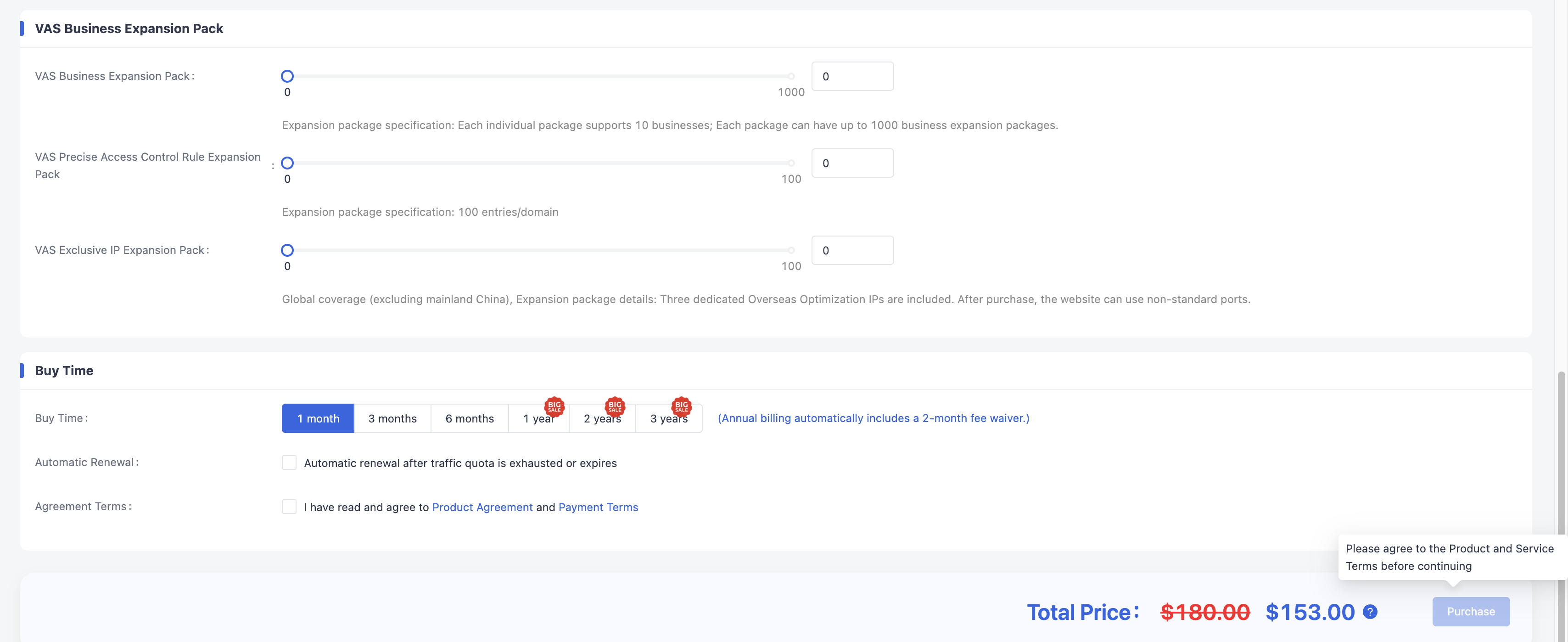
| Duration | Plans are available on a monthly basis, with subscription terms ranging from 1 month to 3 years. First-time purchases enjoy a 15% discount. Annual subscriptions also include an additional discount equivalent to 2 months free. You may enable auto-renewal based on your needs. Before the plan expires, the subscription will be automatically renewed for the same term as the current purchase. Please note that before enabling auto-renewal, you must complete your credit card information. Auto-renewal currently supports credit card payments only. |
Step 4: Agreement Terms
After selecting a plan, please agree to the Product Agreement and Payment Terms, then click Purchase to proceed to the order confirmation page.
Step 4: Order Confirmation
After confirming that the order details are correct, click Confirm Order to proceed to the payment page.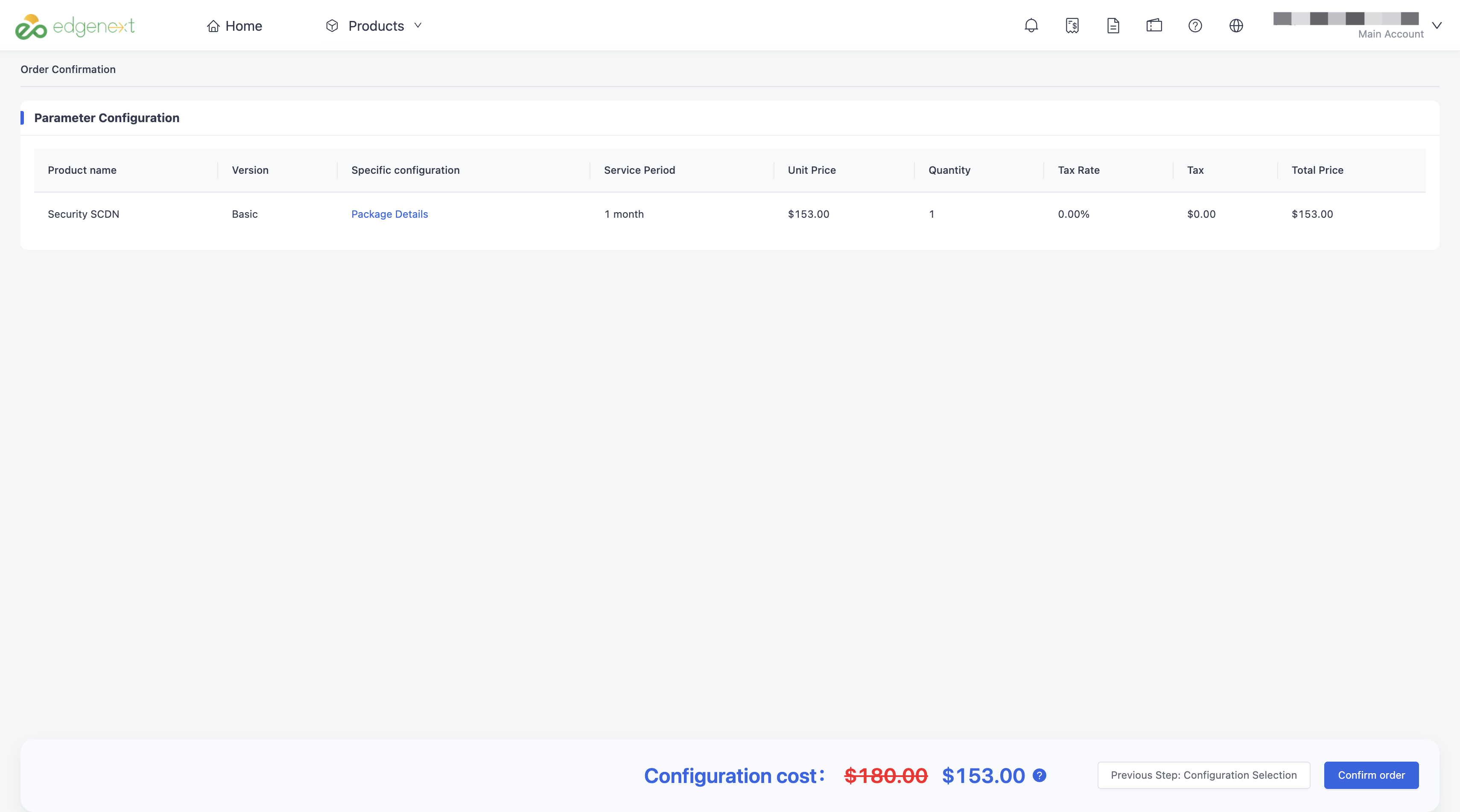
Step 5: Order Confirmation
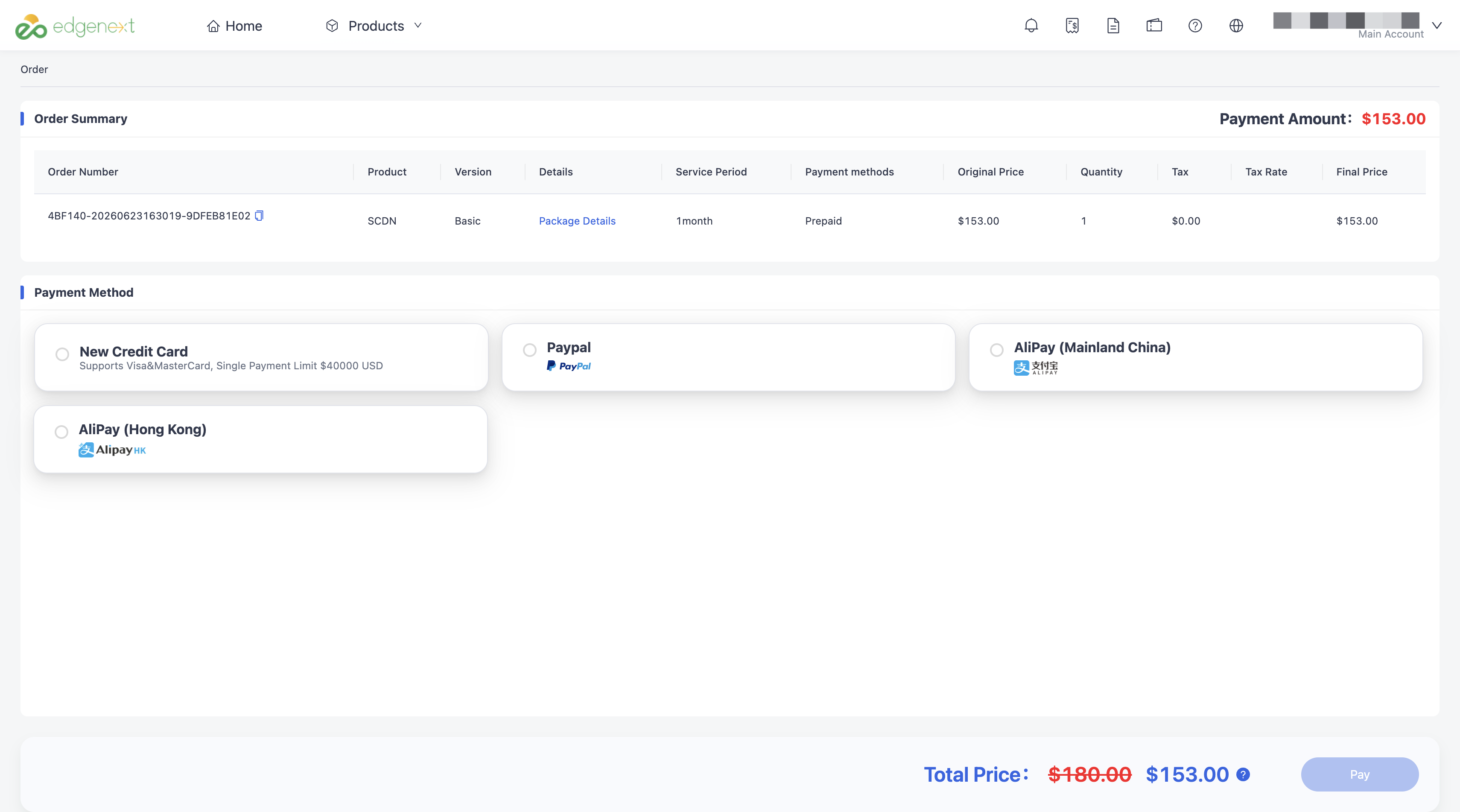
Multiple payment methods are supported, including credit cards (Visa and Mastercard), PayPal, Alipay (Mainland China), and AlipayHK.
Need help? Contact our support team at support@edgenext.com.
Back to documentation home