

WAF Rules
The WAF Rules is a regex-based protection system designed to precisely match and handle HTTP/HTTPS requests, offering robust security for complex web environments.
Protection Scope
The WAF Rules defends against a wide range of web attacks, including but not limited to:
| Attack Type | Description |
|---|---|
| SQL Injection | Attackers inject malicious SQL statements into input parameters to manipulate database operations, bypass authentication, read sensitive data, or delete records. |
| Code Execution | Exploits that allow attackers to execute arbitrary code on the server, potentially gaining control or planting malware. |
| Special Attacks | Unclassified or compound attacks targeting specific business logic, such as forged requests or non-standard protocol access. |
| Sensitive File Access | Attempts to access system or config files like .env, config.yaml, or /etc/passwd to retrieve sensitive data. |
| Remote Command Execution | Enables attackers to remotely execute arbitrary commands on the server, posing critical risks including full server compromise. |
| Webshell Detection | Attempts to probe for or upload webshells (e.g., shell.php, cmd.jsp) for remote control of the web server. |
| Cross-Site Scripting (XSS) | Injects malicious scripts into web pages to steal cookies, execute phishing attacks, or deceive users. |
| DDoS (Denial of Service) | Overwhelms the server with malicious traffic, causing service disruption. Includes both volumetric and application-layer attacks. |
| File Upload Attacks | Uploading malicious files (e.g., trojans, scripts, viruses) that may be executed or used in further attacks. |
| Malicious Scanning | Uses automated tools to probe directories, ports, and APIs to identify vulnerabilities. |
| Microsoft IIS Exploits | Targets known vulnerabilities in IIS (e.g., path bypass, buffer overflow), impacting IIS-based websites. |
| Apache Exploits | Attacks against Apache components, including path traversal, configuration leaks, or module abuse. |
| Local File Inclusion (LFI) | Exploits that include local server files via parameters, leading to data exposure or code execution. |
| Nginx Vulnerabilities | Security flaws triggered by Nginx configuration or logic errors (e.g., parsing issues, cache bypass, directory traversal). |
Rule Status Explanation
| Status | Description |
|---|---|
| Disabled | Rule is inactive and will not participate in request matching or trigger any protection behavior. |
| Monitor | Rule logs matched requests but does not enforce any action, allowing for impact assessment. |
| Enabled | Rule is active and will perform the predefined protection action when triggered. |
Rule Set Creation Guide
Log in to the Security CDN Console.
In the left navigation pane, go to Rules > WAF Rules.
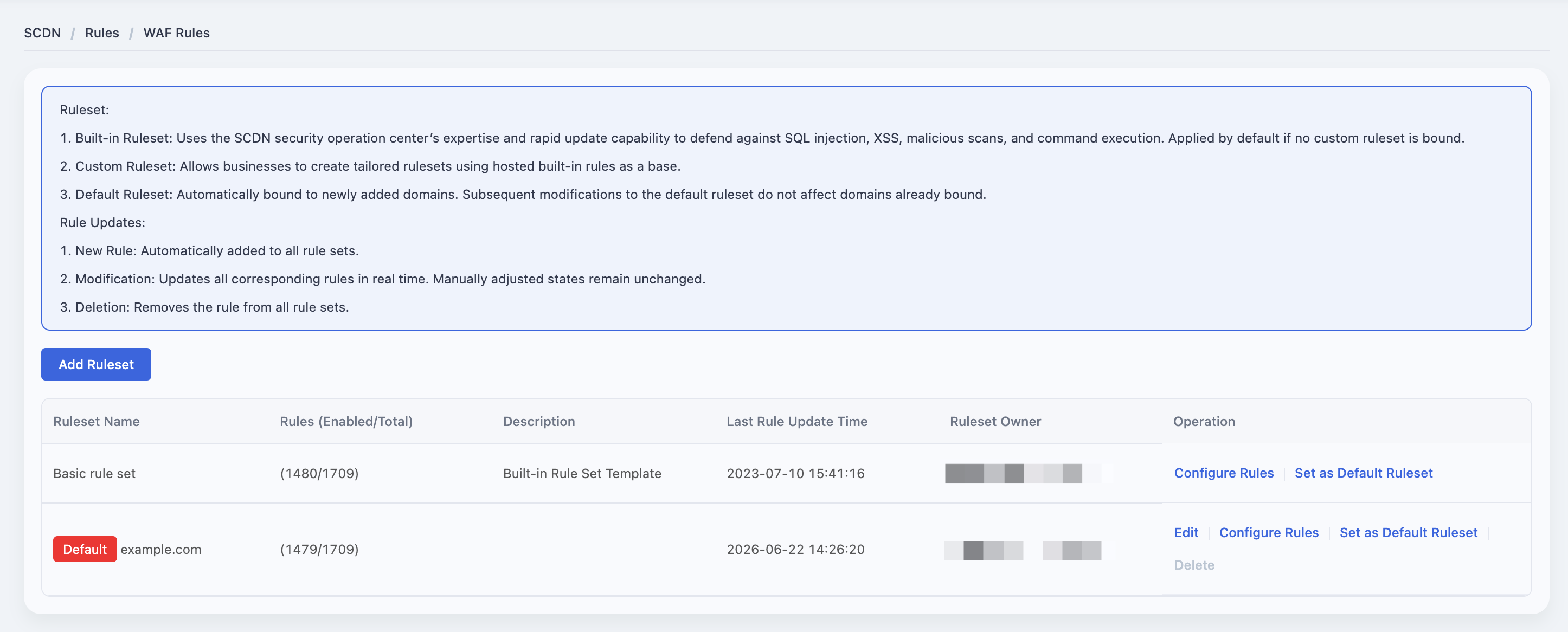
On the WAF Ruleset page, click Add Ruleset.
In the pop-up window, fill in the ruleset name and remarks.
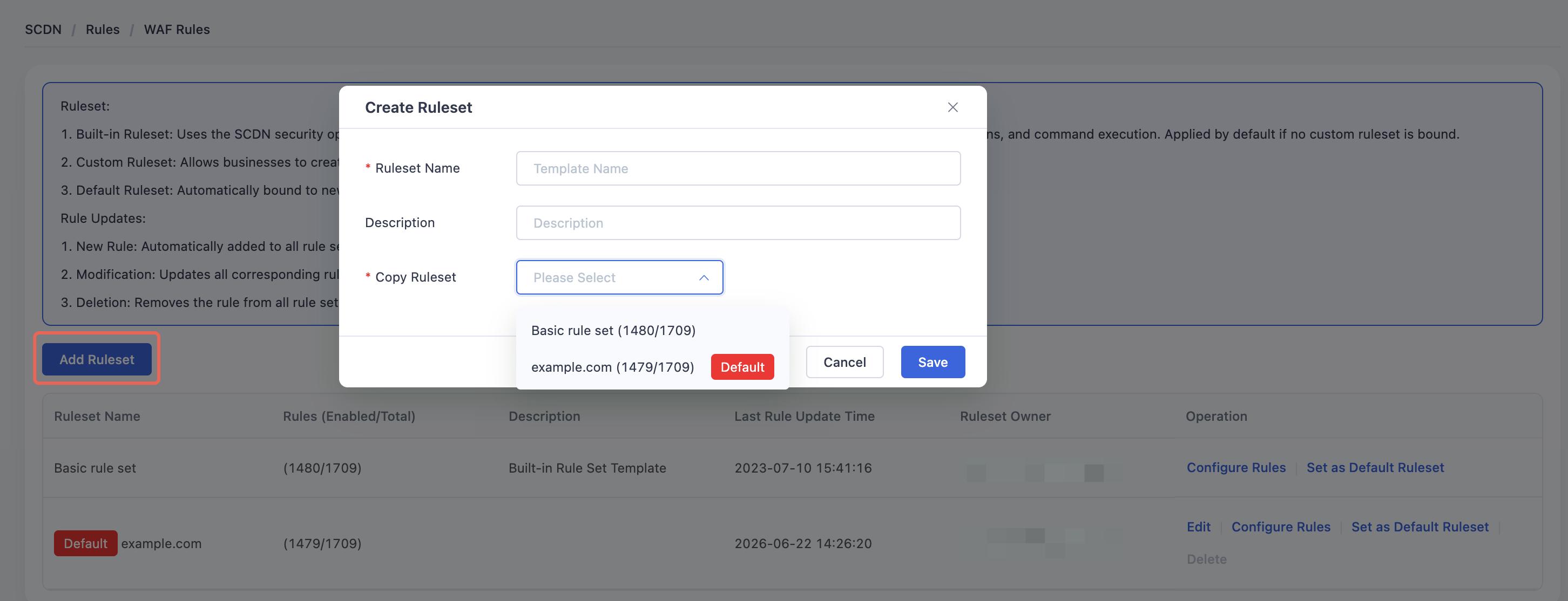
Select a Ruleset to copy from (mandatory for first-time rule set creation).
Click Save to complete the rule set creation.
Rule Management Operation Guide
To modify or manage individual rules within a WAF rule set, follow the steps below:
Log in to the Security CDN Console.
In the left navigation panel, navigate to Rules > WAF Rules.
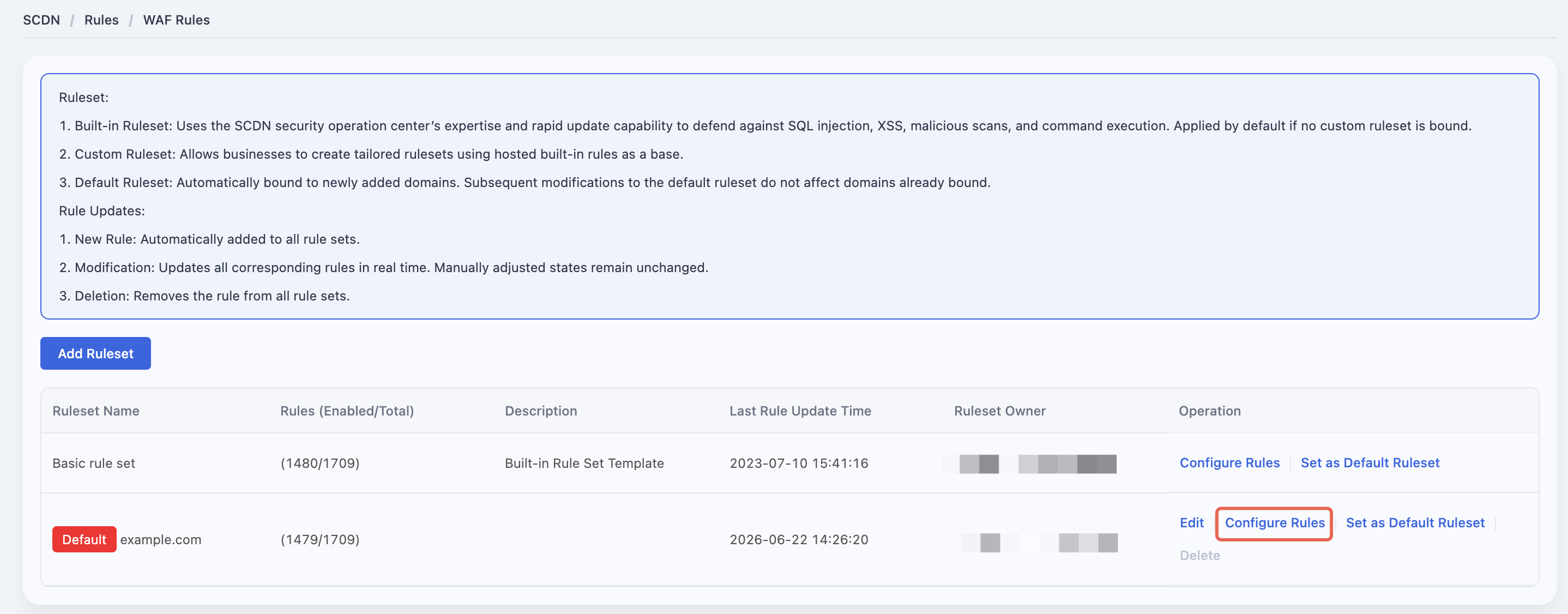
On the WAF Rule Sets page, locate the rule set you want to manage.
Click the Configure Rules button in the corresponding row to enter the rule configuration page.
Within the rule list, each rule displays a status dropdown with the following options:
- Enabled – The rule is active and will trigger protection actions upon matching.
- Monitor – The rule only logs matches without enforcing any action (for observation and evaluation).
- Disabled – The rule is turned off and will not participate in request inspection.
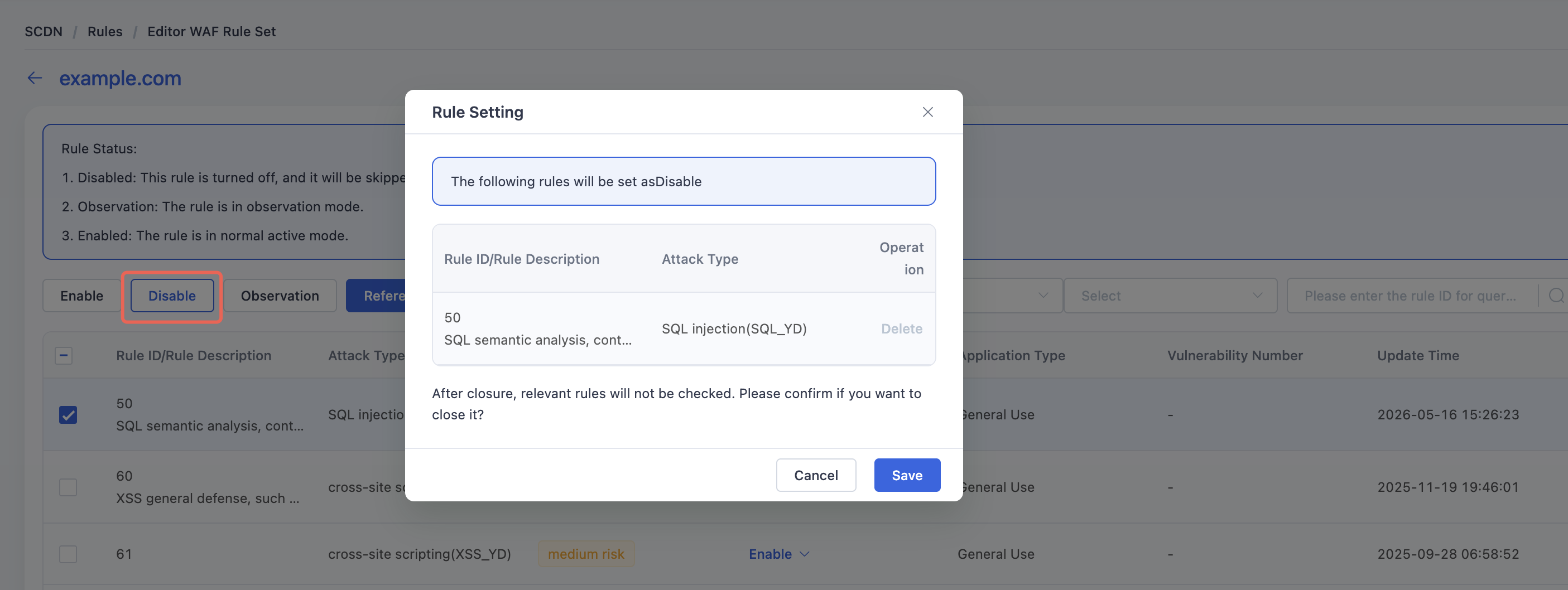
You can change the status individually or use bulk operations to apply status changes to multiple rules at once.
All changes take immediate effect upon saving.
Note: If a specific rule is found to cause false positives or interfere with legitimate traffic, it is recommended to set its status to Monitor or Disabled to avoid unintended blocking.
Need help? Contact our support team at support@edgenext.com.
Back to documentation home